9
Connection Settings, and configure the parameters according to specific requirements.
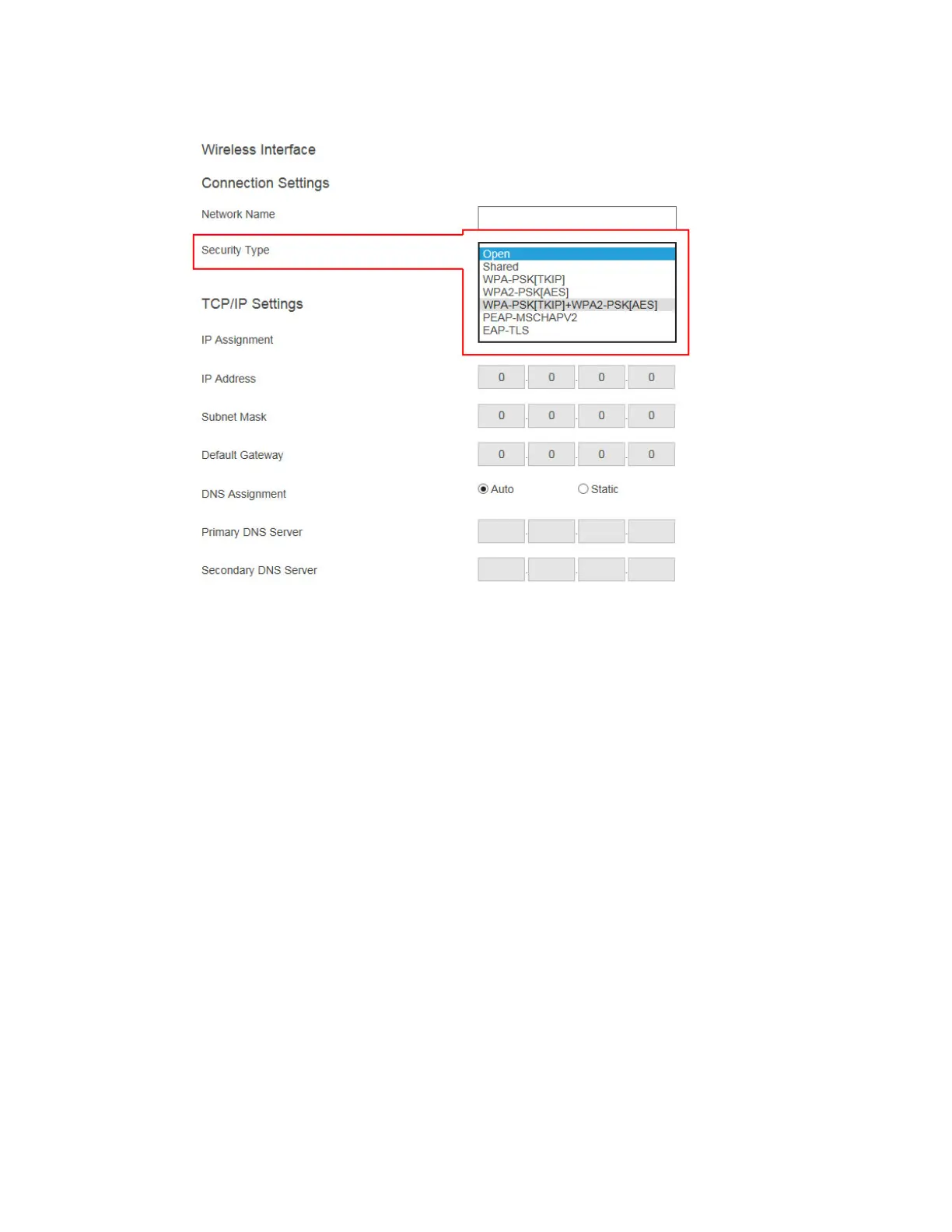
Network Name: The SSID of the wireless router (AP).
Security Type: Select a security type, the one you have selected on your wireless
router. Available security types are Open, Shared, WPA-PSK[TKIP], WPA2-
PSK[AES], WPA-PSK[TKIP]+WPA2-PSK[AES], PEAP/MSCHAPV2, and EAP-
TLS.
When Security Type is set to Shared, WPA-PSK[TKIP], WPA2-PSK[AES], or WPA-
PSK[TKIP]+WPA2-PSK[AES],
User Name: Not used.
Password: The pre-shared password for the wireless SSID.
When Security Type is set to PEAP/MSCHAPV2,
User Name: This is for authentication through a RADIUS server. It is RADIUS
account User Name.
Password: It is RADIUS account password.
When Security Type is set to EAP-TLS, the following items are available:
User Name: It is the User Principal Name or RADIUS Identity (if necessary).
Note: The User Name supports these characters: a-z, A-Z, 0-9, @, ., and _.
Password: It is the password of the Private Key.
System Date & Time: It is used to set date and time for the receiver. Users should
set the date and time according to the validity period of the certificates.



 To Next Page