57
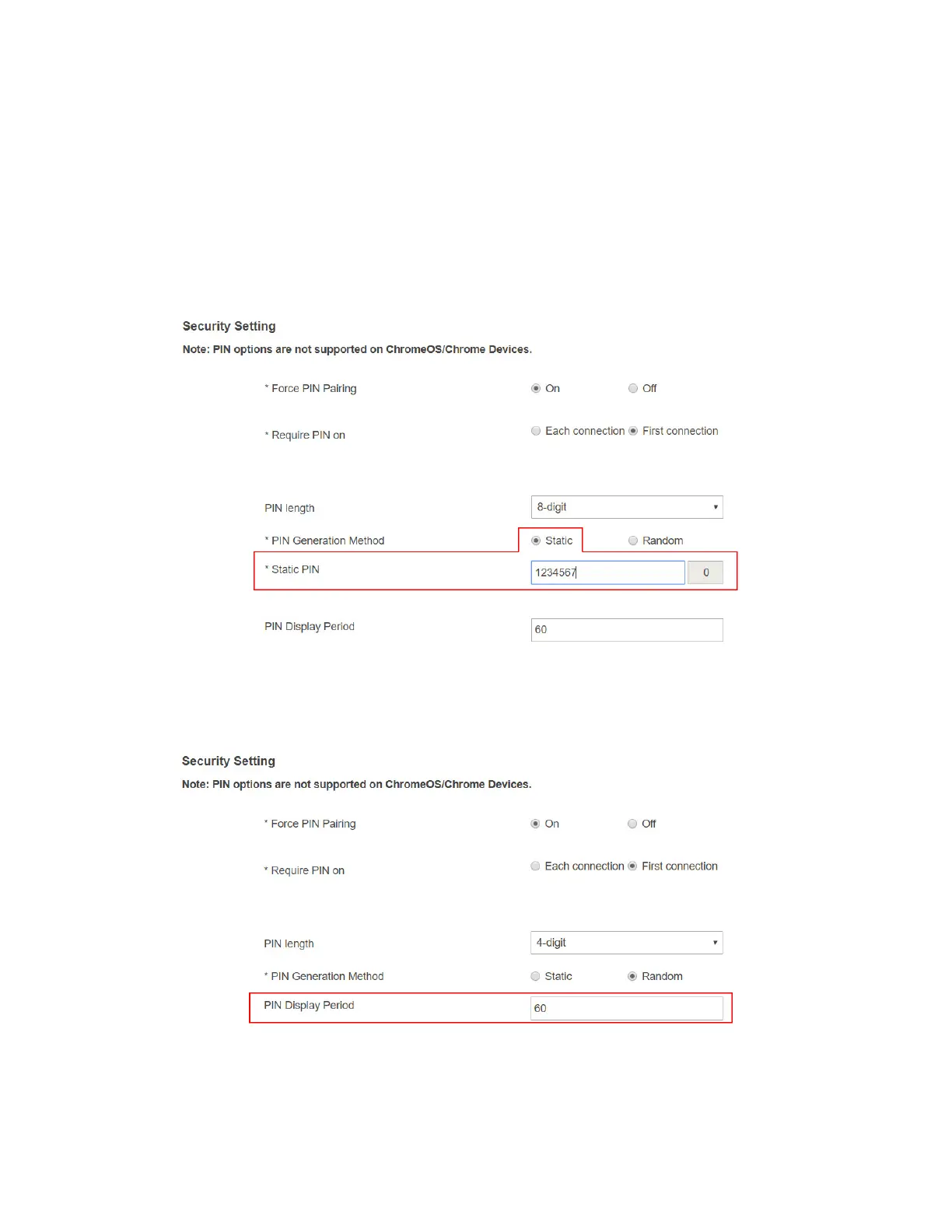
5. Select a PIN generation method.
When the Force PIN Pairing feature is enabled, the system provides two PIN generation
methods: Static and Random.
Static: When Static is selected, users can define a PIN flexibly. The static PIN will
not be displayed on the connected display.
If 8-digit is selected for the PIN length, users can define the first seven (7) digits,
and then the system generates an 8-digit PIN with that seven digits included. Enter
seven (7) digits in the Static PIN box, and the system generates the eighth (8th)
digit.
Random: A PIN code is generated randomly by ScreenBeam and displayed on the
connected HDTV/projector.
6. Define the period for showing the PIN on the connected display. The PIN Display Period
ranges from 30 to 120 seconds.



 To Next Page