SensusRF gateway user manual
| 29/10/2019
11.1 IRIS Server Mode –Parameters
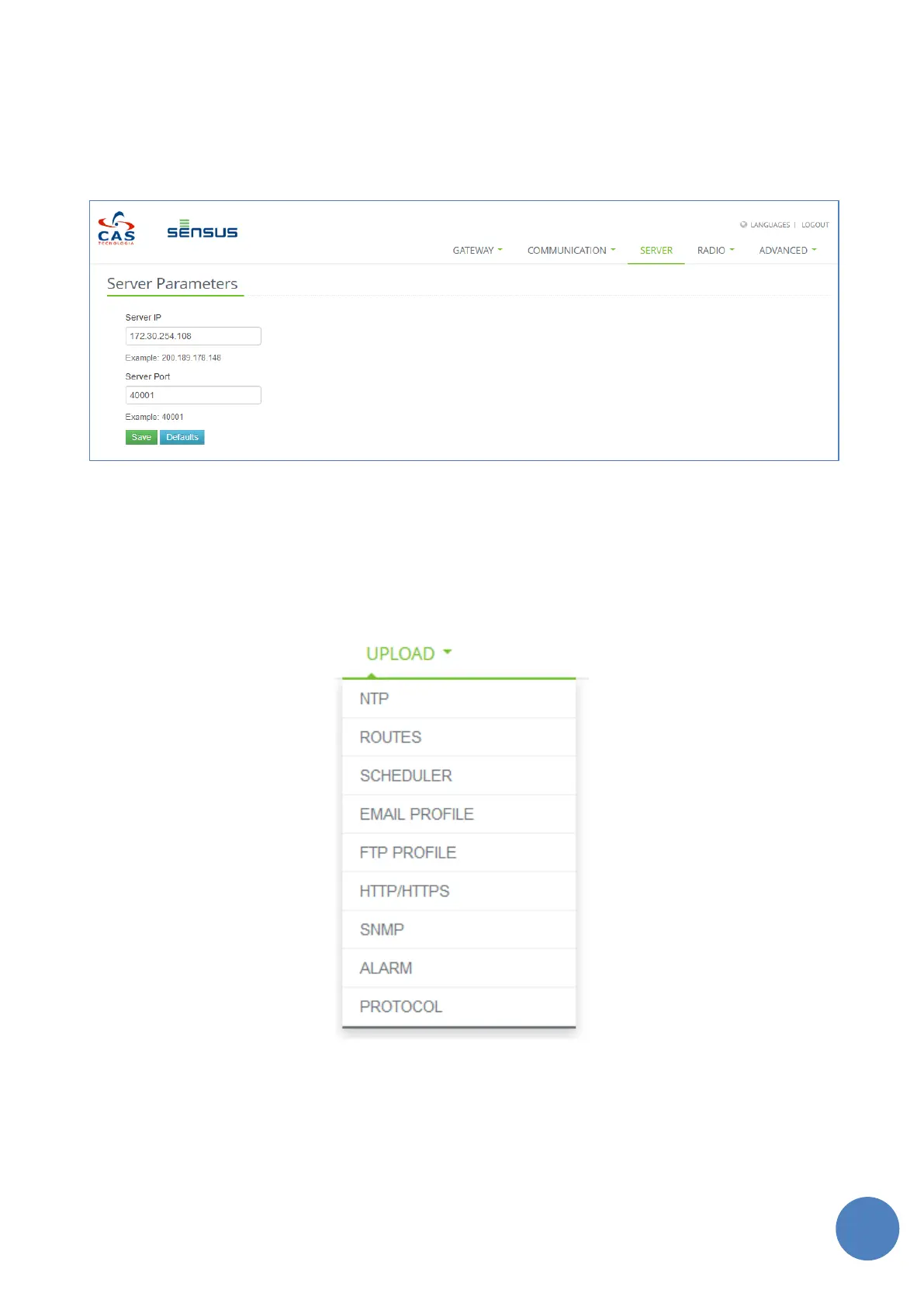
To connect with an Iris Server it is necessary to configure the settings on the “Server” tab.
Fill in the fields IP address and the Port of the Iris Server, then click on button “Save”. Figure 11-4 shows the
“Server Parameters” screen.
FIGURE 11-4 - SERVER PARAMETERS
11.2 Iris Light mode – Parameters
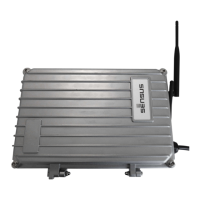
On tab “Upload” is possible to configure the parameters to allow SensusRF Gateway in its Light Mode. For
this, it is necessary to fill info in following tab options:
FIGURE 11-5 - UPLOAD TAB OPTIONS
11.2.1 NTP
It is essential for the gateway to have the correct time and time zone. Use the NTP option to configure the
gateway to connect to a Network Time Server for the appropriate time zone.


 To Next Page