SensusRF gateway user manual
| 29/10/2019
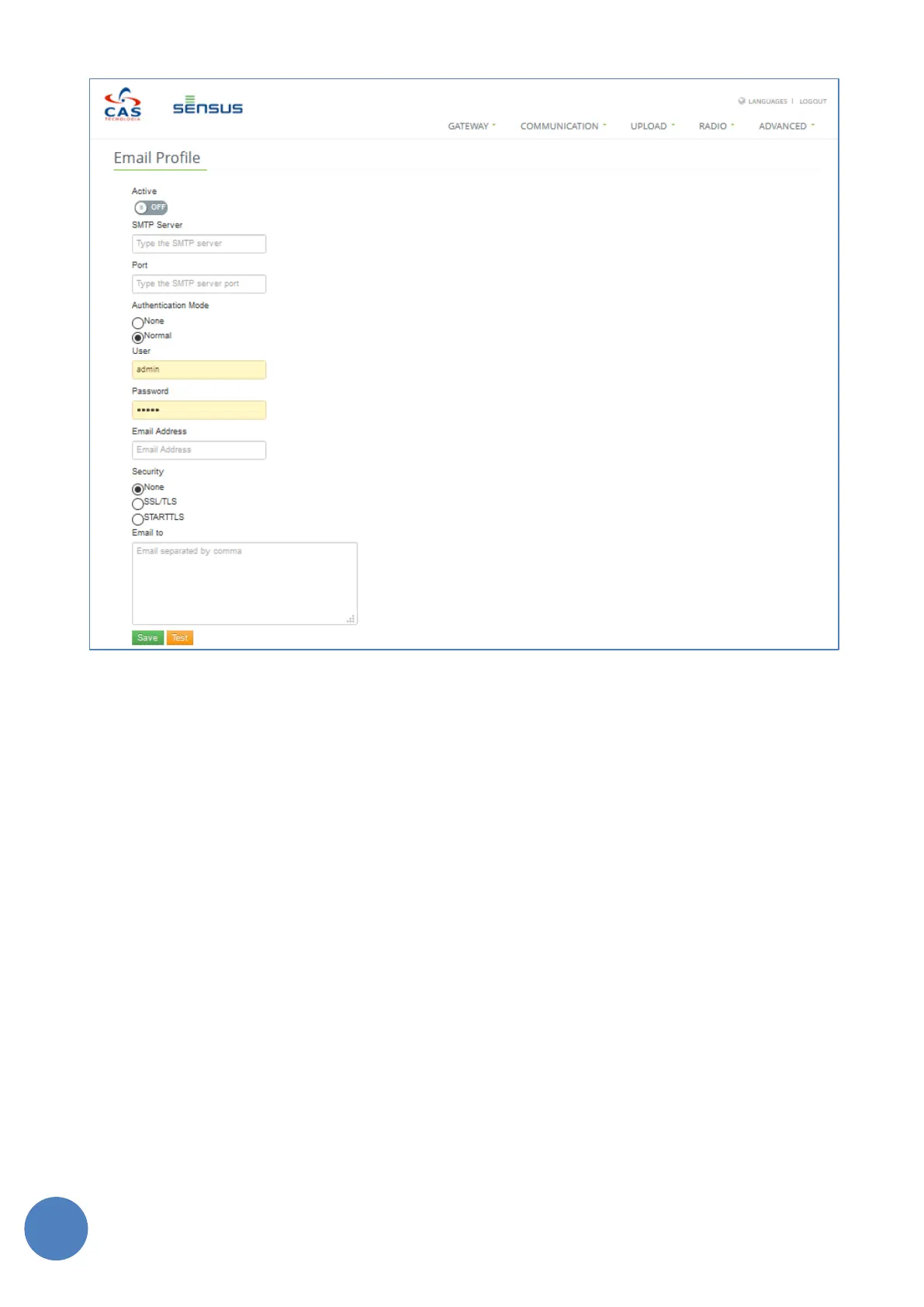
FIGURE 11-8 - EMAIL PROFILE CONFIGURATION
The following fields must be configured:
• SMTP Server name
• SMTP Server port
• SMTP Server Login information
• Type of security used
• Email addresses to send the files to (separated by a comma)
Click the “Save” button to save configuration. To validate this configuration, click on Test button.
11.2.4 FTP Profile
If the meter readings CSV file is to be sent by FTP or FTPS then the FTP page must be configured (“Upload”
tab then “FTP profile”).


 To Next Page