140
Operating Instructions – Electronic Motor DRC.-..-SNI
9
Local mode (only in conjunction with optional plug connector)
Operation
9 Operation
9.1 Local mode (only in conjunction with optional plug connector)
9.1.1 Notes
9.1.2 Activating local mode
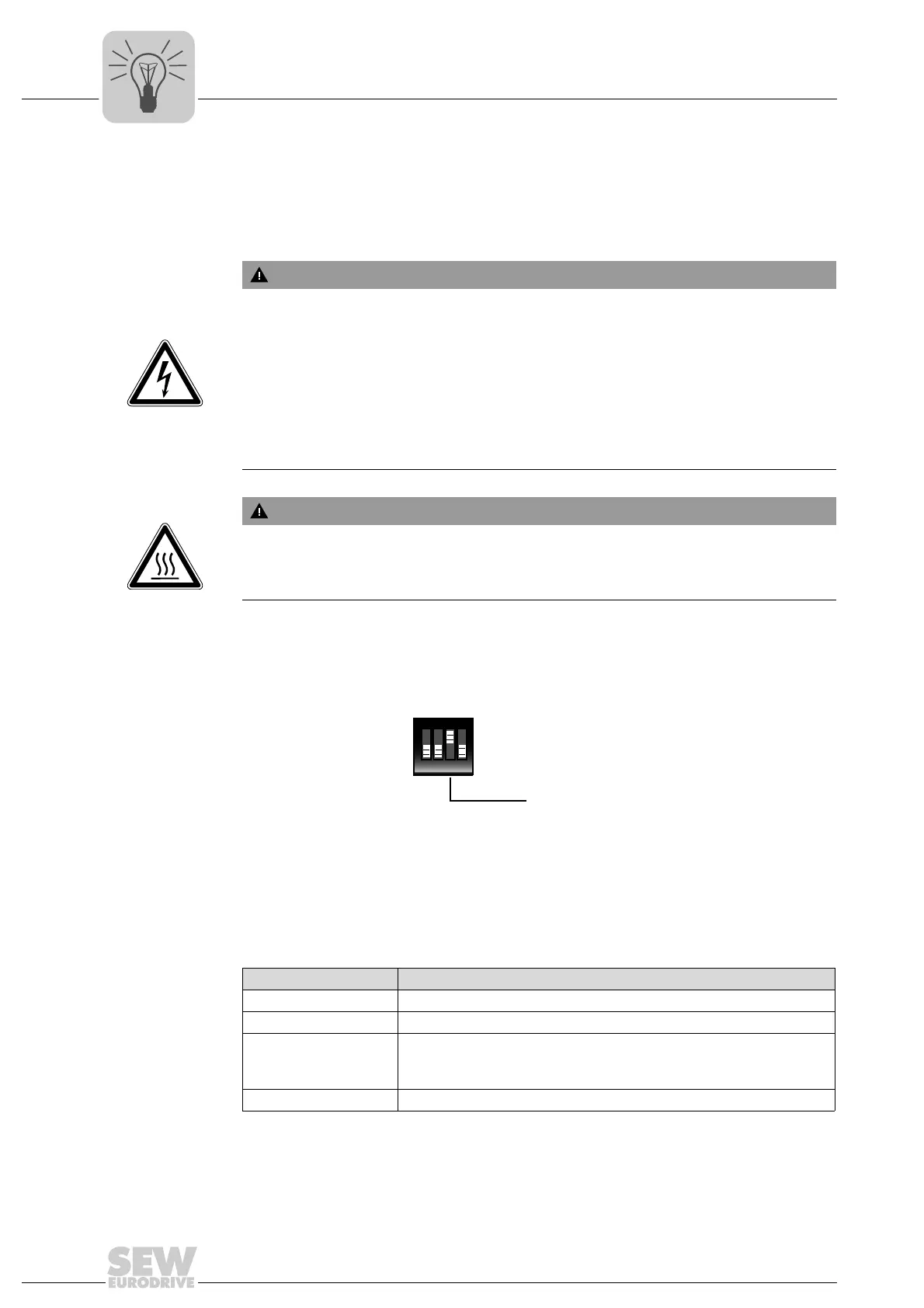
Set DIP switch S2/3 to "ON" (also see "Startup" chapter). This allows for local mode with
optional plug connector "X5131" (also see "Electrical Installation" chapter).
The setting of the DIP switch determines whether motion control input "DI04" can be
used to switch between sensor inputs and local mode irrespective of the set function.
When DIP switch S2/3 is set to "ON" and motion control input DI04 is set to "1", then
motion control inputs DI01 to DI03 are used for local mode with the following functions:
WARNING
Electric shock caused by dangerous voltages in the connection box. Dangerous
voltages may still be present for up to 10 minutes after disconnection from the power
supply system.
Severe or fatal injuries.
• Before removing the electronics cover, de-energize the DRC drive units via a
suitable external disconnection device.
• Secure the drive unit against unintended re-connection of the voltage supply.
• Secure the output shaft against rotation.
• Wait for at least 10 minutes before removing the electronics cover.
WARNING
Burns caused by hot surfaces.
Severe injuries
• Let the units cool down before touching them.
2685981451
Motion control inputs Functionality when DIP switch S2/3 = ON
DI01 CW/stop
DI02 CCW/stop
DI03 Setpoint selection
"0" = Setpoint n_f1 active (parameter 10096.35, factory set to 1500 rpm)
"1" = Setpoint n_f2 active (parameter 10096.36, factory set to 200 rpm)
DI04 Switching between local mode / automatic mode
ON DIP
1234
S2
Use of motion control
inputs
OFF = Used as sensor inputs
ON = Used for local mode



 To Next Page