26
Operating Instructions – Electronic Motor DRC.-..-SNI
4
Setting up the drive unit
Mechanical Installation
4.4.2 Electronics cover
Installing the
electronics cover
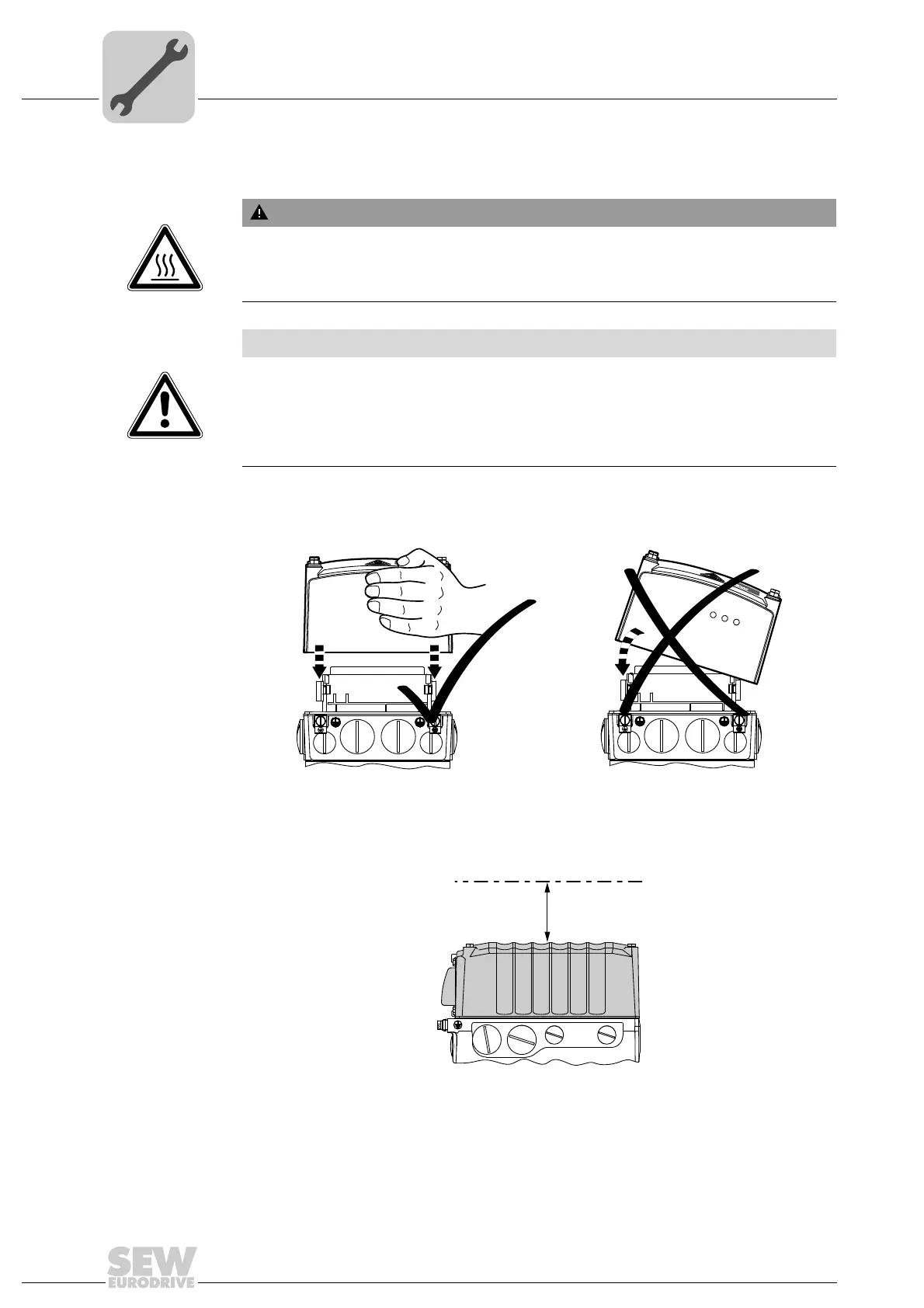
• Use only electronics covers that match the size.
• Be careful not to tilt the electronics cover when placing it on the connection box.
Min. installation
clearance
Note the minimum installation clearance (see following figure) required to remove the
DRC electronics cover. For detailed dimension drawings, see chapter "Technical data
and dimension sheets".
WARNING
Burns caused by hot surfaces.
Severe injuries.
• Let the units cool down before touching them.
NOTICE
Loss of the guaranteed degree of protection.
Possible damage to property.
• When the DRC electronics cover is removed from the connection box, you have to
protect it from humidity, dust or foreign particles.
• Check to see that the DRC electronics cover was mounted properly.
4813126155
NET RUN DRIVE
MOVIGEAR
®
B
SNI
NET RUN DRIVE
MOVIGEAR
®
B
SNI
9007201604838411
100



 To Next Page