144
Operating Instructions – Electronic Motor DRC.-..-SNI
10
Evaluating error messages
Service
10.2 Evaluating error messages
10.2.1 MOVITOOLS
®
MotionStudio
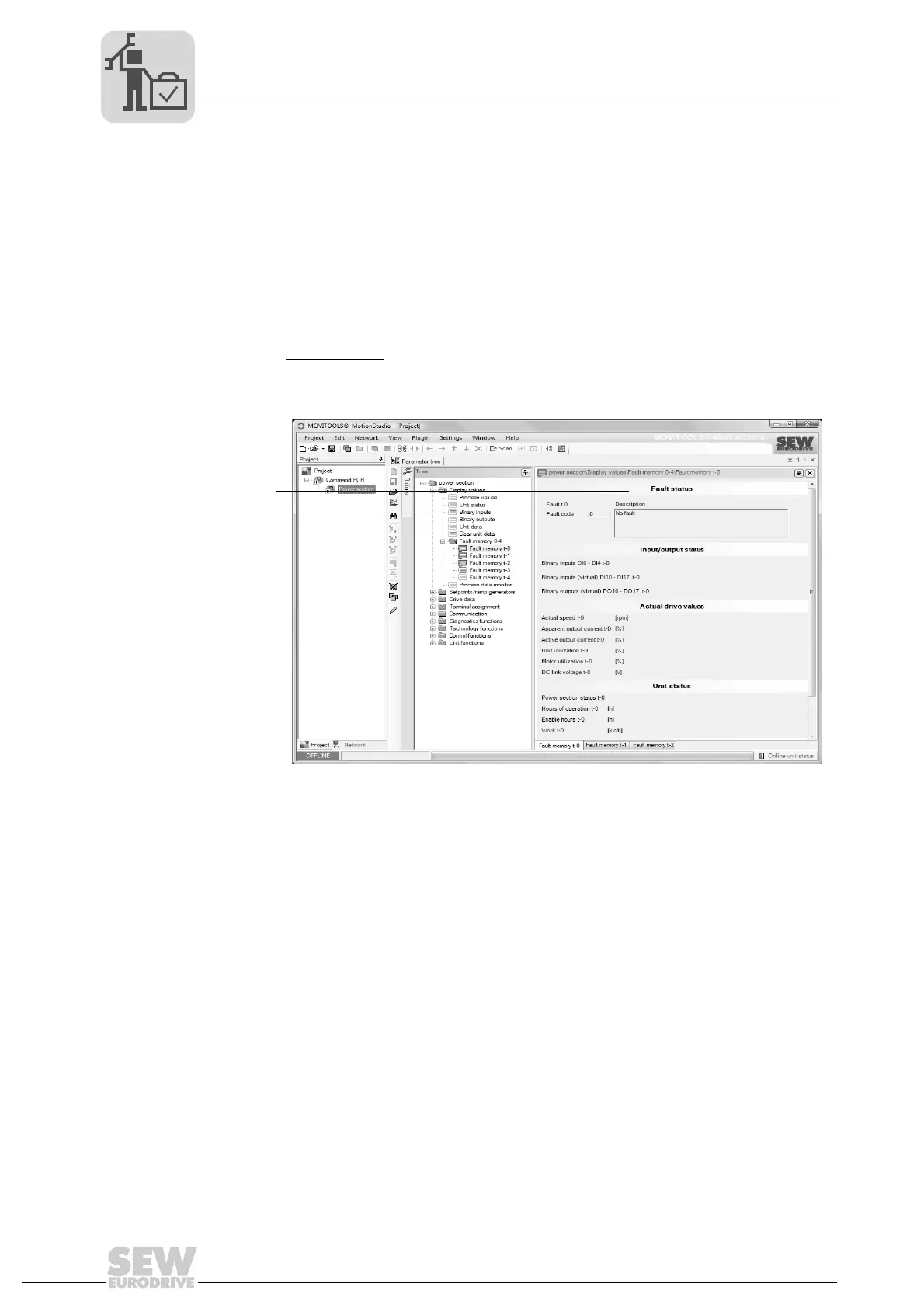
The following section shows a sample evaluation of an error message in MOVITOOLS
®
MotionStudio:
1. In MOVITOOLS
®
MotionStudio, open the DRC parameter tree (power section).
Observe chapter "Operation of MOVITOOLS
®
MotionStudio".
2. In the parameter tree, select the following node (here for error memory t-0, for
example):
• Power section
parameters / display values / error memory 0-4 / error memory t-0
[2]
3. In the error status group [1], you can read out error messages:
9007201707614859
[1] Error messages group
[2] Power section parameters / display values / error memory 0-4 / error memory t-0



 To Next Page