Operating Instructions – Electronic Motor DRC.-..-SNI
85
7
Connection mode
Operation of MOVITOOLS
®
MotionStudio
7.3 Connection mode
7.3.1 Overview
MOVITOOLS
®
MotionStudio differentiates between "online" and "offline" connection
mode. You determine the connection mode yourself. Depending on the selected
connection mode, you can choose offline or online tools specific to your unit.
Offline tools /
online tools
overview
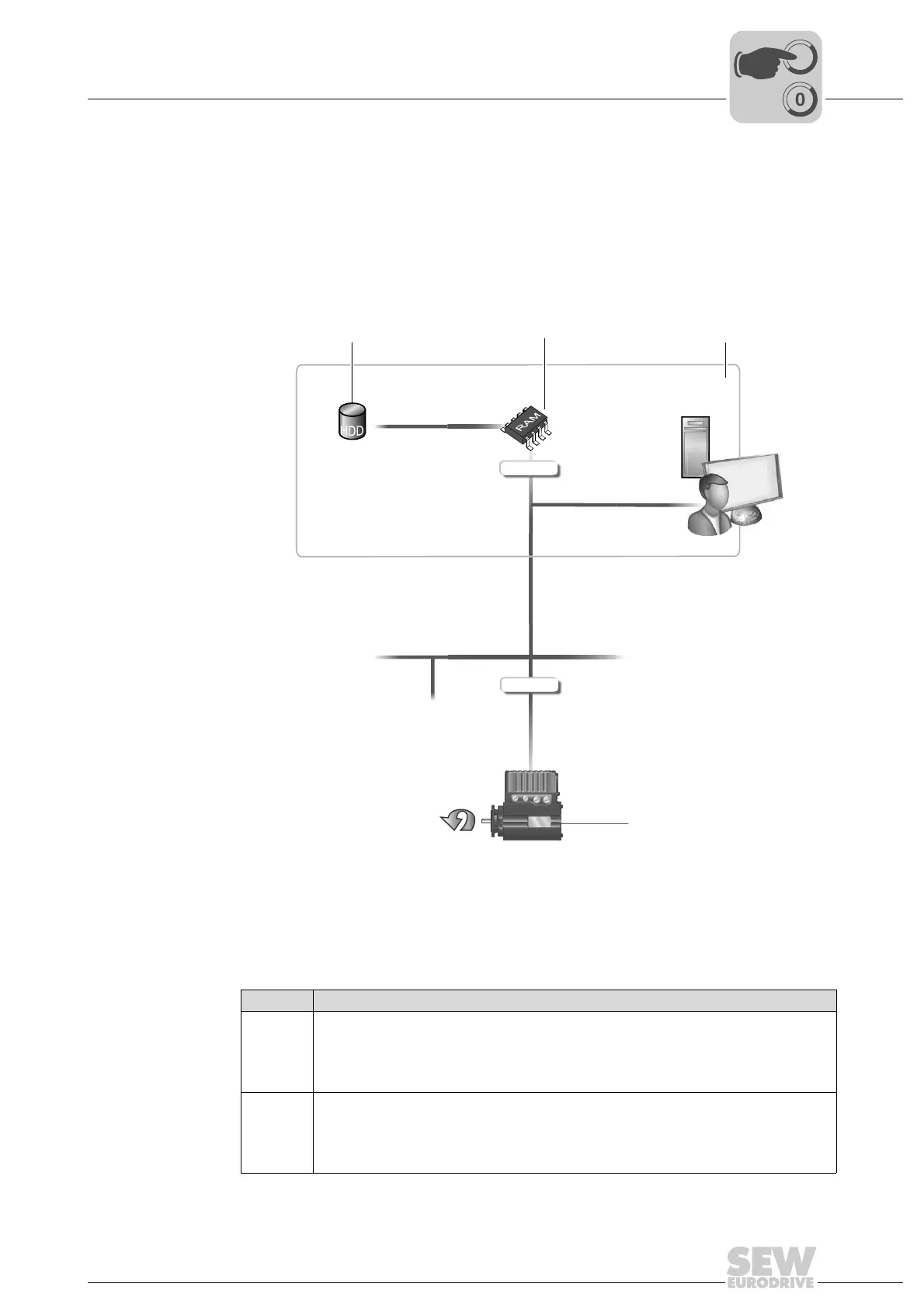
The following figure illustrates the two types of tools:
Offline tools /
online tools
description
The following figure illustrates the two types of tools:
4710632331
[1] Hard drive of the engineering PC
[2] RAM of the engineering PC
[3] Engineering PC
[4] Unit
[1]
HDD
RAM
[3]
[2]
[4]
Offline-Tool
Online-Tool
Tools Description
Offline
tools
Changes made using offline tools affect "ONLY" the RAM [2] at first.
• Save your project so that the changes can be stored on the hard disk [1] of your
engineering PC [3].
• Execute the "Download (PC->unit)" function if you want to transfer the changes to your
unit [4] as well.
Online
tools
Changes made using online tools affect "ONLY" the unit [4] at first.
• Execute the "Upload (unit->PC)" function if you want to transfer the changes to your RAM
[2].
• Save your project so that the changes can be stored on the hard disk [1] of your
engineering PC [3].



 To Next Page