84
Operating Instructions – Electronic Motor DRC.-..-SNI
7
First steps
Operation of MOVITOOLS
®
MotionStudio
7.2.4 Configuring units
Proceed as follows to configure a unit:
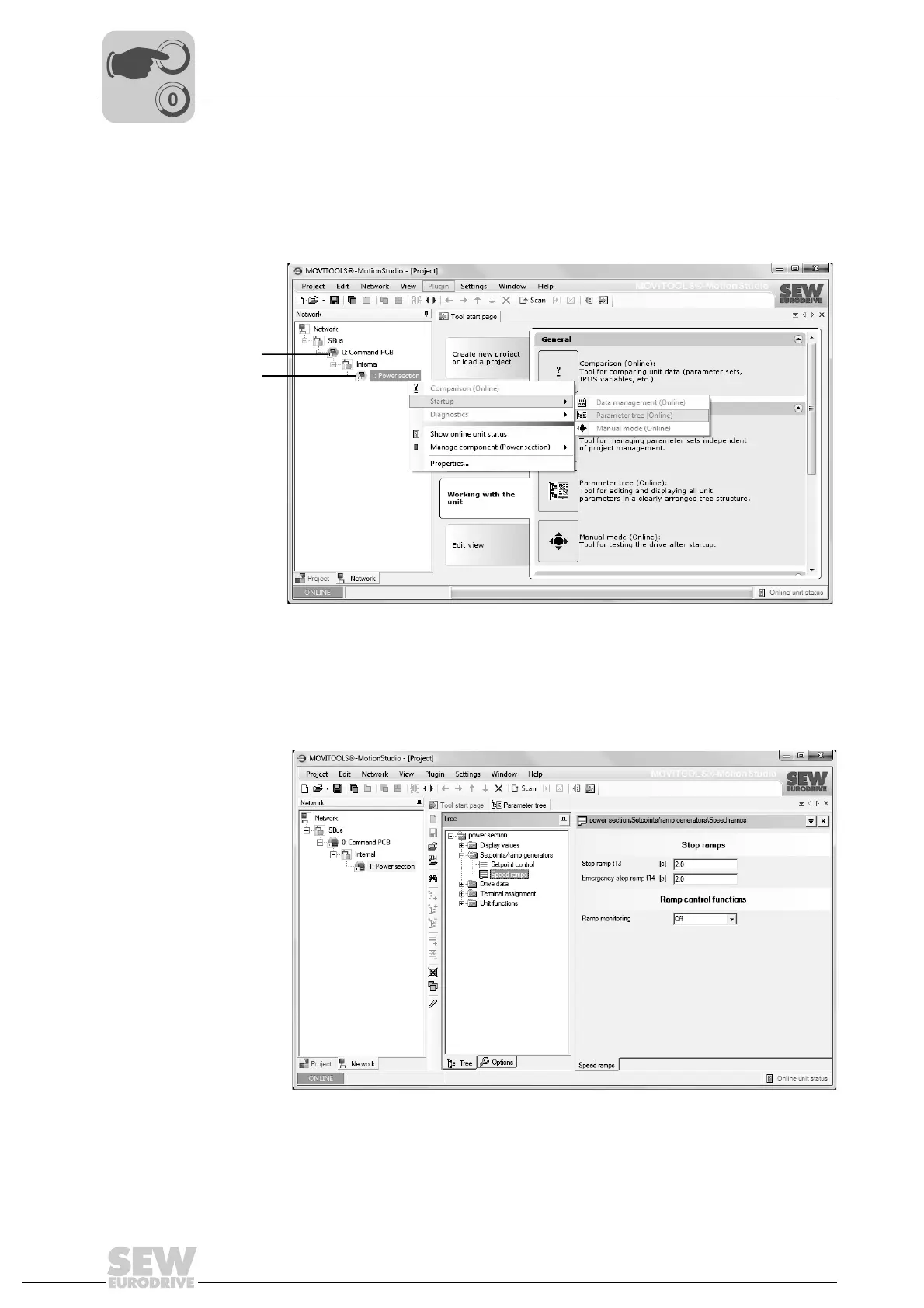
1. Select the unit in the network view.
2. Right-click to open the context menu and display the tools for configuring the unit.
The example shows the context menu with the tools for a DRC power section [2]. The
communication mode is set to "online" and the unit is scanned in the network view.
3. Select a tool (e.g. "Parameter tree") to configure the unit.
9007201974142091
[1] Command PCB
[2] Power section
9007202012758411



 To Next Page