86
Operating Instructions – Electronic Motor DRC.-..-SNI
7
Connection mode
Operation of MOVITOOLS
®
MotionStudio
7.3.2 Selecting the connection mode (online or offline)
Proceed as follows to set the connection mode:
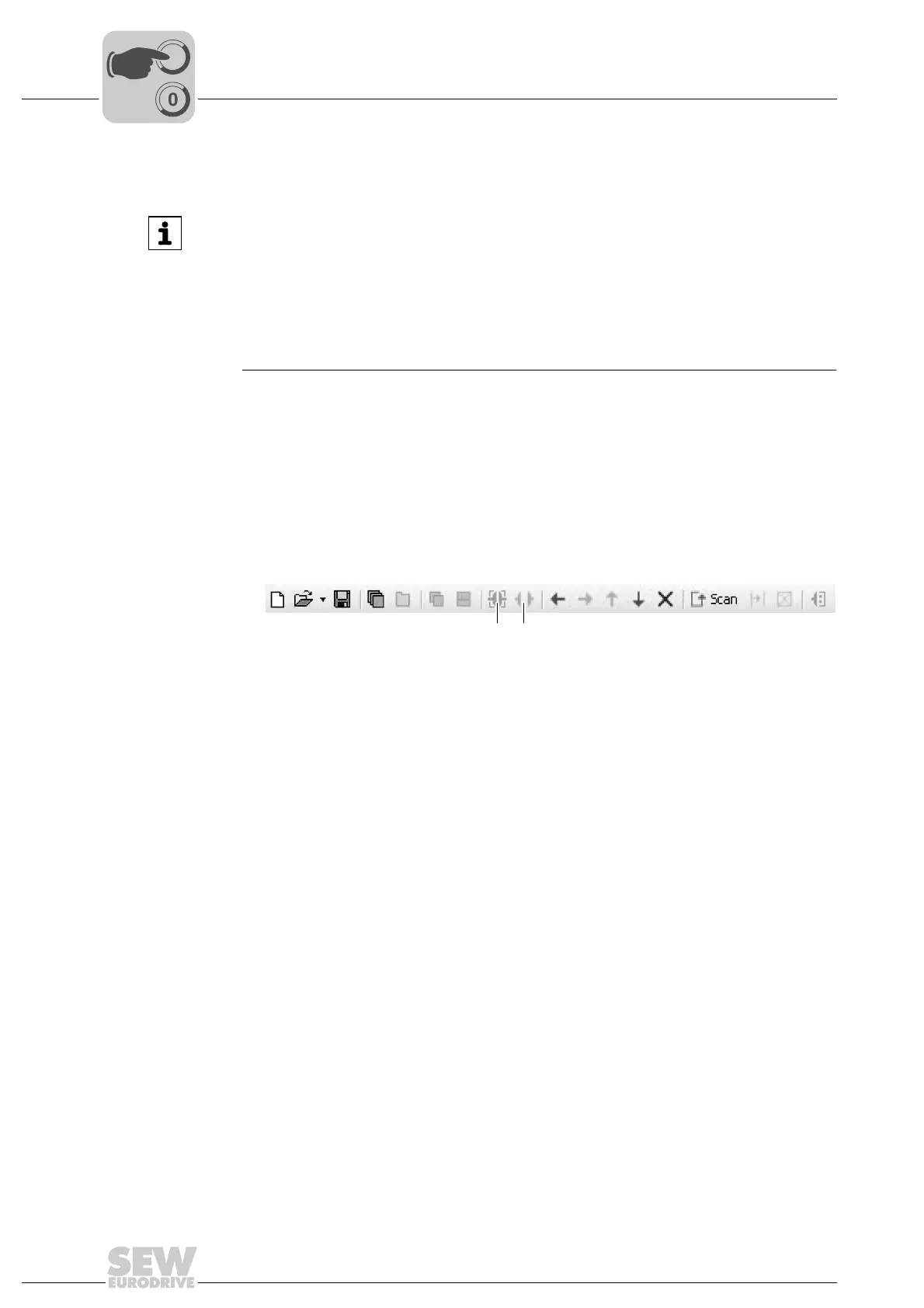
1. Select the connection mode:
• "Switch to online mode" [1] for functions (online tools) that should directly
influence the unit.
• "Switch to offline mode" [2] for functions (offline tools) that should influence your
project.
2. Select the unit node.
3. Right-click to open the context menu and display the tools for configuring the unit.
INFORMATION
• The "online" connection status is NOT a response message which informs you that
you are currently connected to the unit or that your unit is ready for communication.
Should you require this feedback, observe chapter "Setting the cyclical accessibil-
ity test" in the online help (or the manual) of MOVITOOLS
®
MotionStudio.
• Project management commands (such as "download" and "upload"), the online
unit status, and the "unit scan" work independently of the set connection mode.
• MOVITOOLS
®
MotionStudio starts up in the connection mode that was set before
the program was closed.
9007200389198219
[1] "Switch to online mode" icon
[2] "Switch to offline mode" icon
[1] [2]



 To Next Page