78
Operating Instructions – Electronic Motor DRC.-..-SNI
6
Startup procedure
Startup
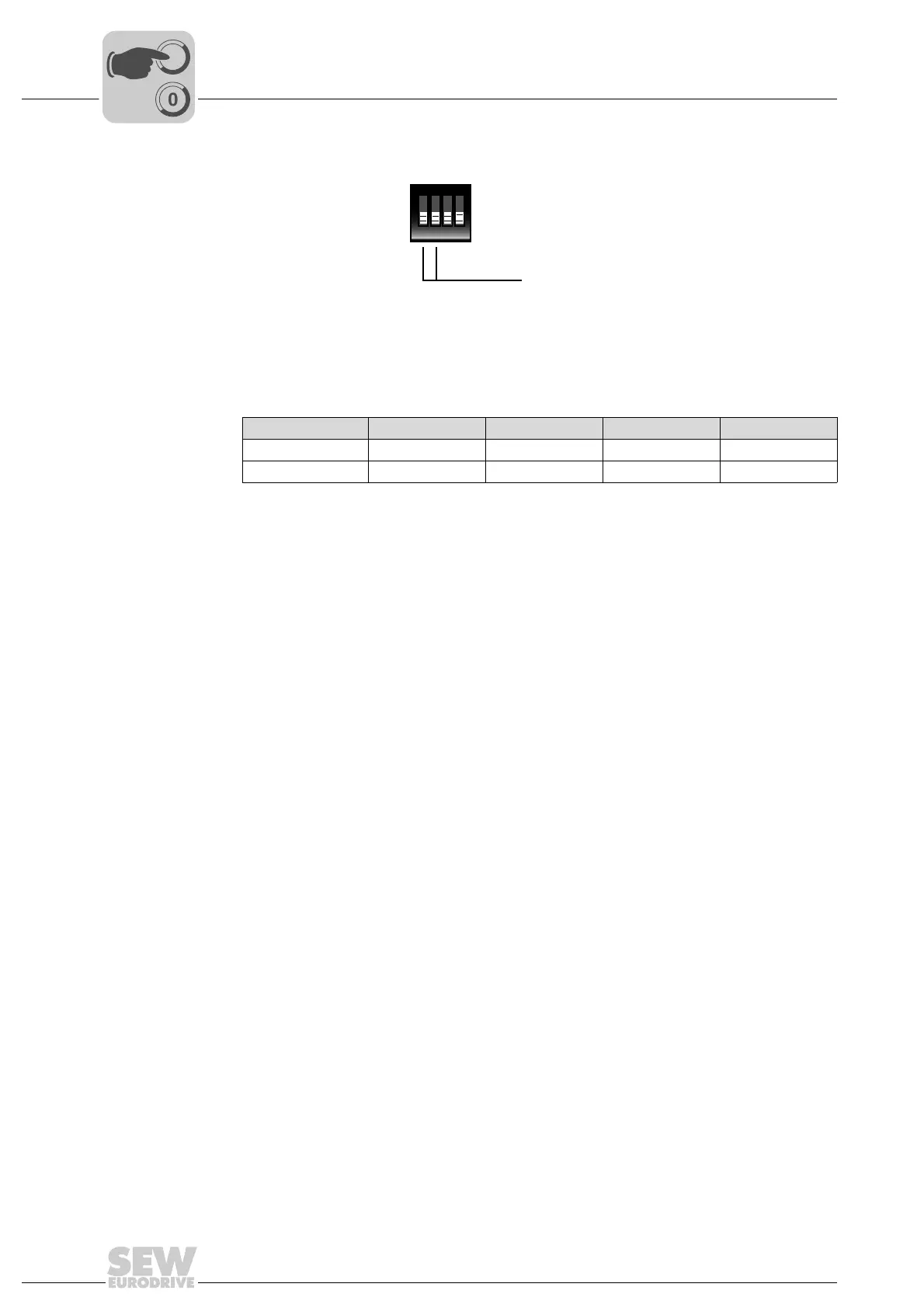
5. Set the operating mode with DIP switch S2:
The operating mode determines how the unit is controlled. The following table shows
the setting options:
When using MOVIFIT
®
SNI, the operating mode must be set to "SNI-SEWOS", when
using MOVIFIT
®
FDC SNI, it must be set to "VARIABLE".
NOTICE Damage to the DIP switches caused by using unsuitable tools.
Possible damage to property.
• To set the DIP switches, use only suitable tools, such as a slotted screwdriver with
a blade width of no more than 3 mm.
• The force used for setting the DIP switches must not exceed 5 N.
6. Secure the DRC electronics covers on the connection boxes.
7. Start up the assigned SNI controller, observing the instructions in the documentation
of the controller you use.
2442267659
Mode SNI SEWOS Reserved Reserved VARIABLE
S2/1 –X–X
S2/2 ––XX
X=ON
–=OFF
ON DIP
1234
S2
Setting the MOVIGEAR
®
SNI
operating mode



 To Next Page