56
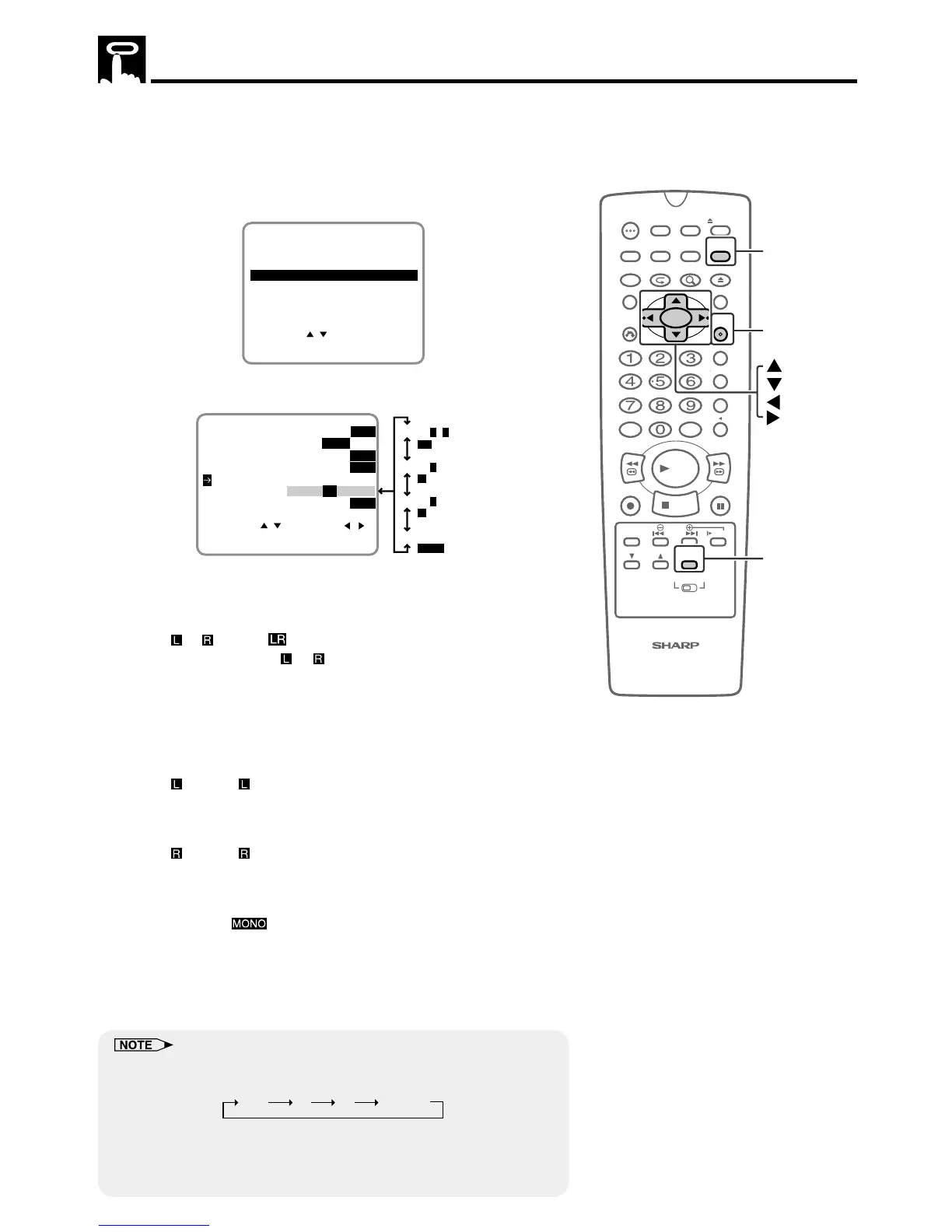
Audio Output Mode
Your Unit has 3 channels for audio recording (2 on the Hi-Fi track
and 1 on the linear track). You can select the audio output channels
in playback mode on the SET UP-selection screen.
1 Press VCR MENU to display the menu screen.
2 Select “SET UP” with ' / " and then press SET.
SET UP
MENU
ENTER :SET EXIT :MENU
CHANNEL PRESET
SELECT :
CLOCK
LANGUAGE
TIMER
3 Select “AUDIO OUTPUT” with ' / ". Then set it with
\\
\\
\ /
||
||
|.
SELECT : CHANGE:
BLUE SCREEN ON OFF
AUTO REPEAT ON OFF
ENTER :SET EXIT :MENU
AUDIO OUTPUT
SAP ON
OFF
MONO LR L R
EXACT REC ON OFF
S. PICTURE ON
OFF
Hi-Fi L + R mode
Hi-Fi L mode
LR
L
R
Linear mode
MONO
Hi-Fi R mode
• The following shows which audio channels will be heard when
a stereo Hi-Fi video cassette is played back while a stereo
system is properly connected to the Unit.
Hi-Fi
+ mode:
Normally, select Hi-Fi + mode on the SET UP–selection
screen: both the left (L) and right (R) audio channels will be
taken from the Hi-Fi audio track.
Normally you will not have to change to another mode.
(See MTS (Multi-channel TV Sound) Broadcasts Recording
on page 64.)
Hi-Fi
mode:
The left channel of the Hi-Fi audio track will be played back
through both speakers.
Hi-Fi
mode:
The right channel of the Hi-Fi audio track will be played back
through both speakers.
Linear mode:
The audio signal recorded on the linear audio track will be
played back through both speakers.
4 Press SET to enter.
• The screen return to normal.
• Each time AUDIO OUTPUT is pressed, the audio channels changes
as the following sequence:
L R L R MONO
• When video cassettes recorded on a non-Hi-Fi VCR are played back
or the Hi-Fi audio output level is poor, the audio signal recorded on the
linear audio track will automatically be played back regardless of the
audio output mode.



 To Next Page