80
Playback
DVD
DVD
C D
C D
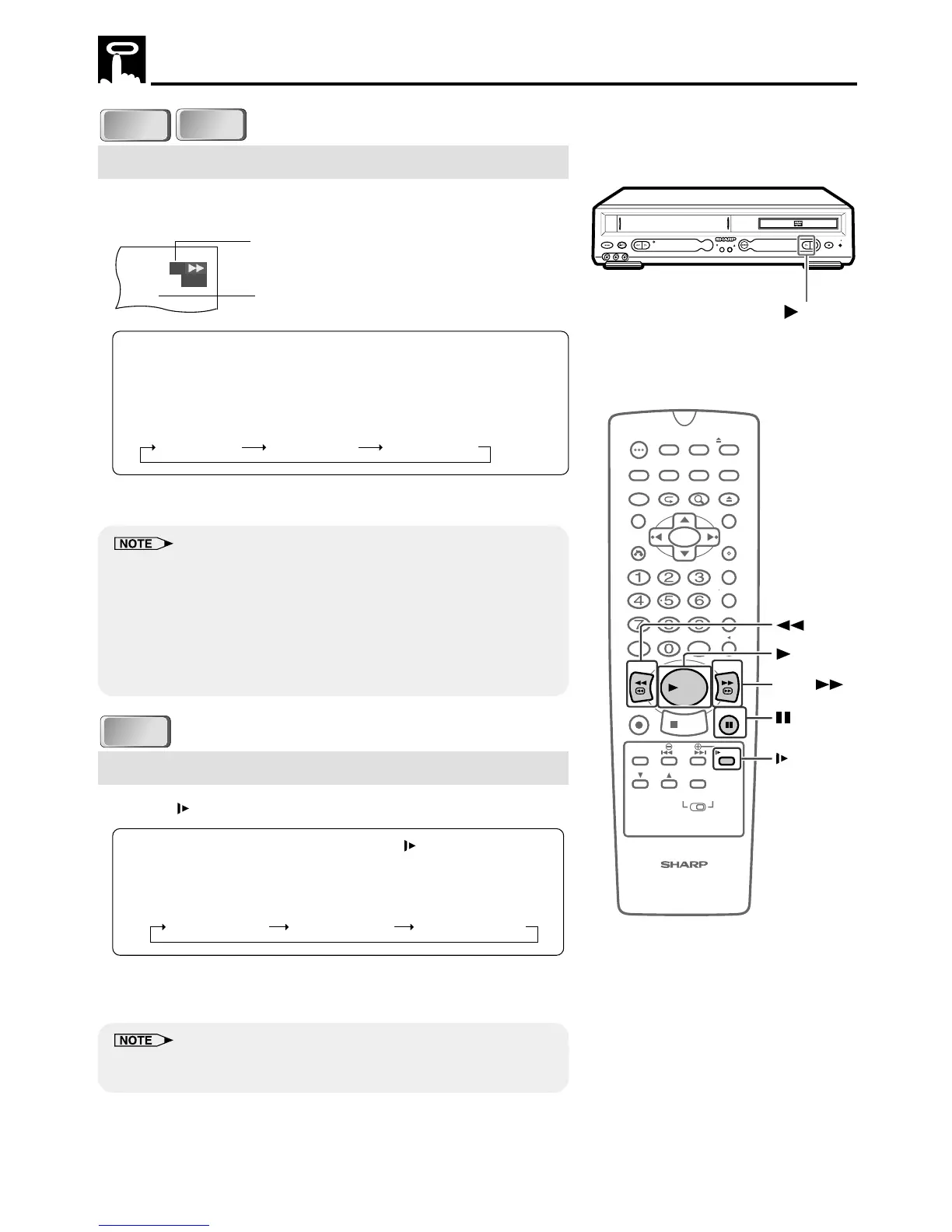
Fast Forward/Fast Reverse
1 Press FWD
è
or
È
REV during playback.
• The disc begins fast scan at ×2 speed (1).
• Three speeds are available for DVD, and two speeds are
available for audio CDs. Each time FWDè or ÈREV is
pressed, the speed of fast scan changes in the following
sequence:
(DVD)
1 (about ×2) 2 (about ×8) 3 (about ×32)
2 Press ûPLAY when you reach the desired point.
• On some discs, the fast scan function is disabled.
• On DVD video discs, audio and subtitles are not played back during
the fast scan playback.
• With a DVD video disc, you cannot search past a title. Playback starts
from the beginning of the title.
• With an Audio CD, the search speed toggles between 1 (about ×2)
and 2 (about ×8) when you press FWDè or ÈREV.
• Audio is not played back during fast scan.
DVD
DVD
Slow-Motion Play
1 Press SLOW in the play mode or still mode.
• Three speeds are available.
Each time SLOW is pressed,
the speed of slow-motion playback changes in the following
sequence:
(DVD)
1 (about ×1/2) 2 (about ×1/8) 3 (about ×1/16)
2 Press ûPLAY to return to the normal playback or press
âPAUSE/STILL to return to the still picture mode.
• On some discs, the slow-motion playback functions are disabled.
• Slow-motion playback is disabled on Audio CDs.
DVD
1
Fast scan image appears here.
(No image is shown for audio CDs.)
Scanning speed selection
PLAYREW PLAY STOP
VCR / DVD COMBINATION
OPEN/
CLOSE
VCR DVD
(AV 1 )
EJECT/STOPPOWER
STANDBY
CH(TRACKING)
L(MONO)-AUDIO-RAV 2 IN VDEO
PLAY



 To Next Page