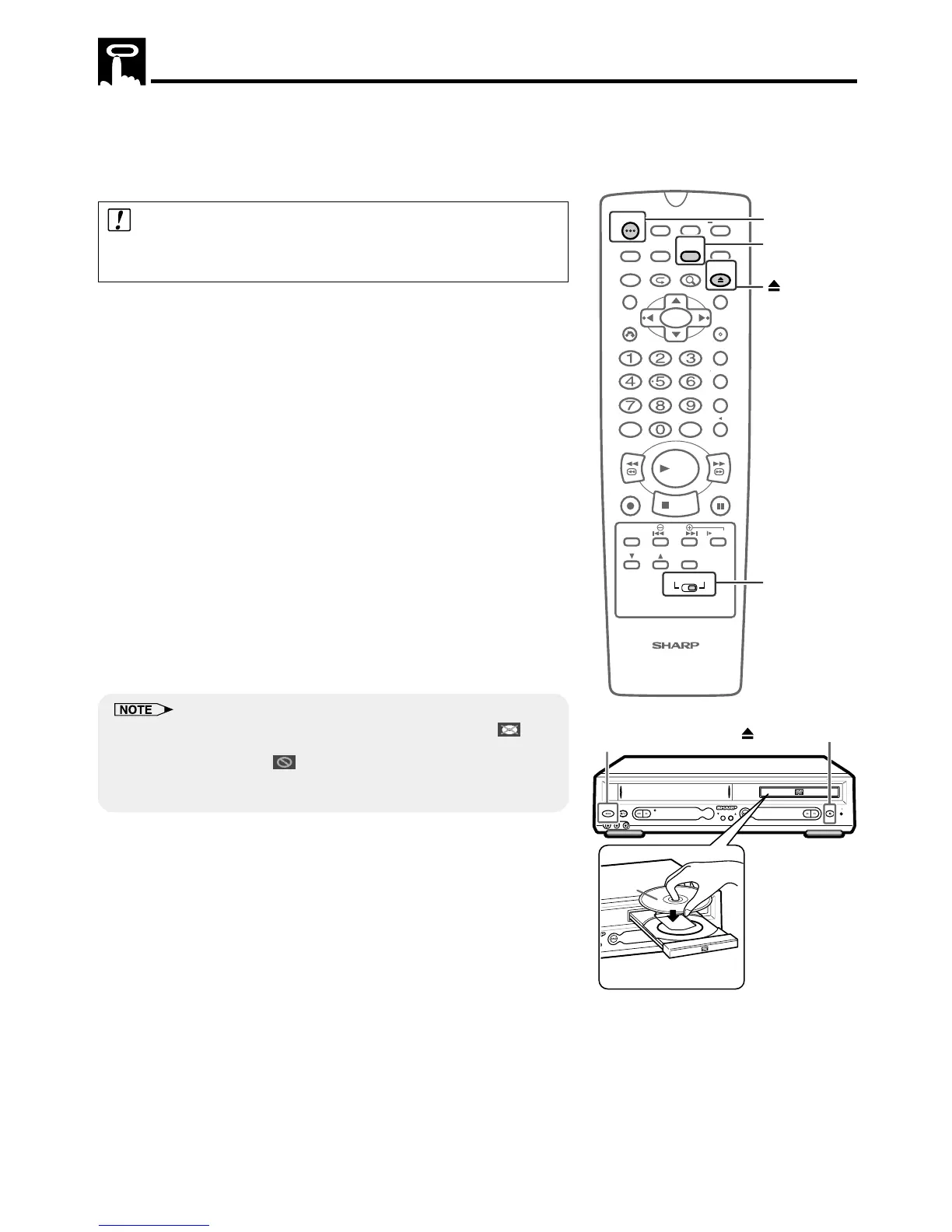
You can enjoy watching your favorite DVDs while recording or
recording a video with the timer (Timer Standby).
Follow these steps in order to watch a DVD while recording or
recording a video with the timer.
Caution:
You cannot watch a DVD, if the Unit is connected only with the antenna
cable.
1 Set the VCR to be recorded or recorded with a timer (Timer
standby).
• Proceed to step 2, for recording with the timer (Timer
standby).
• Proceed to step 3, during video recording.
2 Press POWER, when recording a VCR with the timer (Timer
Standby).
3
Switch the TV channel to the external “VIDEO” or “AV” channel
which is connected to the DVD/VCR shared output jacks or DVD
output jacks.
• Press the VCR/DVD SELECTOR to change the “DVD” mode
when connecting to the DVD output jacks.
4 Move VCR/DVD CHANGE Switch on the remote control to DVD.
5 Press îOPEN/CLOSE.
6 Set a disc in the disc tray.
• Place the disc with the label facing upward.
• If the disc is damaged or it has been placed the wrong way, “ ”
appear on the screen. Also, if a disc with a different region code is
placed in the disc tray, “ REGION CODE ERROR” appears on the
TV screen and the disc tray slides out.
• On the DVD Front Panel Display “– – – – –” will be displayed.
PLAYREW PLAY STOP
VCR / DVD COMBINATION
OPEN/
CLOSE
VCR DVD
(AV 1 )
EJECT/STOPPOWER
STANDBY
CH(TRACKING)
L(MONO)-AUDIO-RAV 2 IN VDEO
Disc
OPEN/CLOSE
POWER



 To Next Page