69
Confirming Timer Programs
You can see on the Timer setting screen a list of all timer programs
that are already set.
Preparation
• See Preparing to Use VCR on page 52.
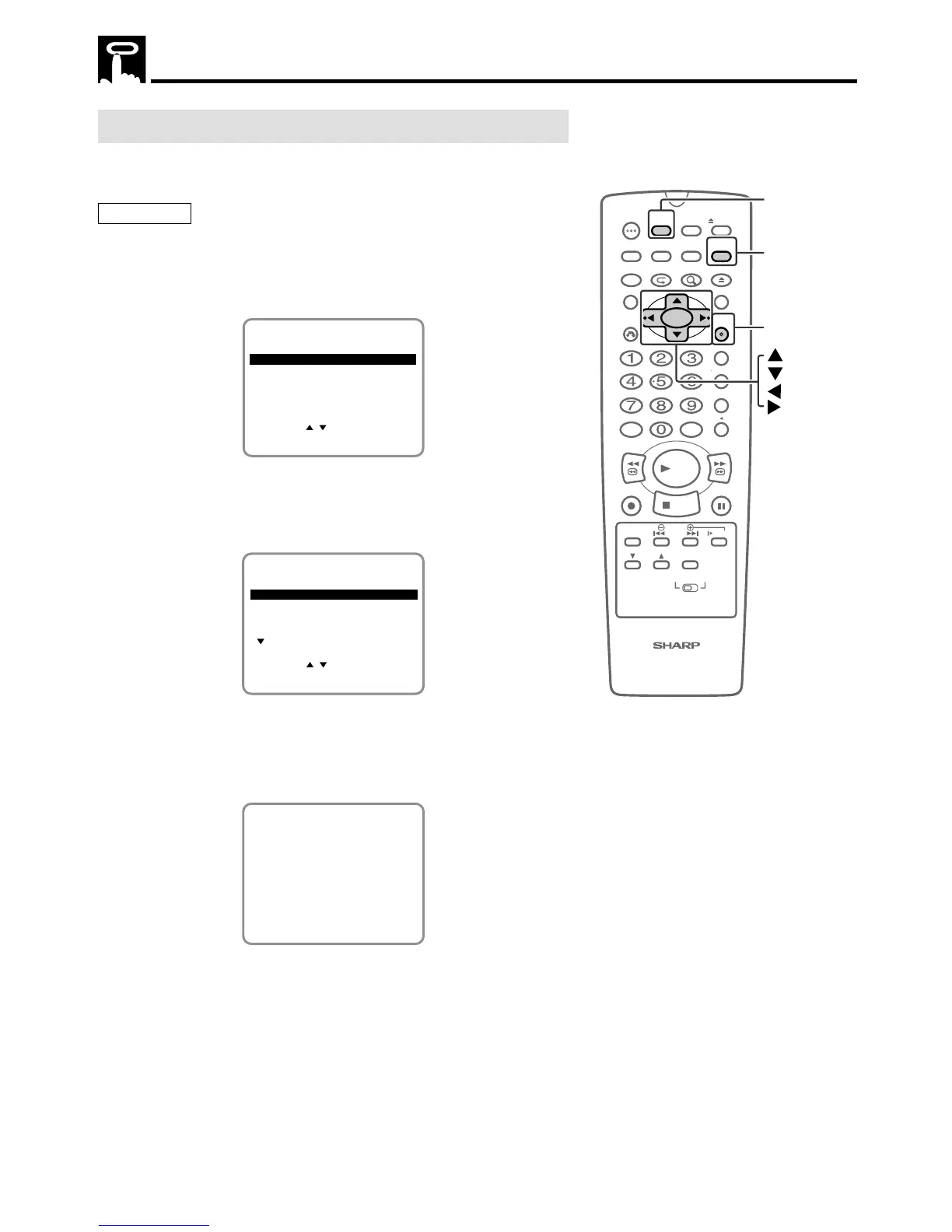
1 Press VCR MENU to display the menu screen.
2 Select “TIMER” with ' / " and then press SET.
SET UP
MENU
ENTER :SET EXIT :MENU
CHANNEL PRESET
SELECT :
CLOCK
LANGUAGE
TIMER
3 If you want to correct the data, select the data to be changed
with ' / " and then press SET. Correct the data as desired
using ' / " /
\\
\\
\ /
||
||
|. Then press SET.
See 2/2 screen also.
2/2
SELECT :
8/01 125 12:00A12:30EP
1/2
ENTER :SET EXIT :MENU
8/10 07 9:05P10:35SP
DAILY 88 10:03P10:30EP
-/-- --- --:-- --:----
DATE CH START STOP
CLEAR :CANCEL
4 Pressing VCR MENU will clear the screen.
• The display shown below appears for 5 seconds, after which
the normal screen returns.
• After checking or correcting the program contents, press
TIMER ON/OFF to enter the Timer Standby mode.
TIMER ON/OFF BUTTON
FOR TIMER RECORDING.
100
OPEN/
CLOSE
POWER
VCR/DVD
SELECTOR
VCR MENU
DVD SETUP
TAPE
SPEED
ON
SCREEN
TIMER
ON/OFF
TITLE
DVD MENU
DISPLAY
TV /VCR EJECT
FUNCTION
CONTROL
PROGRAM ZOOM
CANCEL
RETURN
REV FWD
SET
ENTER
ZERO BACK
SKIP SEARCH
REPLAY
VCR DVDAM/PM INPUT
PAUSE/STILL
REC
VCR/ DVD COMBINATION
PLAY
STOP
SLOW
CH
VCR DVD
SKIP
DPSS
AUDIO
OUTPUT
TIMER ON/OFF
VCR MENU
SET
Timer Recording



 To Next Page