72
Exact Rec
When the tape is expected to run out halfway during timer recording
(except for the Simple Recording Timer) in the SP (Standard Play)
mode, the mode will automatically change to the EP (Extended Play)
mode to prevent termination of the recording.
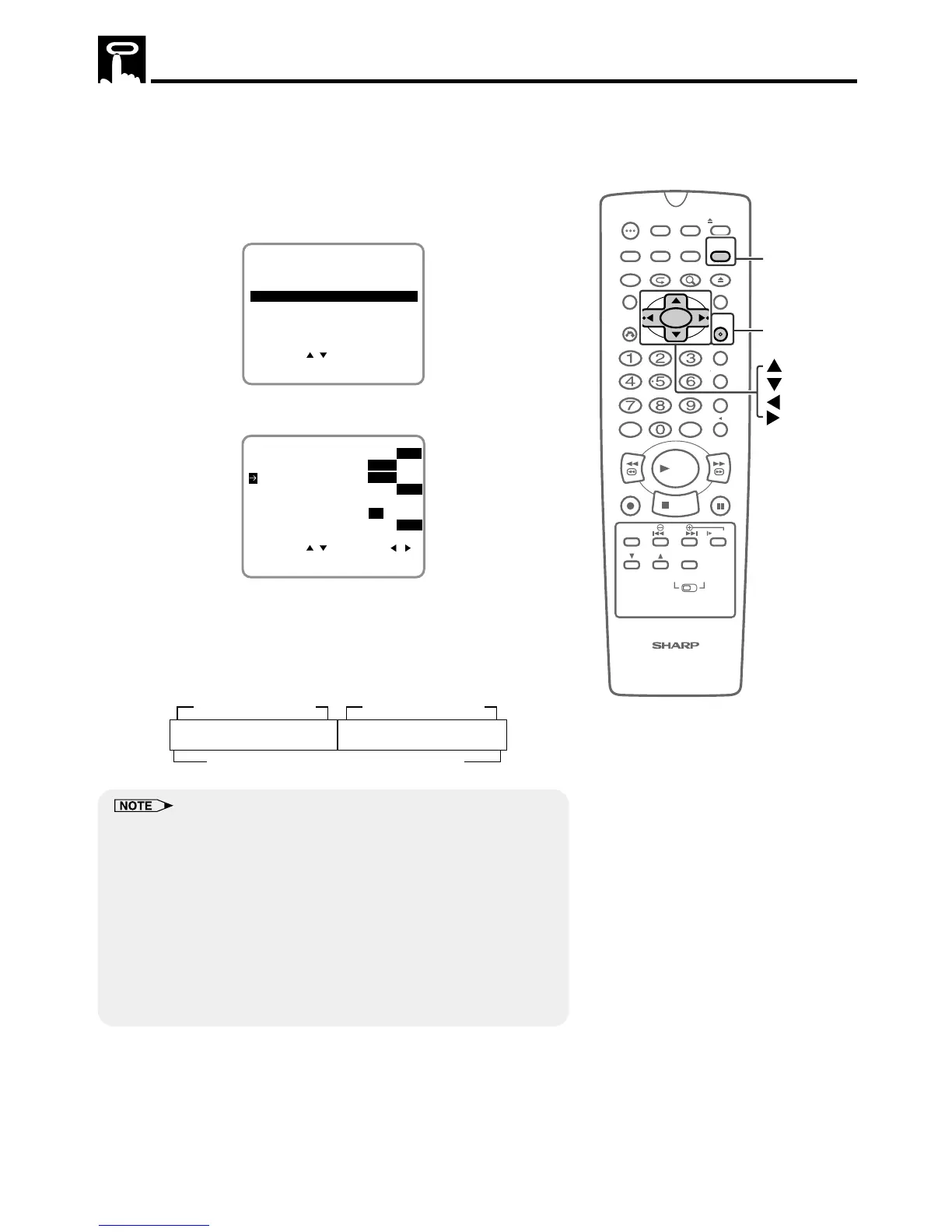
1 Press VCR MENU to display the menu screen.
2 Select “SET UP” with ' / " and then press SET.
SET UP
MENU
ENTER :SET EXIT :MENU
CHANNEL PRESET
SELECT :
CLOCK
LANGUAGE
TIMER
3 Select “EXACT REC” with ' / ". Then set it to “ON” with
\\
\\
\ /
||
||
|.
SELECT : CHANGE:
BLUE SCREEN ON OFF
AUTO REPEAT ON OFF
ENTER :SET EXIT :MENU
AUDIO OUTPUT
SAP ON
OFF
MONO LR L R
EXACT REC ON OFF
S. PICTURE ON
OFF
4 Press SET to enter.
• The screen return to normal.
(Example) When a 180-minute program is timer-recorded with
a 120-minute tape while the automatic select is set
to EP mode as shown below.
• This function may not properly work for video cassettes other than T-
30, T-60, T-90 and T-120.
• This tape may not be completely used up.
• When more than one program is set on the timer, the automatic
recording function will work for the length of each timer set program,
but not for the total length of all programs.
• When the EP mode is initially used for timer-recording a program, if the
tape is not long enough to record the entire length of the program, the
program will not be entirely recorded.
• During a tape recorded using Exact Rec is playback, when the tape
switch from SP (Standard Play) mode to EP (Extended Play) mode,
noise may appear.



 To Next Page