86
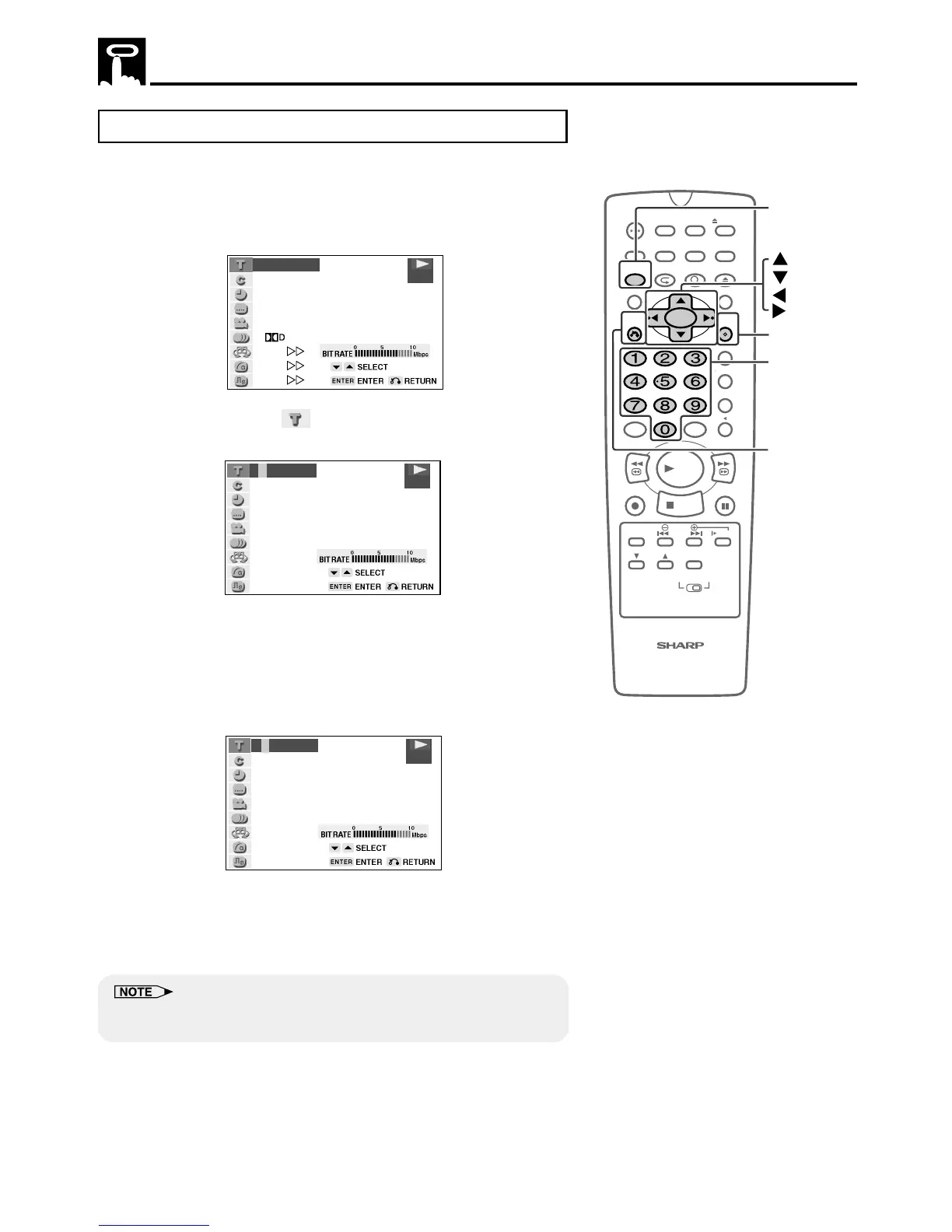
About the Function Control Screen
Direct skip (title/chapter/time)
Use the following procedure to perform the Direct title skip, Direct
chapter skip, or Direct time skip.
1 Press FUNCTION CONTROL during playback.
• The Function control screen appears.
2 Use ' or " to select and then press ENTER.
(Example) Direct title skip
3 Use number buttons (0 to 9) to input the title number to which
you want to skip.
• You can also use ' or " to input the title number.
• When you specify the time for the direct time skip, use \ or |
to move the highlighting to the next or previous digit .
(Example) Entering title 5
4 Press ENTER.
• The played back image changes to the beginning of the
specified title.
• You can exit the Function control screen by pressing
RETURN or FUNCTION CONTROL.
• The number of titles, chapters or times you can input depends on that
of the titles, chapters or times recorded on a disc you play.
100
OPEN/
CLOSE
POWER
VCR/DVD
SELECTOR
VCR MENU
DVD SETUP
TAPE
SPEED
ON
SCREEN
TIMER
ON/OFF
TITLE
DVD MENU
DISPLAY
TV /VCR EJECT
FUNCTION
CONTROL
PROGRAM ZOOM
CANCEL
RETURN
REV FWD
SET
ENTER
ZERO BACK
SKIP SEARCH
REPLAY
VCR DVDAM/ PM INPUT
PAUSE/STILL
REC
VCR/ DVD COMBINATION
PLAY
STOP
SLOW
CH
VCR DVD
SKIP
DPSS
AUDIO
OUTPUT
ENTER
RETURN
Number
buttons
FUNCTION
CONTROL
2/5
8/3‰
‰1:3‰:‰8
2
ENGLISH
1
1
5 1ch
ON
ON
ON
.
DVD
–/5
DVD
5/5
DVD



 To Next Page