92
DIGITAL SUPER PICTURE setting
DIGITAL SUPER PICTURE is a digital image quality enhancement
function that gives a clearer image by sharpening the details and
outlines in the image and reducing the amount of picture noise.
The DIGITAL SUPER PICTURE setting can be varied as desired.
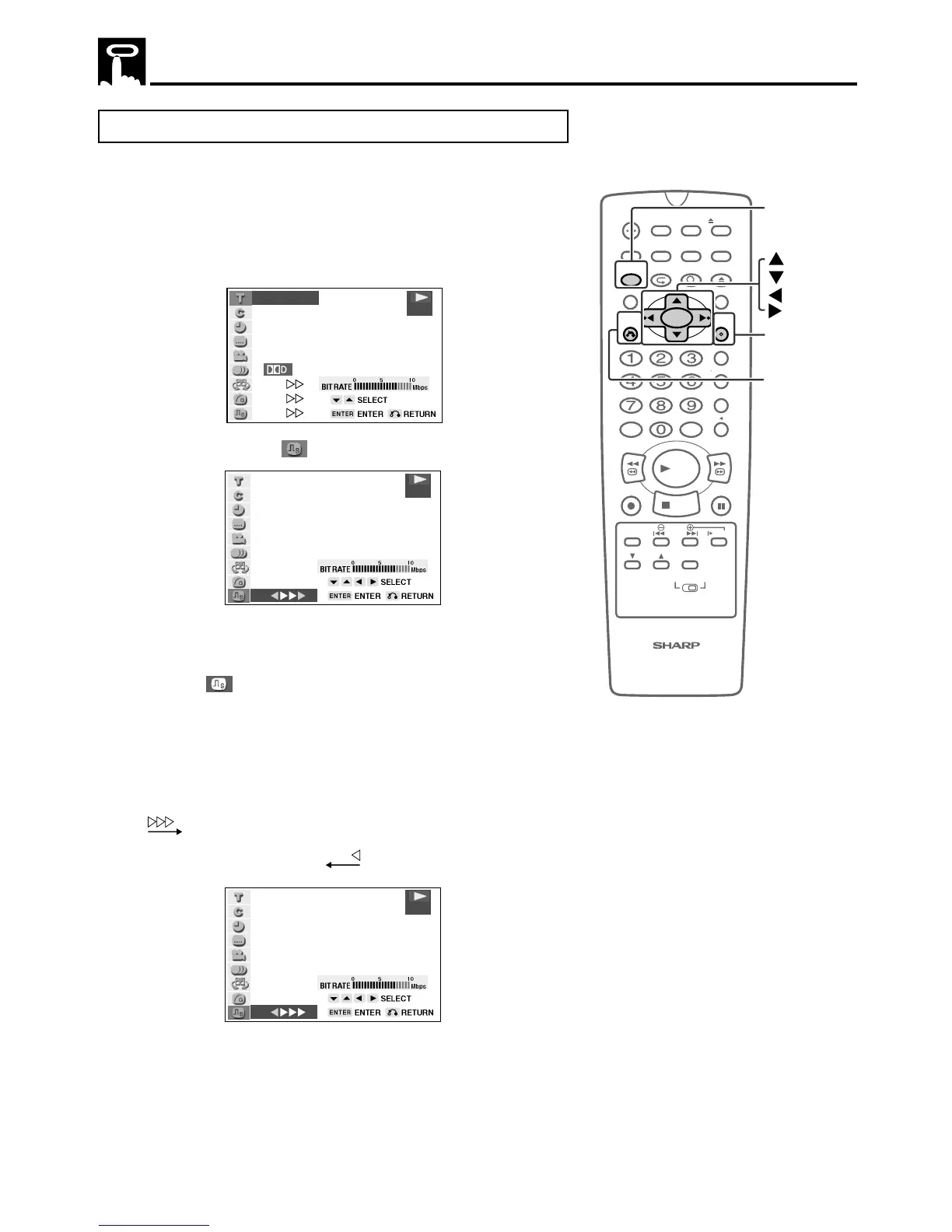
1 Press FUNCTION CONTROL during playback.
• The Function control screen appears.
2/5
8/3‰
‰1:3‰:‰8
2
ENGLISH
1
1
5 1ch
ON
ON
ON
.
DVD
2 Use ' or " to select and then press ENTER.
ON
DVD
3 Press ' or " to toggle DIGITAL SUPER PICTURE between
“ON” and “OFF”.
4 While the “
ON” is displayed, press \ or |.
• The level selection indicator that shows the current level
appears.
• If no button is pressed within 10 seconds, the level selection
indicator goes off.
5 Use \ or | to change the level.
• To see more detail in very intricate images, set this setting to
.
• To obtain a subtle softening of the outlines of the displayed
images, set this setting to
.
ON
DVD
6 Press ENTER to confirm the setting.
• If no change is made for 10 seconds after the level is set, the level
indicator goes off.
• You can exit the Function control screen by pressing RETURN or
FUNCTION CONTROL.
About the Function Control Screen
100
OPEN/
CLOSE
POWER
VCR/DVD
SELECTOR
VCR MENU
DVD SETUP
TAPE
SPEED
ON
SCREEN
TIMER
ON/OFF
TITLE
DVD MENU
DISPLAY
TV /VCR EJECT
FUNCTION
CONTROL
PROGRAM ZOOM
CANCEL
RETURN
REV FWD
SET
ENTER
ZERO BACK
SKIP SEARCH
REPLAY
VCR DVDAM/PM INPUT
PAUSE/STILL
REC
VCR/ DVD COMBINATION
PLAY
STOP
SLOW
CH
VCR DVD
SKIP
DPSS
AUDIO
OUTPUT
ENTER
RETURN
FUNCTION
CONTROL



 To Next Page