94
Programmed Playback
The three types of programmed playback provided by this Unit are
title programmed playback (DVD discs), chapter programmed
playback (DVD discs) and track programmed playback (audio CD
discs).
Title Programmed Playback
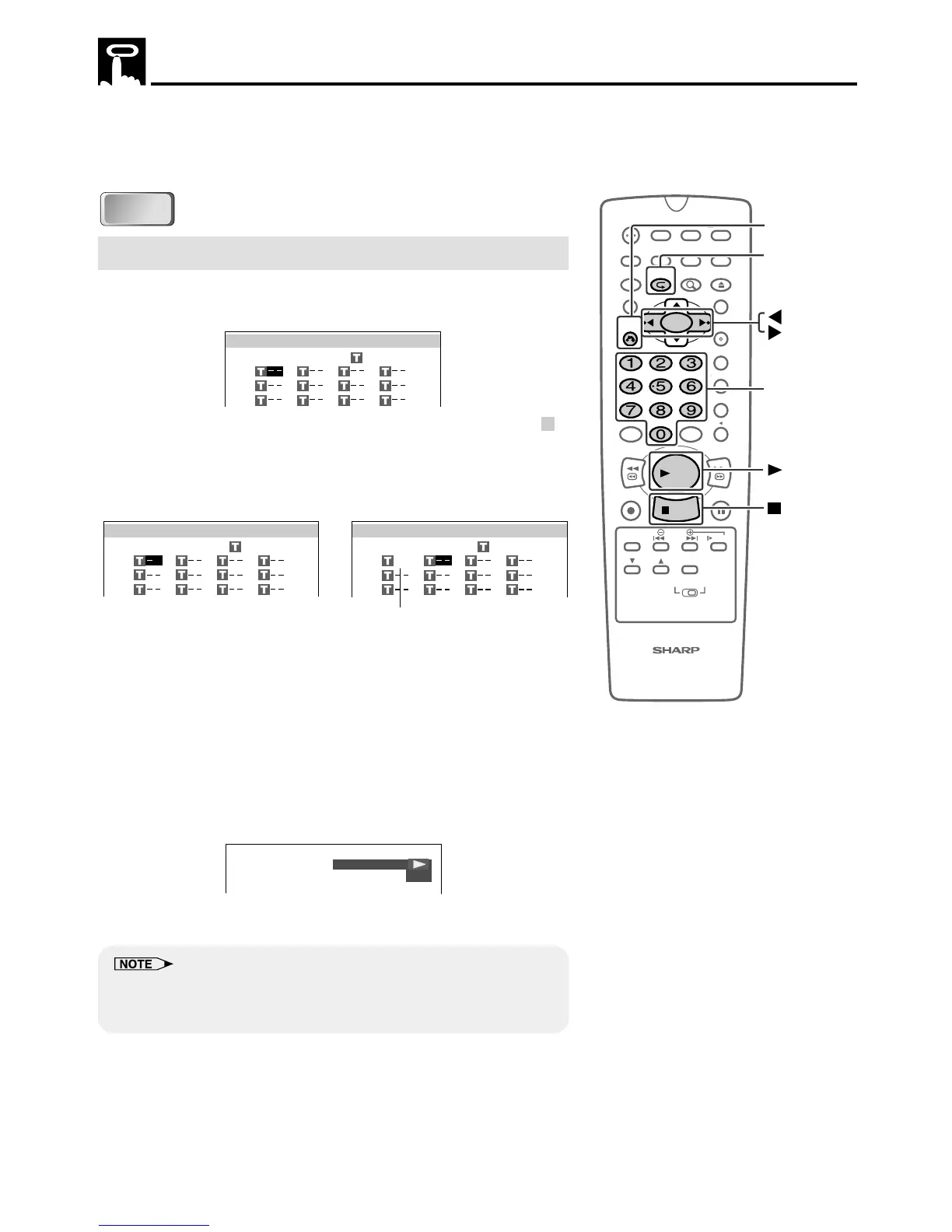
1 Press PROGRAM while the disc is stopped.
• The “TITLE PROGRAM” screen appears.
2 Use the number buttons (0 to 9) to enter the title numbers in
– –
and then press |. (The highlight moves to the right (next field).)
• If the entered title number does not exist on the disc, the
number is ignored when | is pressed.
(Example) Title 5 entered.
_
3 Repeat step 2 for each of the titles that you want to play as part
of the program.
• If you enter two or more digits, only the last two digits are
displayed.
• If you enter the wrong number, press \ and re-enter the
number.
4 Press ûPLAY to begin playing the programmed titles. (Press
this button while the “TITLE PROGRAM” screen is displayed.)
• PROGRAM indicator lights on the DVD Front Panel display.
5 Press
ËË
ËË
ËSTOP to stop programmed playback.
• On some discs, the programmed playback is disabled.
• Up to 20 titles can be programmed.
• To exit the “TITLE PROGRAM” screen, press RETURN or
ËË
ËË
ËSTOP.
A zero (0) is automatically
inserted before the first digit.
100
OPEN/
CLOSE
POWER
VCR/DVD
SELECTOR
VCR MENU
DVD SETUP
TAPE
SPEED
ON
SCREEN
TIMER
ON/OFF
TITLE
DVD MENU
DISPLAY
TV /VCR EJECT
FUNCTION
CONTROL
PROGRAM ZOOM
CANCEL
RETURN
REV FWD
SET
ENTER
ZERO BACK
SKIP SEARCH
REPLAY
VCR DVDAM/PM INPUT
PAUSE/STILL
REC
VCR/ DVD COMBINATION
PLAY
STOP
SLOW
CH
VCR DVD
SKIP
DPSS
AUDIO
OUTPUT
RETURN
Number
buttons
STOP
PLAY
PROGRAM
DVD
DVD
TITLE PROGRAM
=TITLE
TITLE PROGRAM
=TITLE
5
TITLE PROGRAM
=TITLE
05



 To Next Page