67
Preparations
• See Preparing to Use VCR on page 52.
• Check that the clock is displaying the correct time.
• Insert a cassette with the erasure protection tab opening covered.
• If necessary, set “SAP” on the menu screen. (See MTS (Multi-
channel TV Sound) Broadcasts Recording on page 64.)
Example: Recording a TV program in the SP mode: the TV program
is on channel 7 starting at 9:05 PM and stopping at 10:35
PM on August 10th. The present time is 6:35 PM on
August 10th.
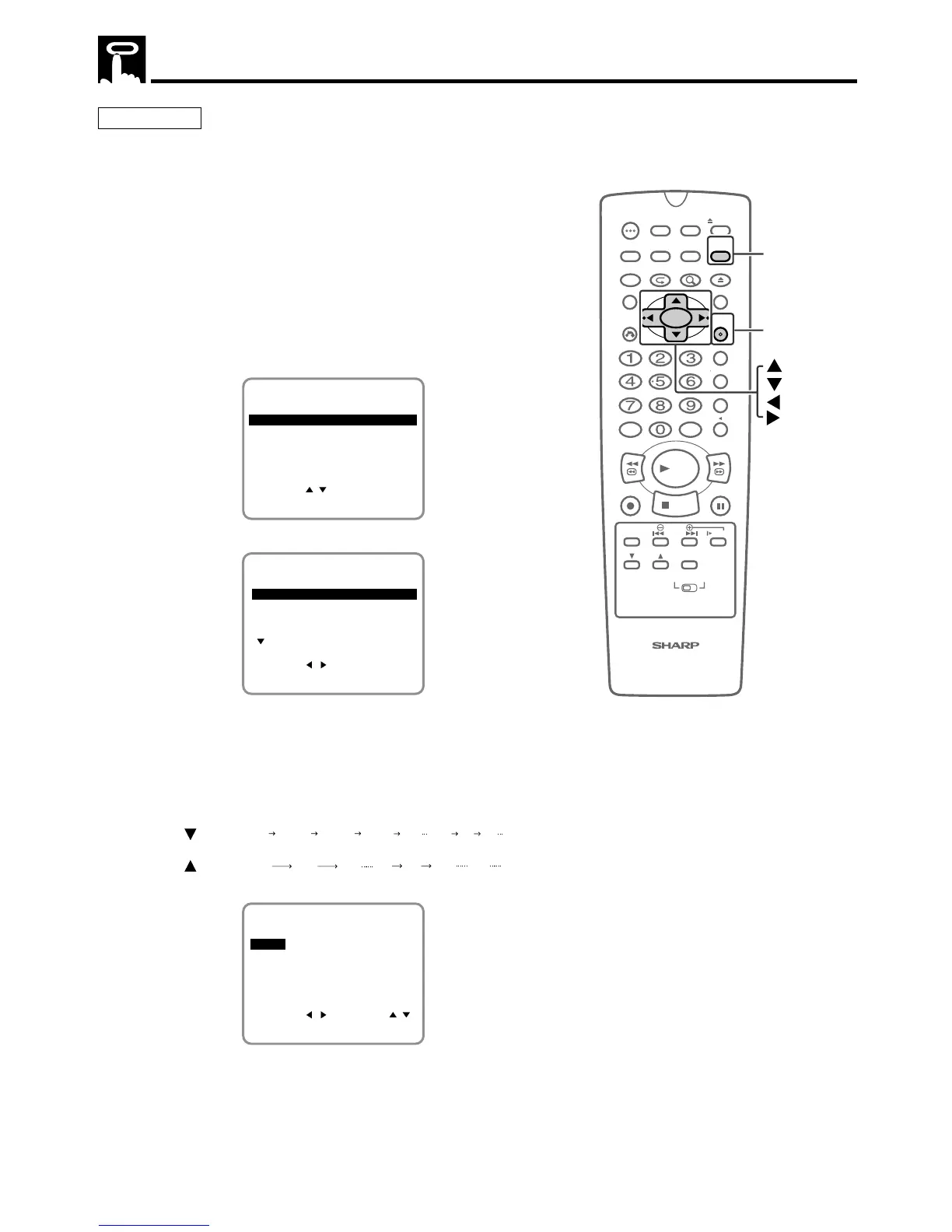
1 Press VCR MENU to display the menu screen.
2 Select “TIMER” with ' / ".
SET UP
MENU
ENTER :SET EXIT :MENU
CHANNEL PRESET
SELECT :
CLOCK
LANGUAGE
TIMER
3 Press SET.
1/2
-/-- --- --:-- --:----
-/-- --- --:-- --:----
-/-- --- --:-- --:----
DATE CH START STOP
2/2
CLEAR :CANCEL
SELECT : CHANGE:
ENTER :SET EXIT :MENU
-/-- --- --:-- --:----
4 Select the desired month/day (DATE) with ' / " and then press
||
||
| . The cursor will move to the next column.
(Example) August 10th
• If you want to record every day or week at the same time,
hold " when you select the date.
When pressing: The recording date changes in this sequence:
8/10 MO-FR MO-SA DAILY SAT SUN 8/9 8/8
8/10 8/11 8/12 8/8 8/9 SUN SAT
(next year)
(next year)(present) (tomorrow)
8/10 --- --:-- --:--SP
1/2
-/-- --- --:-- --:----
-/-- --- --:-- --:----
-/-- --- --:-- --:----
DATE CH START STOP
2/2
CLEAR :CANCEL
SELECT : CHANGE:
ENTER :SET EXIT :MENU
Timer Recording



 To Next Page