Preparation
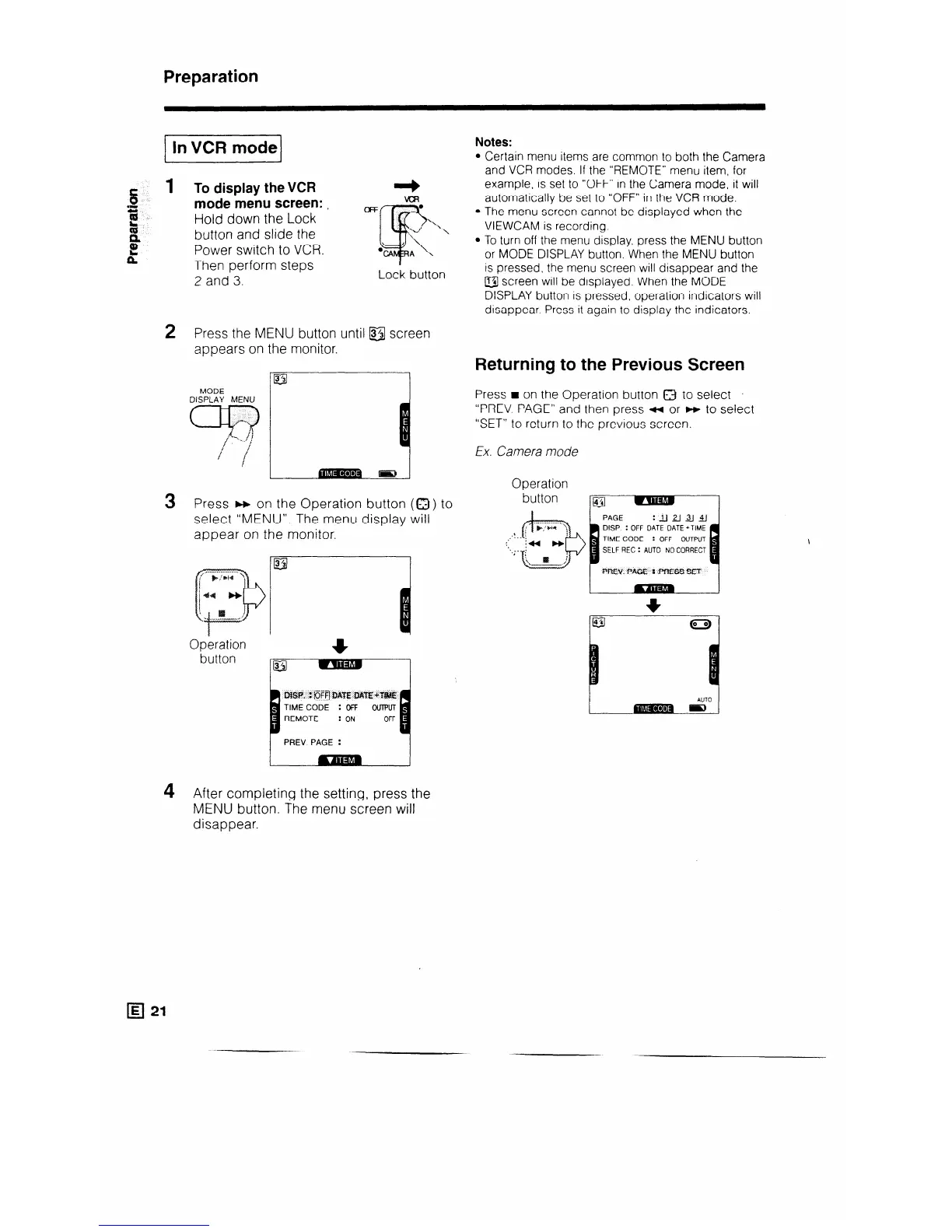
e 1 To display the VCR
0
s
mode menu screen: ,
OFF
t
Hold down the Lock
41
button and slide the
Power switch to VCR.
Then perform steps
2 and 3.
Notes:
Certain menu items are common to both the Camera
and VCR modes. If the “REMOTE” menu item, for
example. is set to “OFF” in the Camera mode, it will
automatically be set to “OFF” in the VCR mode.
The menu screen cannot be displayed when the
VIEWCAM is recording.
2 Press the MENU button until &I screen
appears on the monitor.
MODE
DISPLAY MENU
Press w on the Operation button (a) to
select “MENU”. The menu display will
appear on the monitor.
Operation
button
WSP. : @Ffl DATE DM’E+T#dE
TIME CODE : OFF OUTPUT
4 After completing the setting, press the
MENU button. The menu screen will
disappear.
IE/ 21
To turn off the menu display, press the MENU button
or MODE DISPLAY button. When the MENU button
is pressed, the menu screen will disappear and the
@ screen will be displayed. When the MODE
DISPLAY button is pressed, operation indicators will
disappear. Press it again to display the indicators.
Returning to the Previous Screen
Press H on the Operation button 8 to select .
“PREV PAGE” and then press * or w to select
“SET” to return to the previous screen.
Ex. Camera mode
Operation
DISP : OFF DATE DATE +TIME
: OFF OUTPUT
SELF REC : AUTO NO CORRECT



 To Next Page