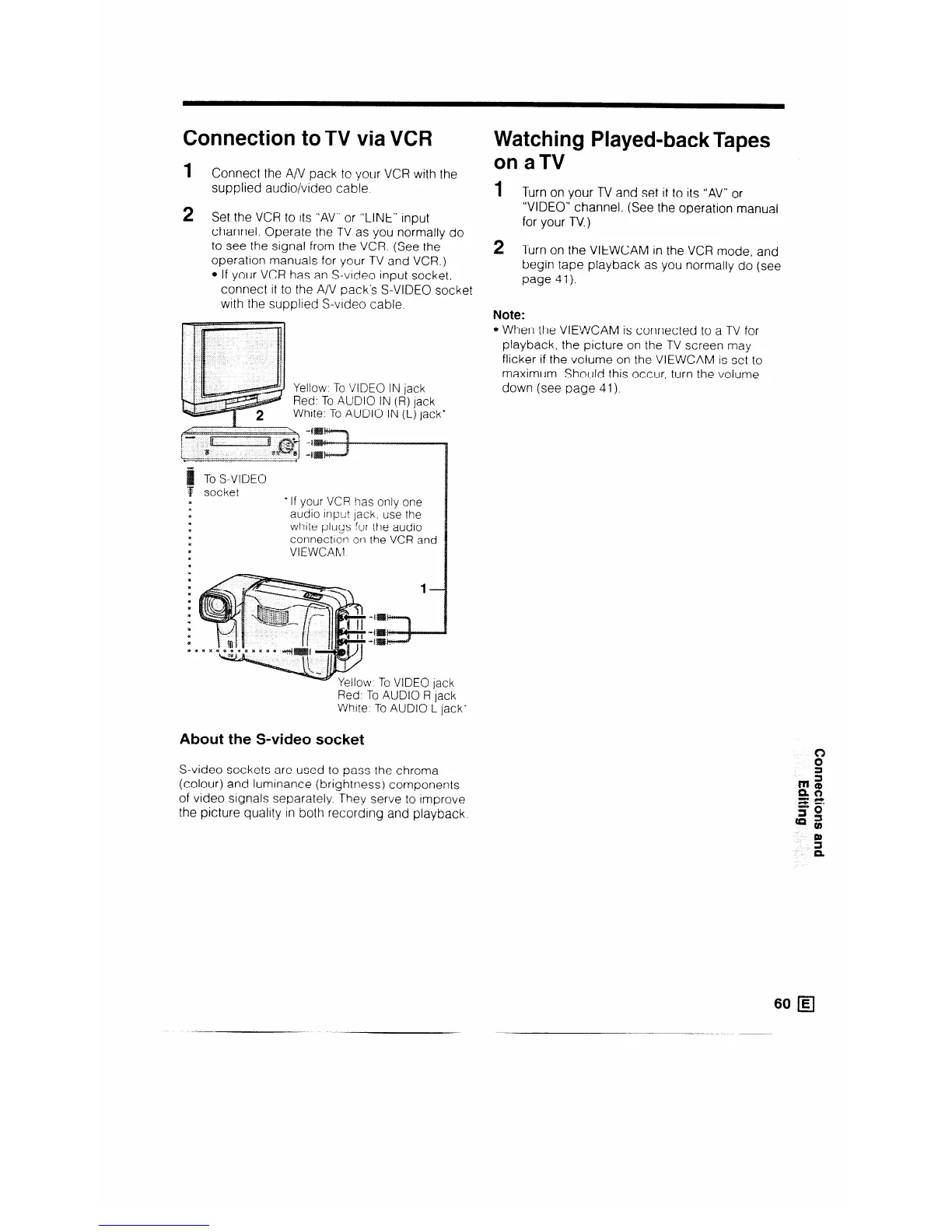
Connection to TV via VCR
1 c
onnect the A/V pack to your VCR with the
supplied audio/video cable.
2
Set the VCR to its “AV” or “LINE” input
channel. Operate the TV as you normally do
to see the signal from the VCR. (See the
operation manuals for your TV and VCR.)
l If your VCR has an S-video input socket,
connect it to the A/V pack’s S-VIDEO socket
with the supplied S-video cable.
Yellow. To VIDEO IN jack
Red: To AUDIO IN (R) jack
White: To AUDIO IN (L) jack’
To S-VIDEO
-
f socket
x
* If your VCR has only one
aidio mput jack, use the
white plugs for the audio
connectlon on the VCR and
VIEWCAhl
w. To VIDEO jack
Red: To AUDIO R jack
White: To AUDIO L jack*
About the S-video socket
S-video sockets are used to pass the chroma
(colour) and luminance (brightness) components
of video signals separately. They serve to improve
the picture quality in both recording and playback.
Watching Played-back Tapes
on aTV
1 T urn on your TV and set it to its “AV” or
“VIDEO” channel. (See the operation manual
for your TV.)
2
Turn on the VIEWCAM in the VCR mode, and
begin tape playback as you normally do (see
page 41).
Note:
l When the VIEWCAM is connected to a TV for
playback, the picture on the TV screen may
flicker if the volume on the VIEWCAM is set to
maximum. Should this occur, turn the volume
down (see page 41).
60 q



 To Next Page