Basic Operations
Playback
Using theTime Code
The time code allows you to record images
together with the hour, minute and second of
recording, and the frame number (1 frame =
approx. l/25 sec.). This can be displayed on the
screen when needed, and used as an accurate
counter.
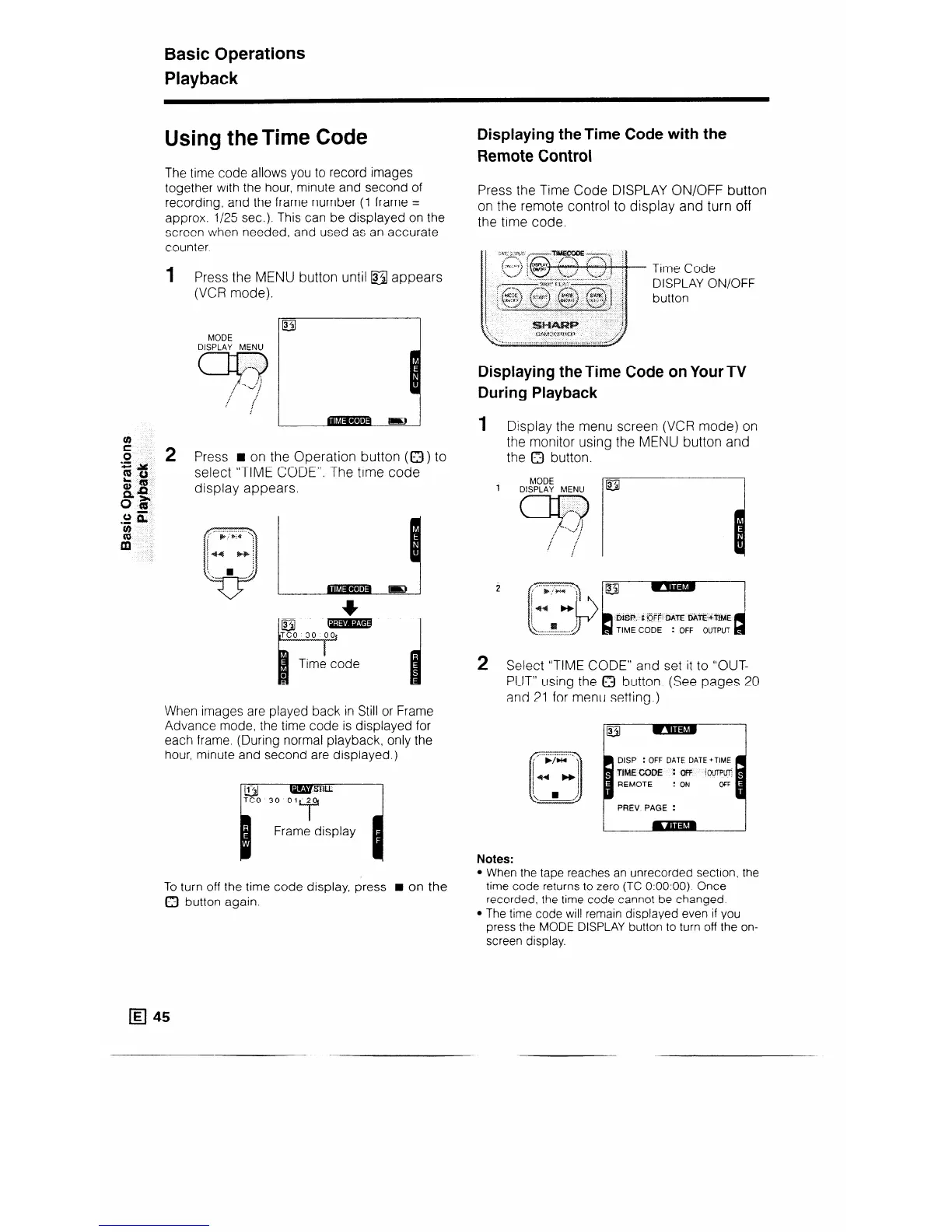
Press the MENU button until @I appears
(VCR mode).
MODE
DISPLAY MENU
Press n on the Operation button (a) to
select “TIME CODE”. The time code
display appears.
When images are played back in Still or Frame
Advance mode, the time code is displayed for
each frame. (During normal playback, only the
hour, minute and second are displayed.)
B
Frame display
To turn off the time code display, press H on the
0 button again.
Displaying theTime Code with the
Remote Control
Press the Time Code DISPLAY ON/OFF button
on the remote control to display and turn off
the time code.
Time Code
DISPLAY ON/OFF
button
Displaying the Time Code on Your TV
During Playback
1 Display the menu screen (VCR mode) on
the monitor using the MENU button and
the Q button.
MODE
1
DISPLAY MENU
2 Select “TIME CODE” and set it to “OUT-
PUT” using the 0 button. (See pages 20
and 21 for menu setting.)
DISP : OFF DATE DATE +TIME
TlMEcooE :aFF ---
PREV PAGE :
Notes:
When the tape reaches an unrecorded section, the
time code returns to zero (TC 0:OO:OO). Once
recorded, the time code cannot be changed.
The time code will remain displayed even if you
press the MODE DISPLAY button to turn off the on-
screen display.
q 45



 To Next Page