Using the Tape Counter
Use the tape counter feature when you want to
know the playback or recording time.
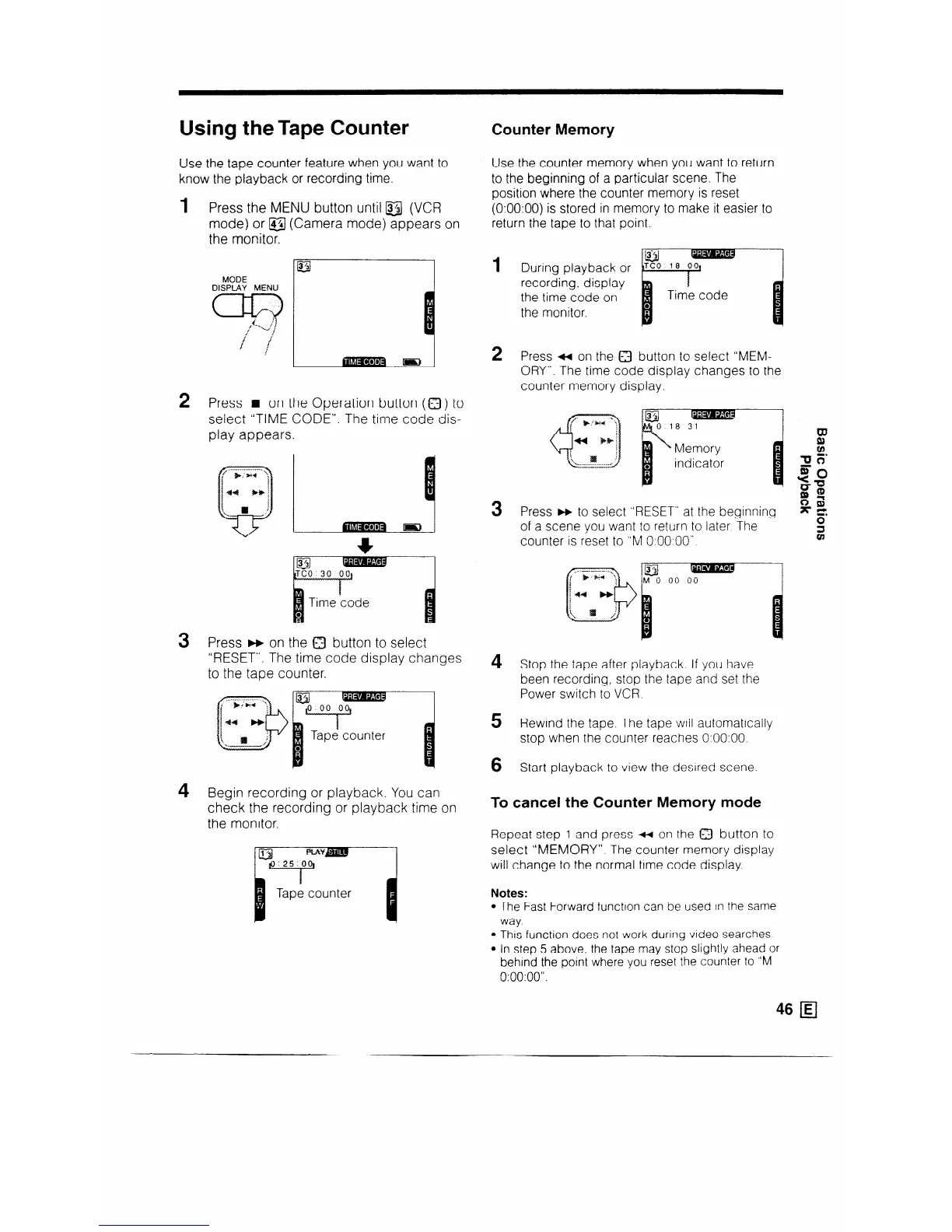
1 Press the MENU button until a (VCR
mode) or @I (Camera mode) appears on
the monitor.
MODE
DISPLAY MENU
q
\
:
i
/
i
/ i
j
2 Press n on the Operation button (0) to
select “TIME CODE”. The time code dis-
play appears.
3 Press w on the Q button to select
‘RESET”. The time code display changes
to the tape counter.
4 B egin recording or playback. You can
check the recording or playback time on
the monitor.
B
H
- Tape counter
3
Counter Memory
Use the counter memory when you want to return
to the beginning of a particular scene. The
position where the counter memory is reset
(0:OO:OO) is stored in memory to make it easier to
return the tape to that point.
1
2
3
4
5
6
During playback or
recording, display
the time code on
the monitor.
QC0 18 001
f
1
Time code
Press w on the 0 button to select “MEM-
ORY”. The time code display changes to the
counter memory display.
Press w to select “RESET” at the beginning
nii
of a scene you want to return to later The
X g
counter is reset to “M O:OO.OO”
2
Stop the tape after playback. If you have
been recording, stop the tape and set the
Power switch to VCR
Rewind the tape. The tape WIII automatically
stop when the counter reaches O.OO:OO.
Start playback to view the desired scene.
To cancel the Counter Memory mode
Repeat step 1 and press 4 on the Q button to
select “MEMORY”. The counter memory display
will change to the normal time code display
Notes:
l The Fast Forward function can be used In the same
way.
l This function does not work during video searches
l In step 5 above, the tape may stop slightly ahead or
behind the point where you reset the counter to “M
0:00:00”.



 To Next Page