Basic Operations
Camera Recording
Digital Quick Zoom (Extend
Zoom)
Use the digital quick zoom function (extend zoom)
to instantly zoom in on a subject This is useful
when you want to Instantly capture a particular
subject.
Setting the Digital Quick Zoom
Ranges
Refer to page 20 to display function screen @
and select MENU-PAGE ‘3, and then press w on
the Operation button (0) to select “EXTEND
ZOOM”.
Press u or w on the 0 button to select “15’,
PHOTO SNAP
Using Digital Quick Zoom (Extend
Zoom)
1 Press the MENU button until @l appears on
the monitor
(Camera
mode).
2 D
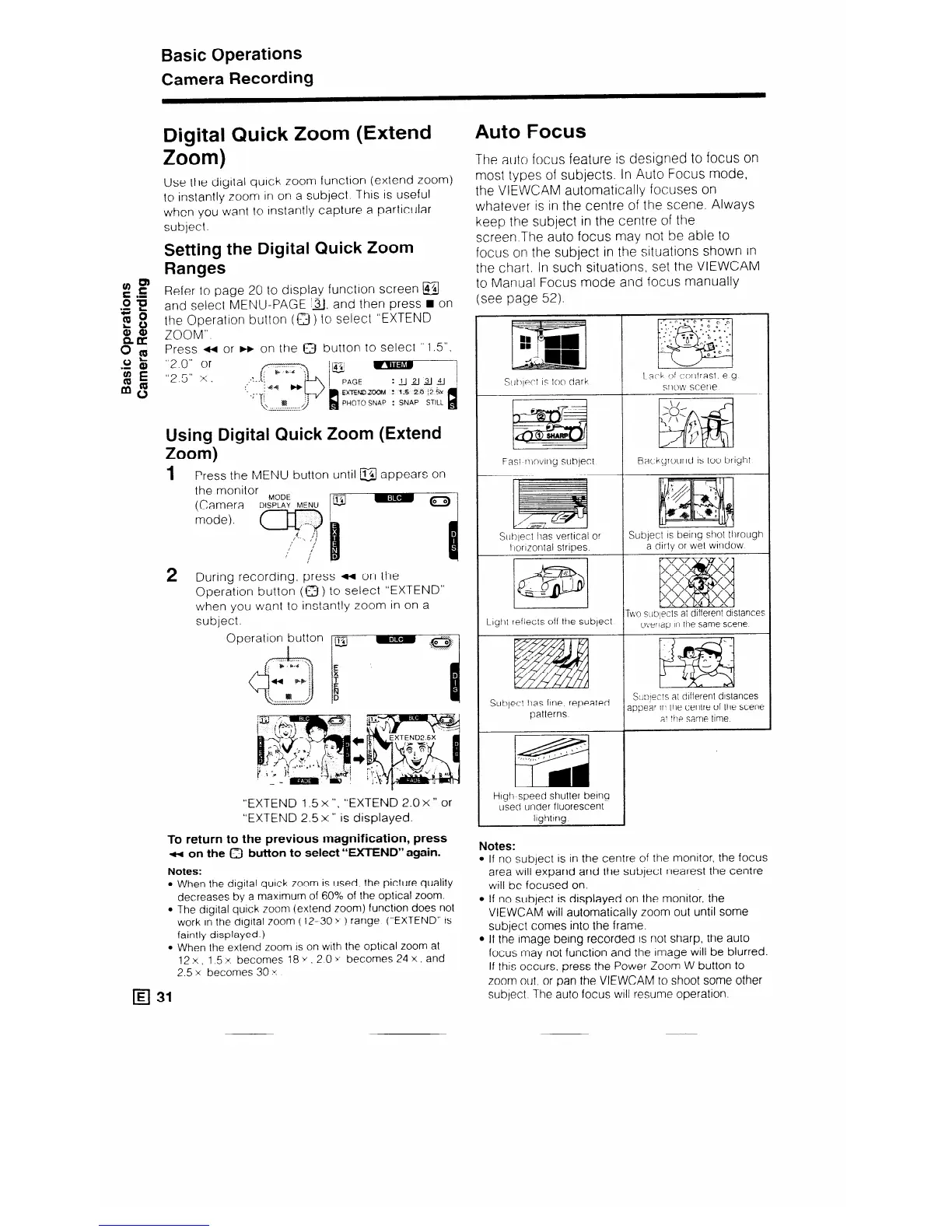
uring recording. press ++ on the
Operation button (a) to select “EXTEND”
when you want to instantly zoom in on a
subject.
Operation button I@
:
I
w gJ?j
“EXTEND 1.5 x “,
“EXTEND 2.0 x ” or
“EXTEND 2.5 x ” is displayed.
To return to the previous magnification, press
M on the 0 button to select “-ND” again.
Notes:
l When the digital quick zoom is used. the picture quality
decreases by a maximum of 60% of the optical zoom.
l The digital quick zoom (extend zoom) function does not
work in the dlgttal zoom (12-30 y ) range (“EXTEND” IS
faintly displayed.)
l When the extend zoom is on with the optlcal zoom at
12x. 1.5x becomes 18y,2Oy becomes24x.and
2.5 x becomes 30 Y
H 31
Auto Focus
The auto focus feature is designed to focus on
most types of subjects. In Auto Focus mode,
the VIEWCAM automatically focuses on
whatever is in the centre of the scene. Always
keep the subject in the centre of the
screen.The auto focus may not be able to
focus on the subject in the situations shown in
the chart. In such situations, set the VIEWCAM
to Manual Focus mode and focus manually
(see page 52).
Fast r~~~vir~g subject
Subject lias vertical or
I lorlzontal strioes
Llgllt reflects off the subject
Subject has fine. repeated
patterns
High speed shutter bemg
used under fluorescent
Itqhtmq
Backgrourld is too bright
Subject IS being shot tllrough
a
dlrtv or wet wlndow
rwo s(qects ai dlfferent dtstance:
overlap In the same scene
SXY=C!S a: different distances
,L
appear IIT the centre of the scene
a! tne same time
Notes:
If no subject IS in the centre of the monttor, the focus
area will expand and the subject nearest the centre
will be focused on.
If no subject is displayed on the monitor, the
VIEWCAM will automatically zoom out until some
subject comes into the frame.
If the image being recorded is not sharp, the auto
focus may not function and the Image will be blurred.
If this occurs, press the Power Zoom W button to
zoom out, or pan the VIEWCAM to shoot some other
subject The auto focus will resume operation.



 To Next Page