Recording a Five-second Still
Image (Snapshot)
You can record a still picture (snapshot) for about
5 seconds with normal sound simply by pressing
the SNAP button.
This is useful when you want to record a scene like
a photograph.
1
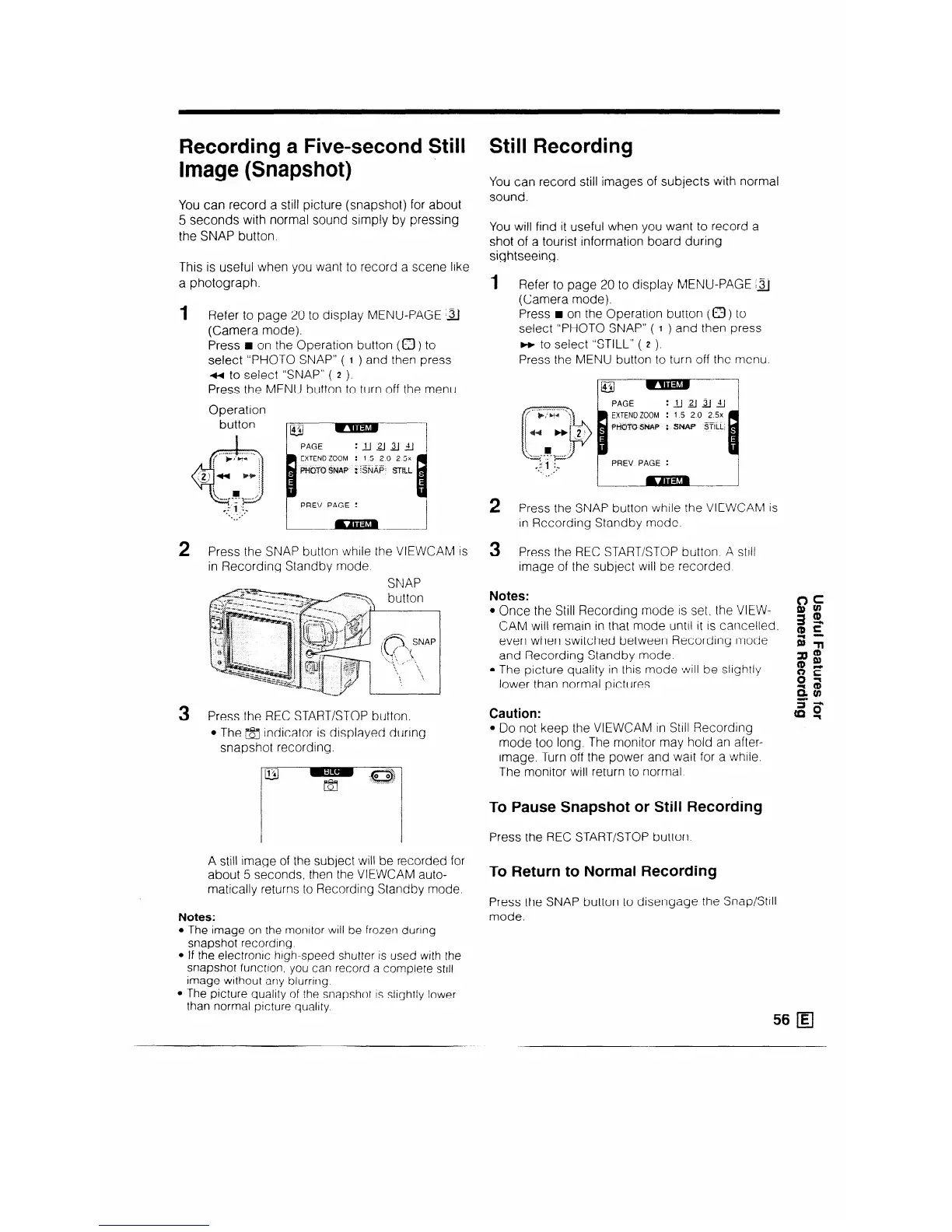
Refer to page 20 to display MENU-PAGE 31
(Camera mode).
Press w on the Operation button (a ) to
select “PHOTO SNAP” ( 1 ) and then press
a to select “SNAP” ( 2 ).
Press the MENU button to turn off the menu.
Operation
PREV PAGE :
2
Press the SNAP button while the VIEWCAM is
in Recording Standby mode
SNAP
3
Press the REC START/STOP button.
l The /FJ indicator is displayed durtng
snapshot recording.
A still image of the subject will be recorded for
about 5 seconds, then the VIEWCAM auto-
matically returns to Recording Standby mode.
Notes:
l The image on the rnonltor WIII be frozen during
snapshot recording
l If the electron/c high-speed shutter is used with the
snapshot functron, you can record a complete still
image without any blurring
l The picture quality of the snapshot IS slightly lower
than normal picture quality
Still Recording
You can record still images of subjects with normal
sound.
You will find it useful when you want to record a
shot of a tourist information board during
sightseeing.
1 Refer to page 20 to display MENU-PAGE Ia
(Camera mode).
Press n on the Operation button (a) to
select “PHOTO SNAP” ( I ) and then press
m to select “STILL” ( 2 ).
Press the MENU button to turn off the menu
._ __ . ___.,
f +;s:* ,
ip
EXTEND ZOOM
: 15 20 25x
44 Hjl
: SW STILL:
i
, j
. . . ..----
7’“’
.v 1 ,fp
PREV PAGE
:
.,I
.,,*
2
Press the SNAP button while the VIEWCAM is
In Recording Standby mode.
3
Press the REC START/STOP button A still
image of the subject WI/I be recorded
Notes:
l Once the Still Recording mode IS set, the VIEW-
CAM will remain in that mode until It IS cancelled.
even when switched between Recording mode
and Recording Standby mode.
l The picture quality in this mode will be slightly
lower than normal pictures
Caution:
l Do not keep the VIEWCAM in Still Recording
mode too long. The monitor may hold an after-
image. Turn off the power and wait for a while.
The monitor will return to normal
To Pause Snapshot or Still Recording
Press the REC START/STOP button.
To Return to Normal Recording
Press the SNAP button to disengage the Snap/%11
mode.
56 q



 To Next Page