Quick Return
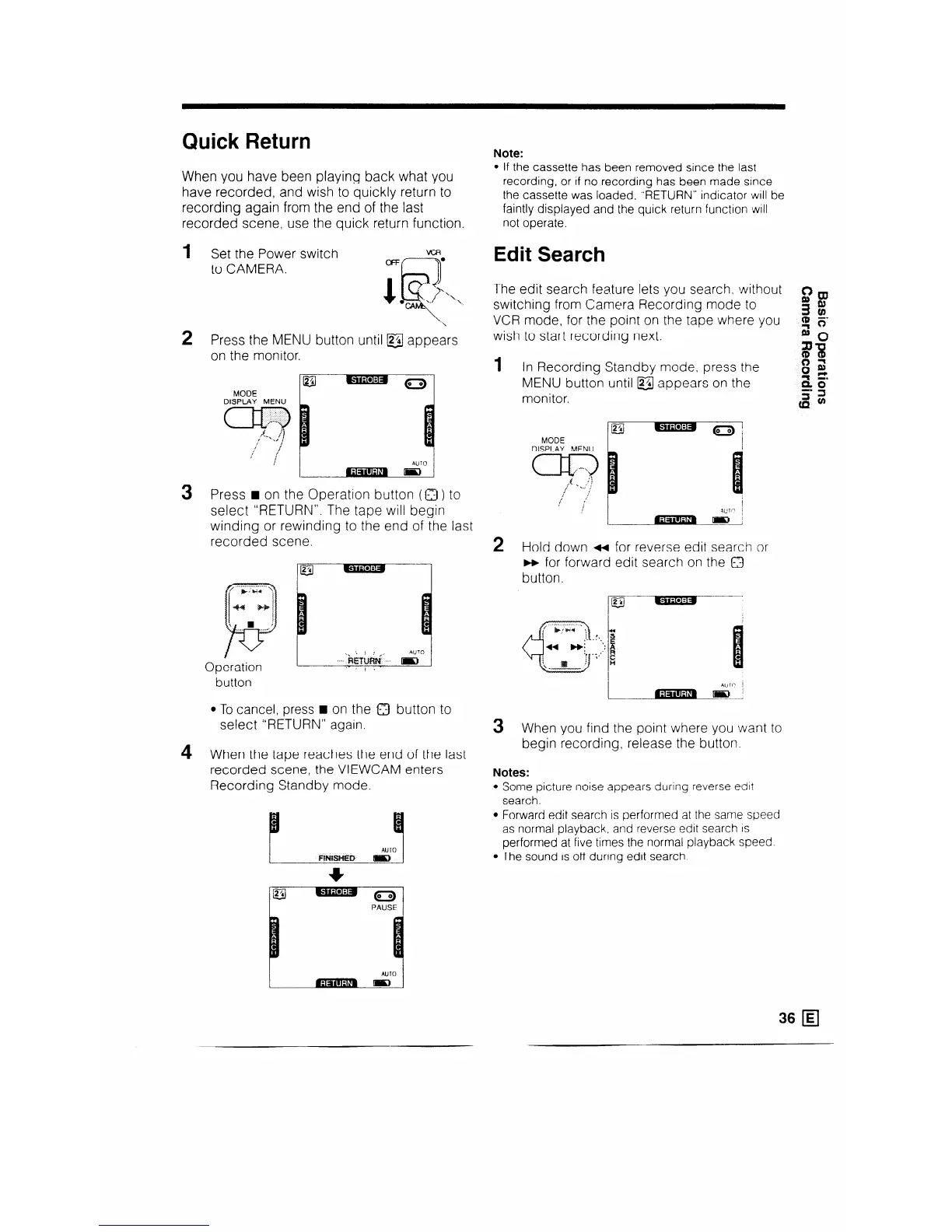
When you have been playing back what you
have recorded, and wish to quickly return to
recording again from the end of the last
recorded scene, use the quick return function
1 Set the Power switch
to CAMERA.
ttor 2 Press the MENU bu
on the monitor.
i until @j appears
MODE
DISPLAY MENU
(a,-3
!
AUTO
3 Press H on the Operation button (0) to
select “RETURN”. The tape will begin
winding or rewinding to the end of the last
recorded scene.
Operation
button
m---l
AUTO
l To cancel, press H on the 0 button to
select “RETURN” again.
4 When the tape reaches the end of the last
recorded scene, the VIEWCAM enters
Recording Standby mode.
AU ro
Fltut~l3 D
gj-
-0:
c
PAUSE
Note:
l If the cassette has been removed since the last
recording, or If no recording has been made since
the cassette was loaded. “RETURN” indicator will be
faintly displayed and the quick return function will
not operate.
Edit Search
The edit search fea.ture lets you search. without
switching from Camera Recording mode to
Bm
VCR mode, for the point on the tape where you
3:
4 is’
wish to start recording next.
2
1 In Recording Standby mode, press the
gg
0%
MENU button until @ appears on the
monitor.
2 Hold down ++ for reverse edit search or
m for forward edit search on the 0
button.
_ .‘a
S
. .
-_ . ,: R
1
t’ c
n
3 Wh
en you find the point where you want to
begin recording, release the button.
Notes:
Some picture noise appears dunng reverse edit
search.
Forward edit search is performed at the same speed
as normal playback, and reverse edit search IS
performed at five times the normal playback speed.
The sound is off during edit search
36 q



 To Next Page