Basic Operations
Camera Recording
Recording with the Wide
Screen (16:9)
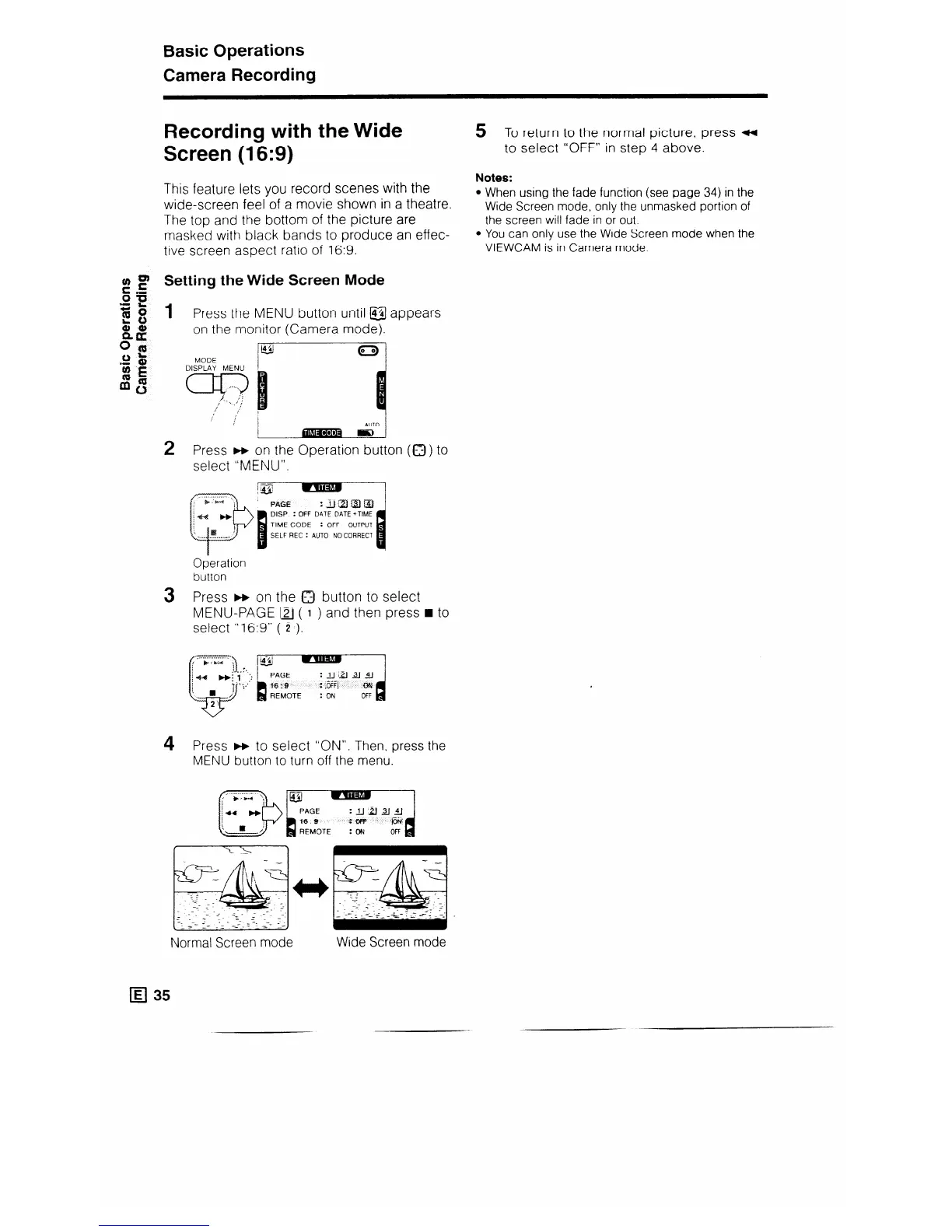
This feature lets you record scenes with the
wide-screen feel of a movie shown in a theatre.
The top and the bottom of the picture are
masked with black bands to produce an effec-
tive screen aspect ratio of 16:9.
5 To return to the normal picture, press 4
to select “OFF” in step 4 above.
Notes:
l
When using the fade function (see page 34) in the
Wide Screen mode, only the unmasked portion of
the screen will fade in or out.
You can only use the Wide Screen mode when the
VIEWCAM is in Camera mode.
g _g Setting the Wide Screen
Mode
1
Press the MENU button
on the monitor (Camera
@
MODE
until @j
mode).
appears
2 Press m on the Operation button (0) to
select “MENU”.
DISP : OFF DATE DATE +TIME
: OFF OUTPUT
SELF REC : AUTO NO CORRECT
Operation
button
3 Press m on the 0 button to select
MENU-PAGE [2J ( I ) and then press n to
select “16:9” ( 2 ).
4 Press m to select “ON”. Then, press the
MENU button to turn off the menu.
Normal Screen mode
q 35
Wide Screen mode



 To Next Page