Basic Operations
Playback
Skip Playback
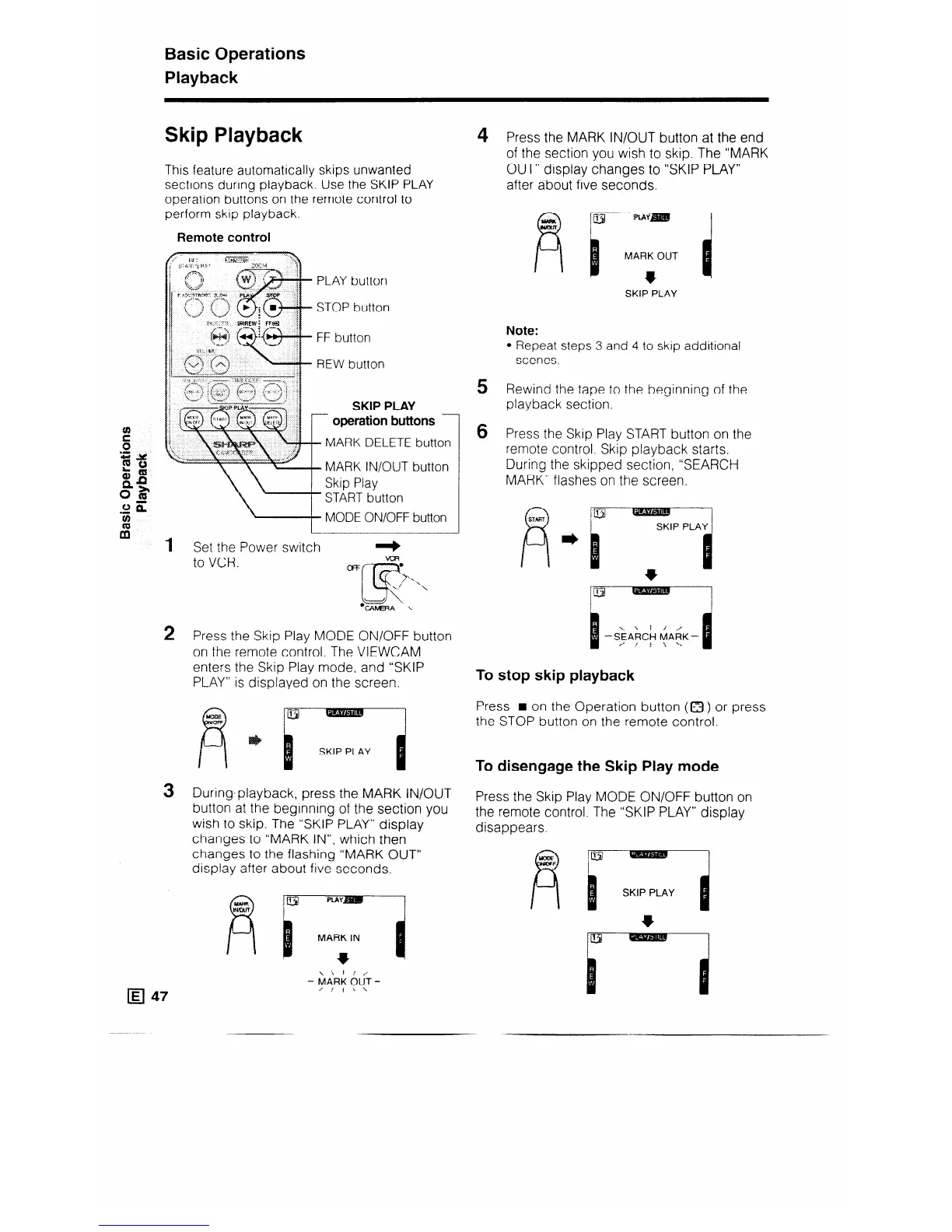
This feature automatically skips unwanted
sections during playback. Use the SKIP PLAY
operation buttons on the remote control to
perform skip playback.
Remote control
3
D PLAY button
b STOP button
n FF button
REW button
SKIP PLAY
r
operation buttons
1
MARK
DELETE button
MARK
IN/OUT button
Skip Play
START button
MODE ON/OFF button
Set the Power switch
to VCR.
Press the Skip Play MODE ON/OFF button
on the remote control. The VIEWCAM
enters the Skip Play mode, and “SKIP
PLAY” is displayed on the screen.
a -’
c
.
SKIP PLAY
During.playback, press the MARK IN/OUT
button at the beginning of the section you
wish to skip. The “SKIP PLAY” display
changes to “MARK IN”, which then
changes to the flashing “MARK OUT”
display after about five seconds.
4
5
6
Press the MARK IN/OUT button at the end
of the section you wish to skip. The “MARK
OUT” display changes to “SKIP PLAY”
after about five seconds.
MARK OUT
l
SKIP PLAY
Note:
l Repeat steps 3 and 4 to skip additional
scenes.
Rewind the tape to the beginning of the
playback section.
Press the Skip Play START button on the
remote control. Skip playback starts.
During the skipped section, “SEARCH
MARK” flashes on the screen.
To stop skip playback
Press n on the Operation button (0 ) or press
the STOP button on the remote control.
To disengage the Skip Play mode
Press the Skip Play MODE ON/OFF button on
the remote control. The “SKIP PLAY” display
disappears.
SKIP PLAY
- _



 To Next Page