Preparation
Installing the Memory Backup
Battery
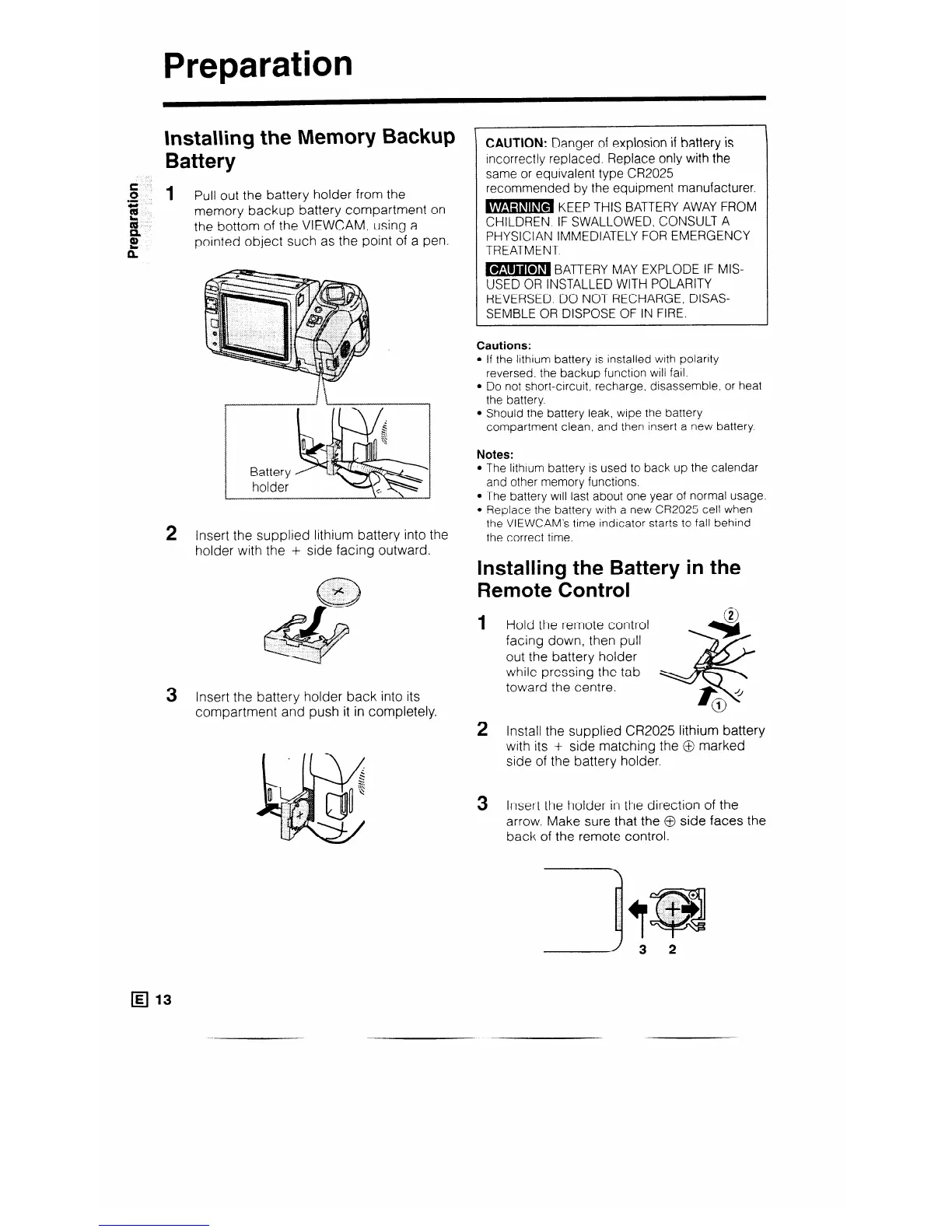
1 Pull out the battery holder from the
memory backup battery compartment on
the bottom of the VIEWCAM, using a
pointed object such as the point of a pen.
2 Insert the supplied lithium battery into the
holder with the + side facing outward.
3 Insert the battery holder back into its
compartment and push it in completely.
CAUTION: Danger of explosion if battery is
incorrectly replaced. Replace only with the
same or equivalent type CR2025
recommended by the equipment manufacturer
B KEEP THIS BATTERY AWAY FROM
CHILDREN. IF SWALLOWED, CONSULT A
PHYSICIAN IMMEDIATELY FOR EMERGENCY
TREATMENT.
B BATTERY MAY EXPLODE IF MIS-
USED OR INSTALLED WITH POLARITY
REVERSED. DO NOT RECHARGE, DISAS-
SEMBLE OR DISPOSE OF IN FIRE.
Cautions:
l If the lithium battery is installed with polarity
reversed, the backup function will fail.
l Do not short-circuit. recharge, disassemble, or heat
the battery.
l Should the battery leak, wtpe the battery
compartment clean, and then insert a new battery.
Notes:
The lithtum battery is used to back up the calendar
and other memory functions.
The battery will last about one year of normal usage.
Replace the battery with a new CR2025 cell when
the VIEWCAM’s time indicator starts to fall behind
the correct time.
installing the Battery in the
Remote Control
1
2
3
Hold the remote control
G?9
facing down, then pull
w
out the battery holder
while pressing the tab
toward the centre.
4
f
4
0
1
Install the supplied CR2025 lithium battery
with its + side matching the @ marked
side of the battery holder.
Insert the holder in the direction of the
arrow. Make sure that the @ side faces the
back of the remote control.
q l3



 To Next Page