Description of the blocks
4.3 MMOprtn block
SIMOCODE pro PCS 7 Library V9.0
Programming and Operating Manual, 06/2017, A5E40899442002A/RS-AA/001
151
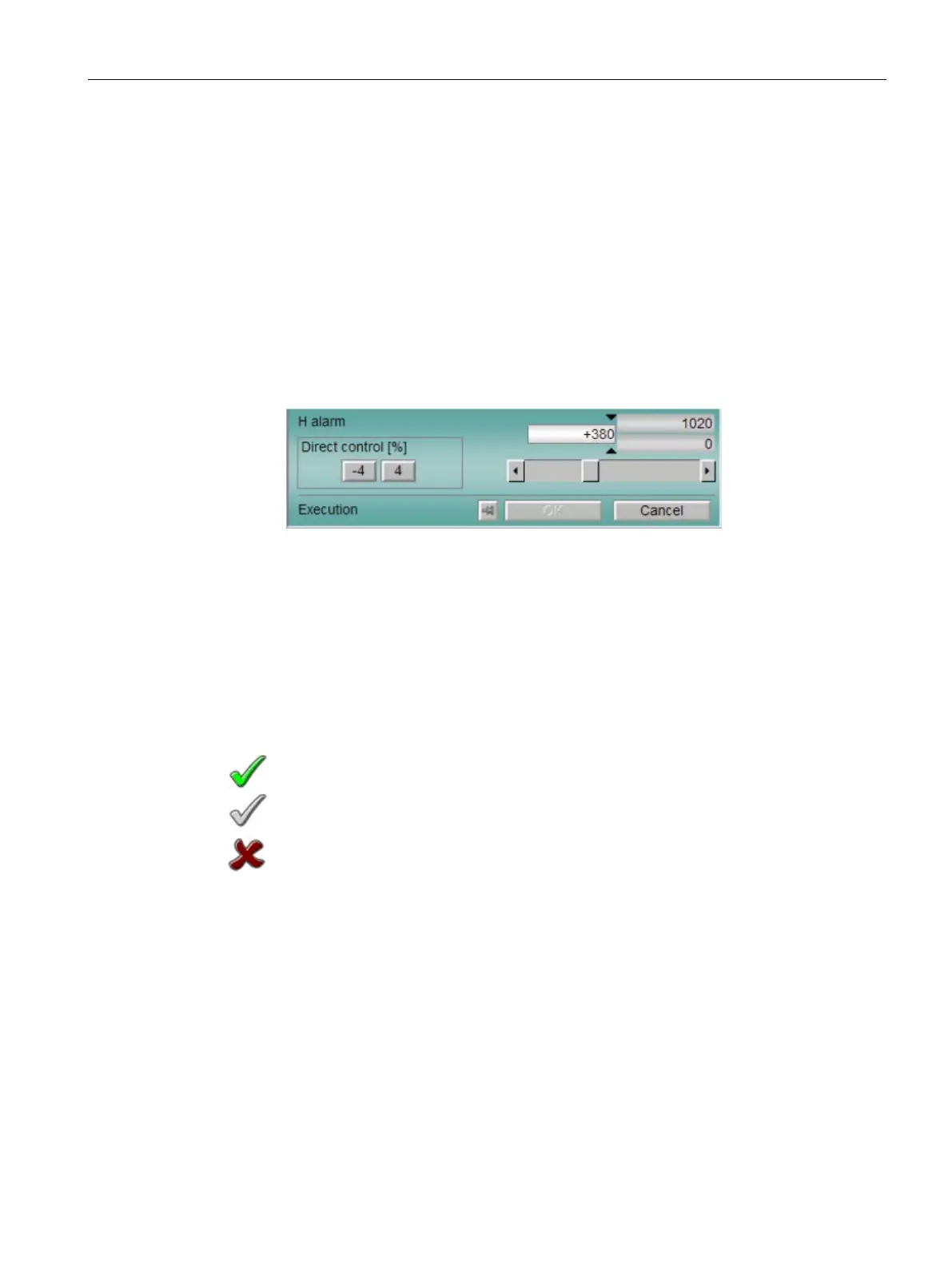
Limits for additional value
• "H alarm": Alarm high (Curr_TH)
• "H warning": Warning high (
Curr_WH)
• Hysteresis
• "L warning": Warning low (
Curr_TL)
• "L alarm": Alarm low (
Curr_WL)
If the background color of the field is white, you can change the value in the expanded oper-
ating area in 3 ways (authorization level 5 and higher):
• Entry in the input box
• Setting using the slider
• Entry by direct operation
Last successfull Timestamp of read data
Button for updating the values (RdDataOp).
The visible range in the bar graph depends on the configuration in the Engineering Station
(ES).
The colored triangles show the specified limits:
• Red: Alarm
• Yellow: Warning
• The operator may execute the command.
• The operator cannot execute the command because the command is currently blocked
by a process.
• The operator is not permitted to execute the command (
OS_Perm).
The displays are dependent on the bit values in the OS_PermOut and OS_PermLog parame-
Setting the cursor at any random position in the text box is no longer possible in the operator
dialog.
This prevents operating errors by adding decimal points automatically.





 To Next Page