Block icons and faceplate views
3.2 Faceplates
SIMOCODE pro PCS 7 Library V9.0
58 Programming and Operating Manual, 06/2017, A5E40899442002A/RS-AA/001
A faceplate displays all the elements of a block graphically. The faceplate is displayed in a
separate window on the Operator Station (OS). You can call the faceplate:
● Using picture selection keys
● From the process tag list
● By clicking the specific block icon
Note
WinCC tools can be used to make necessary modif
ications to the faceplates.
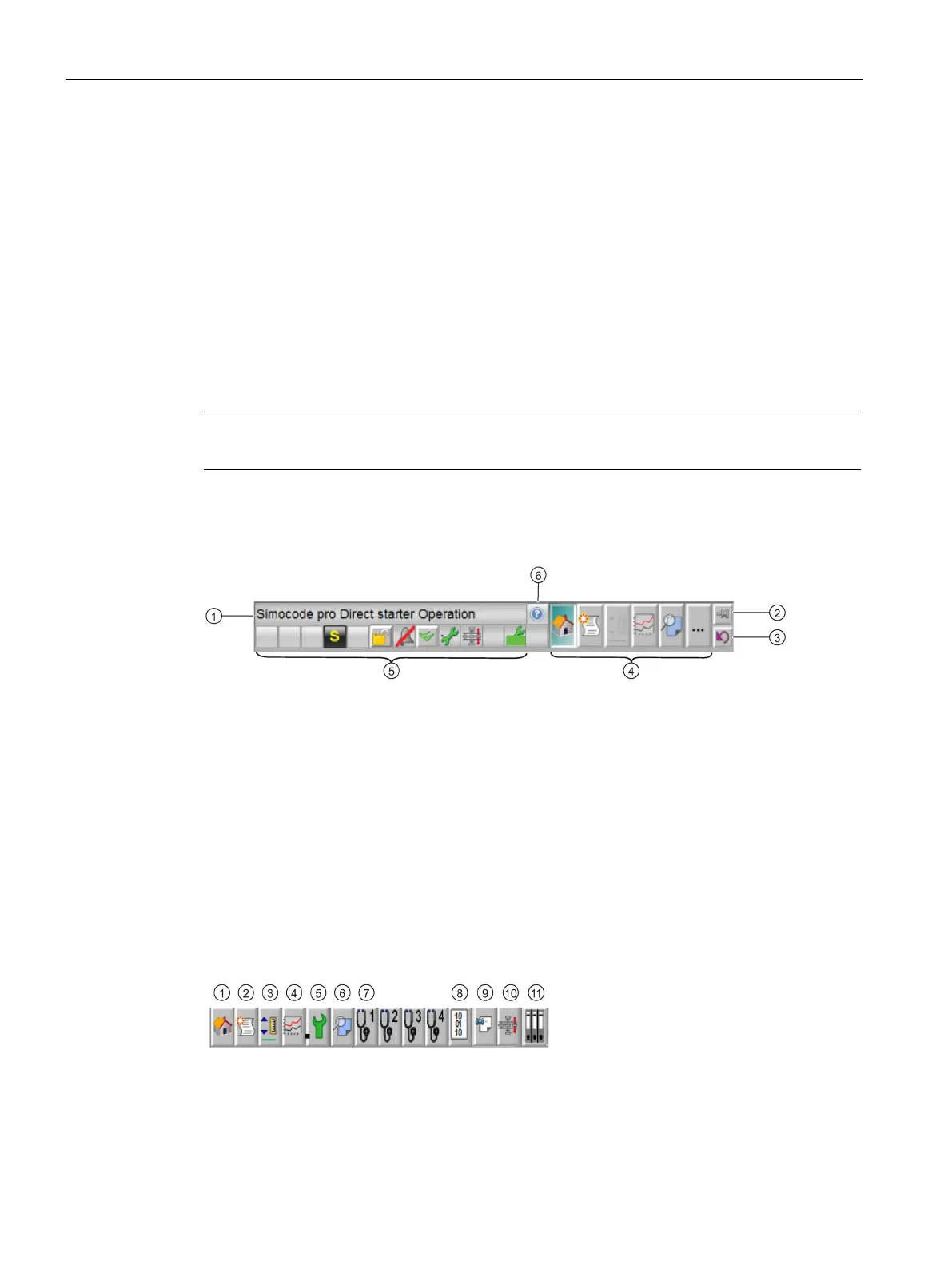
Comments, e.g., name of starter
"Pin faceplate" button:
You can use this button to secure the faceplate when switching the range.
"Back to Process" button:
You can use this button to return to the original process picture.
Toolbar for selecting the availible views for the relevant block.
Right clicking on an icon opens the selected view in a separate window.





 To Next Page