64 57 316 D3543
D3543.076.01.04.02 06.2015
141
Sirona Dental Systems GmbH 10Service and configuration of the treatment center
Service Manual INTEGO / INTEGO pro 10.2Service settings with the EasyPad user interface
båÖäáëÜ
10.1.9 Switching the key sound on/off
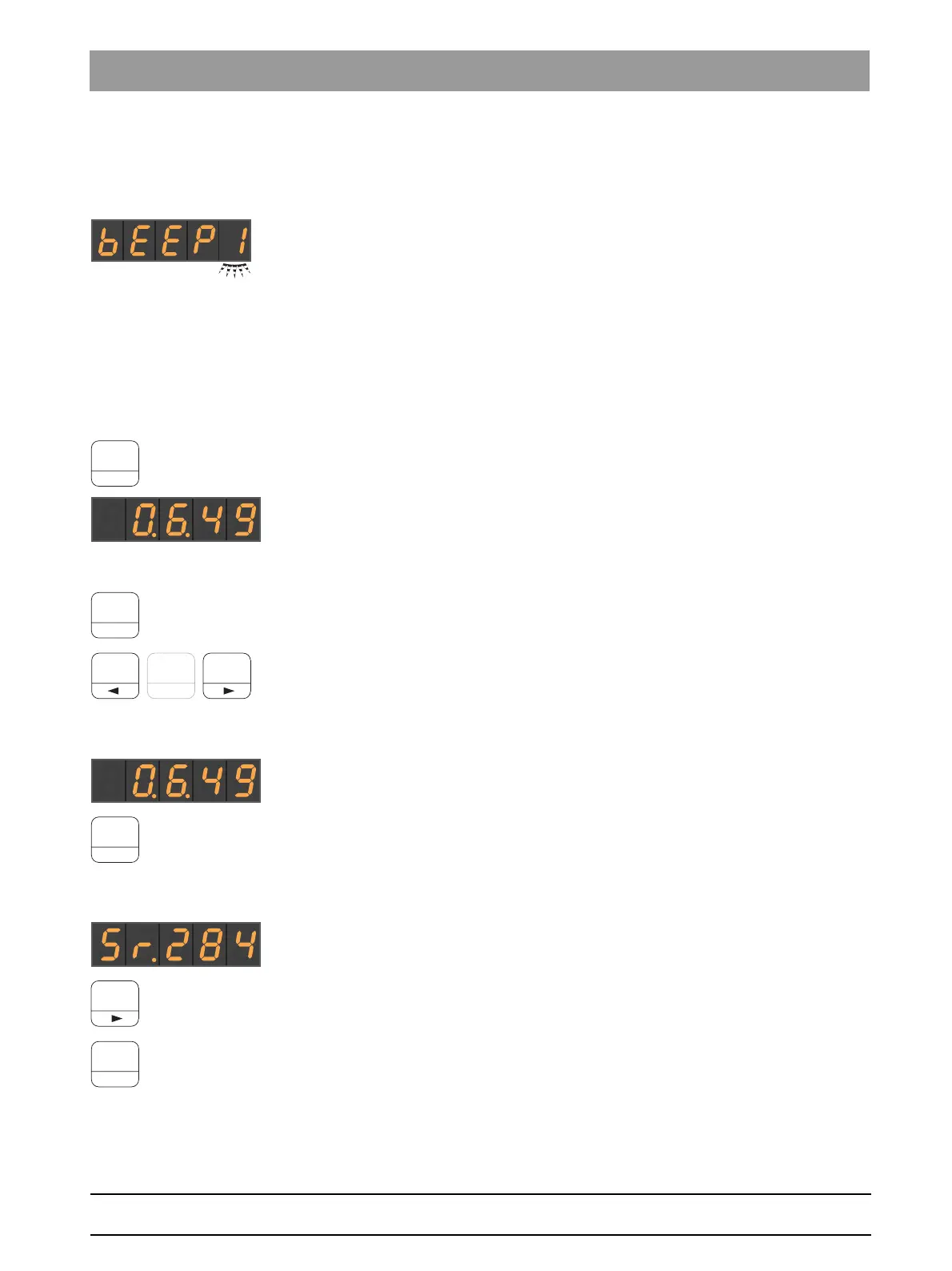
A setting can be made to issue an acoustic signal when the operator
presses a button on the dentist or assistant element.
✔ The setting focus
Key tone
flashes.
1. Change the value with the favorite keys 1 or 3.
If there is a 1 in the setting focus, the key tone is switched on.
2. Confirm with the
2 / Setup
favorite key.
10.2
Service settings with the EasyPad user interface
10.2.1 Opening the Service domain
✔ You are in the sub menu of the Setup area.
➢ Press favorites button
2/Setup
for > 2 seconds.
The
Service
operating context opens. The first selection context
Software version
appears on the EasyPad display.
The
Service
operating context contains several selection contexts. The
active focus item flashes.
Press favorite button
2/Setup
to select the next focus item or display the
next selection context.
Use favorite buttons 1 and 3 to make the necessary adjustments.
10.2.2 Software version
The software version is displayed.
➢ Press favorites button
2/Setup
.
The next operating context is displayed.
10.2.3 Display of the next maintenance due date
This dialog displays the number of days until the next maintenance date.
➢ Press favorites button 3.
The maintenance interval is reset.
➢ Press favorites button
2/Setup
.
The next operating context is displayed.



 To Next Page