64 57 316 D3543
D3543.076.01.04.02 06.2015
97
Sirona Dental Systems GmbH 7Replacing components
Service Manual INTEGO / INTEGO pro 7.2Removing the cover
båÖäáëÜ
7.2
Removing the cover
7.2.1 Patient chair
7.2.1.1
Removing the connection box cover
Removing the connection box cover
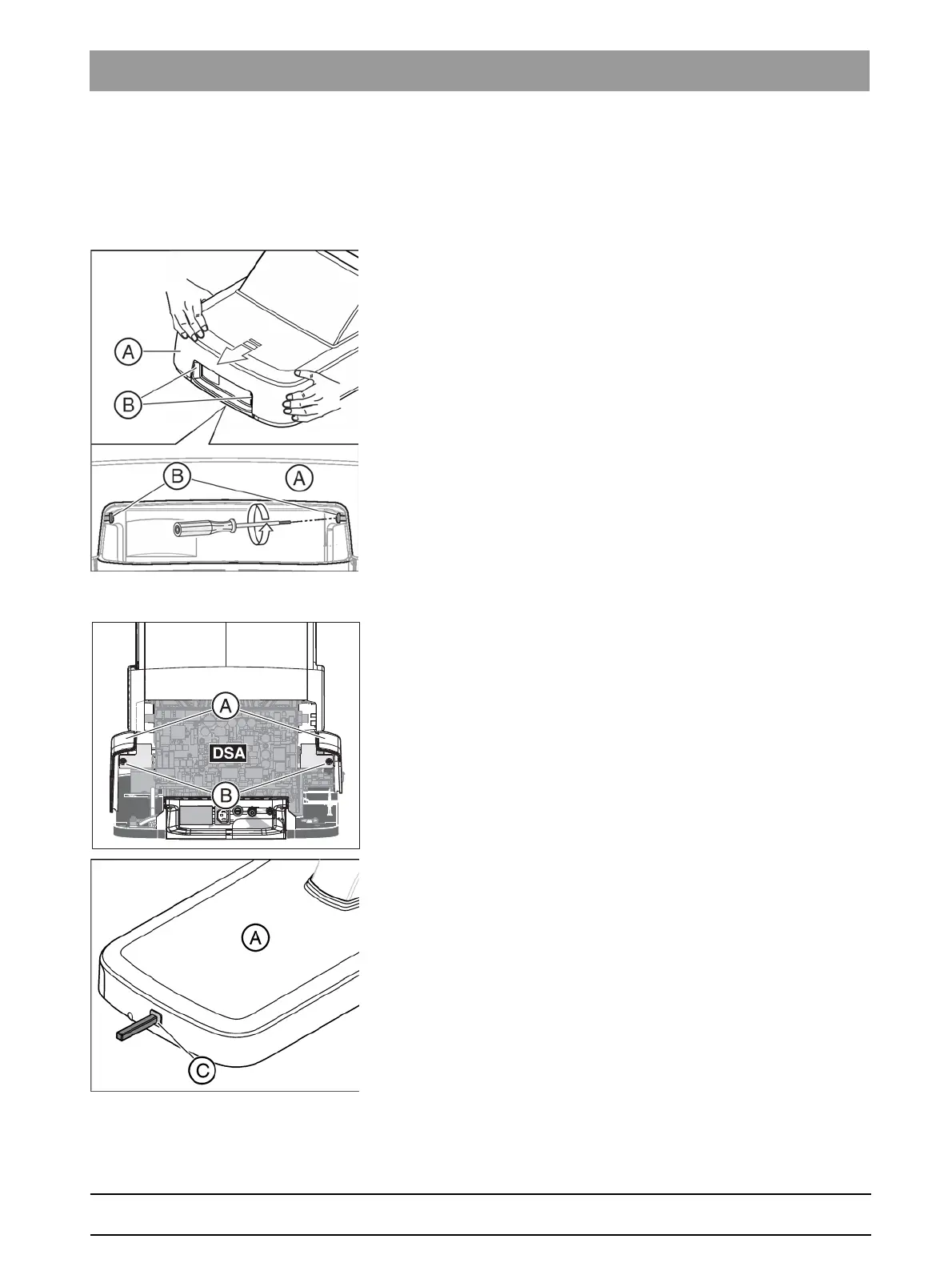
1. Remove the screws (B) from the connection box cover (A).
2. Pull off the connection box cover (A) toward the front.
7.2.1.2
Removing the rear covers from the base of the chair
Removing the rear covers from the base of the chair
1. Remove the 2 screws (B) for the rear cover (A).
2. If the 4-way foot control is present (option): Pull out the bellows (C)
from the 4-way foot control.
3. Pull off the cover (A).



 To Next Page