64 57 316 D3543
98 D3543.076.01.04.02 06.2015
7Replacing components Sirona Dental Systems GmbH
7.2Removing the cover Service Manual INTEGO / INTEGO pro
7.2.1.3
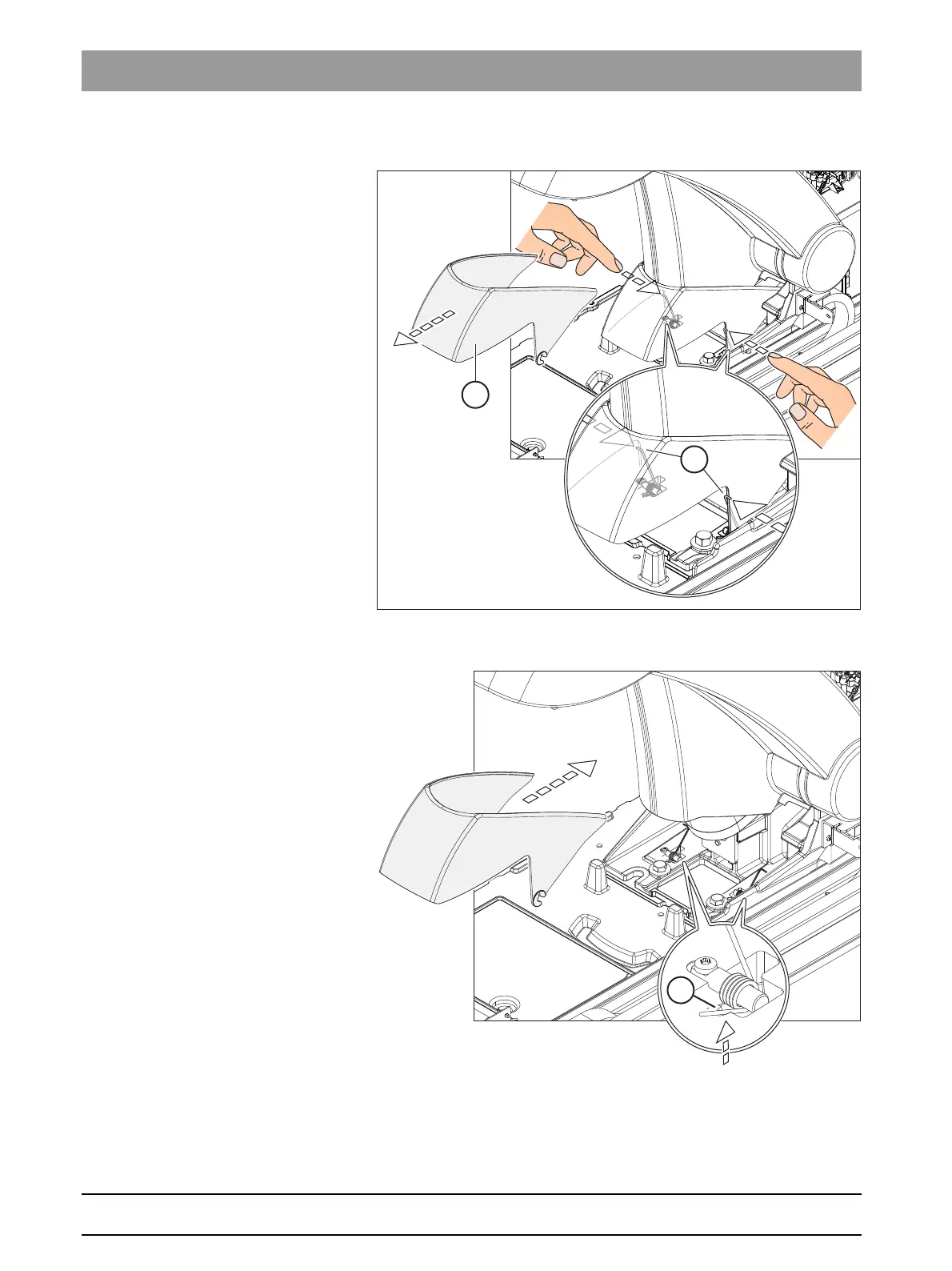
Removing the localizer cover
1. Press the 2 springs (A) inwards.
2. Remove the localizer cover (B).
➢ When reattaching it, make sure that the spring lies in the groove (C).



 To Next Page