64 57 316 D3543
152 D3543.076.01.04.02 06.2015
10Service and configuration of the treatment center Sirona Dental Systems GmbH
10.3Service settings with EasyTouch user interface Service Manual INTEGO / INTEGO pro
10.3.5 Default settings
10.3.5.1
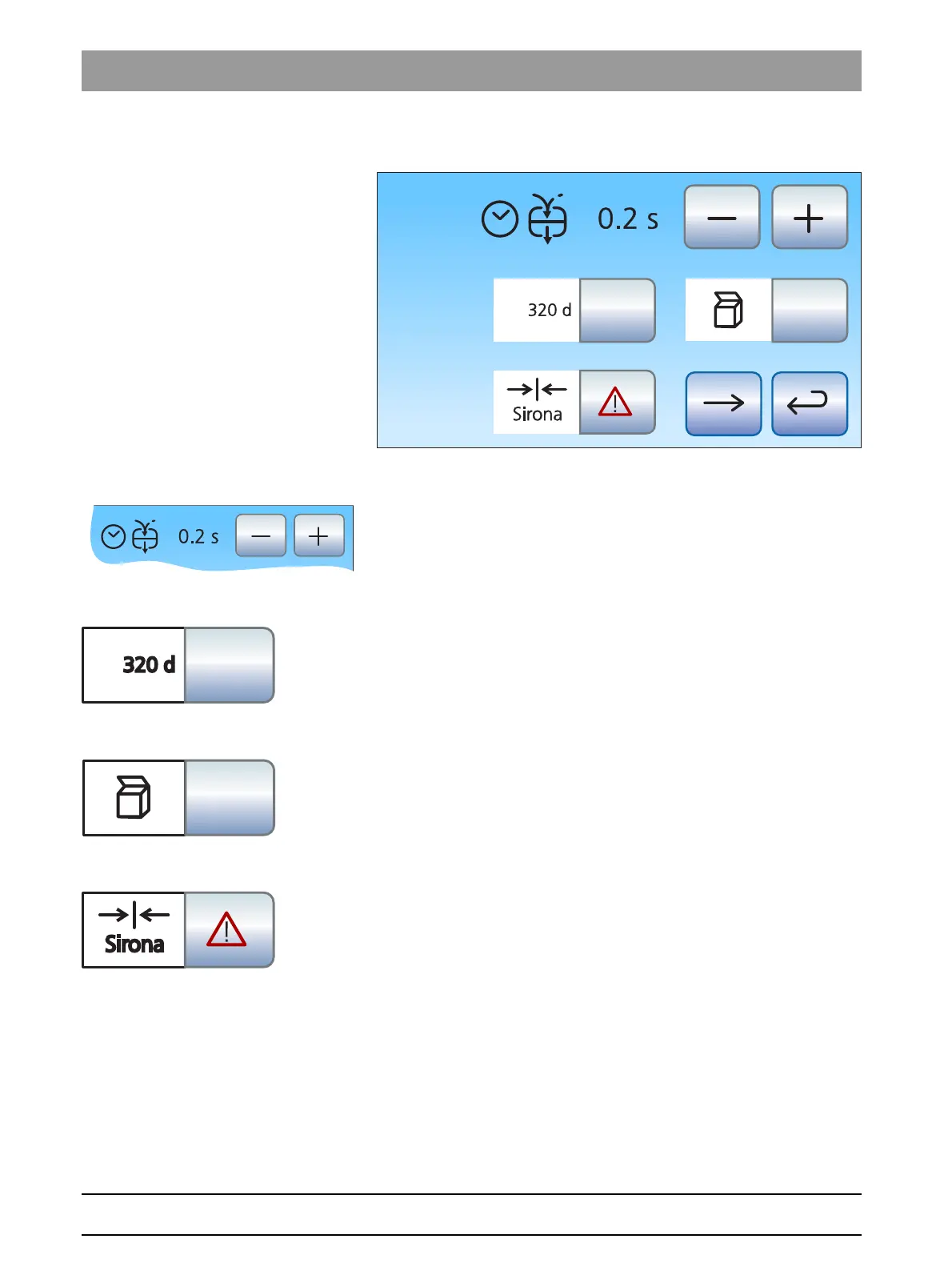
Set the opening time of the cuspidor bowl valve
The opening time of the mouth rinse basin valve can be set between 0
and 2 seconds in steps of 0.1 seconds.
➢ Change the opening time using the – and + buttons.
10.3.5.2
Display of the next maintenance due date
The number of days to the next service date is displayed here.
➢ Hold down the
Service date
button (> 2 s).
The service interval is reset.
10.3.5.3
Packing position
➢ Touch the function key.
The "packing position" chair program starts up. Pushing the
button again can cancel the procedure.
10.3.5.4
Factory setting
➢ Hold down the
Factory setting
button (> 2 s).
All treatment unit settings are reset to the factory setting. The
system switches to the "Start" operating context.



 To Next Page