64 57 316 D3543
D3543.076.01.04.02 06.2015
153
Sirona Dental Systems GmbH 10Service and configuration of the treatment center
Service Manual INTEGO / INTEGO pro 10.4Reading service codes
båÖäáëÜ
10.4
Reading service codes
Users can display the service codes via the PC program (DUMC) in two
different ways. They can either display them directly using the optionally
available Ethernet interface or they can transfer the service codes onto
an SD card and then display them on the DUMC.
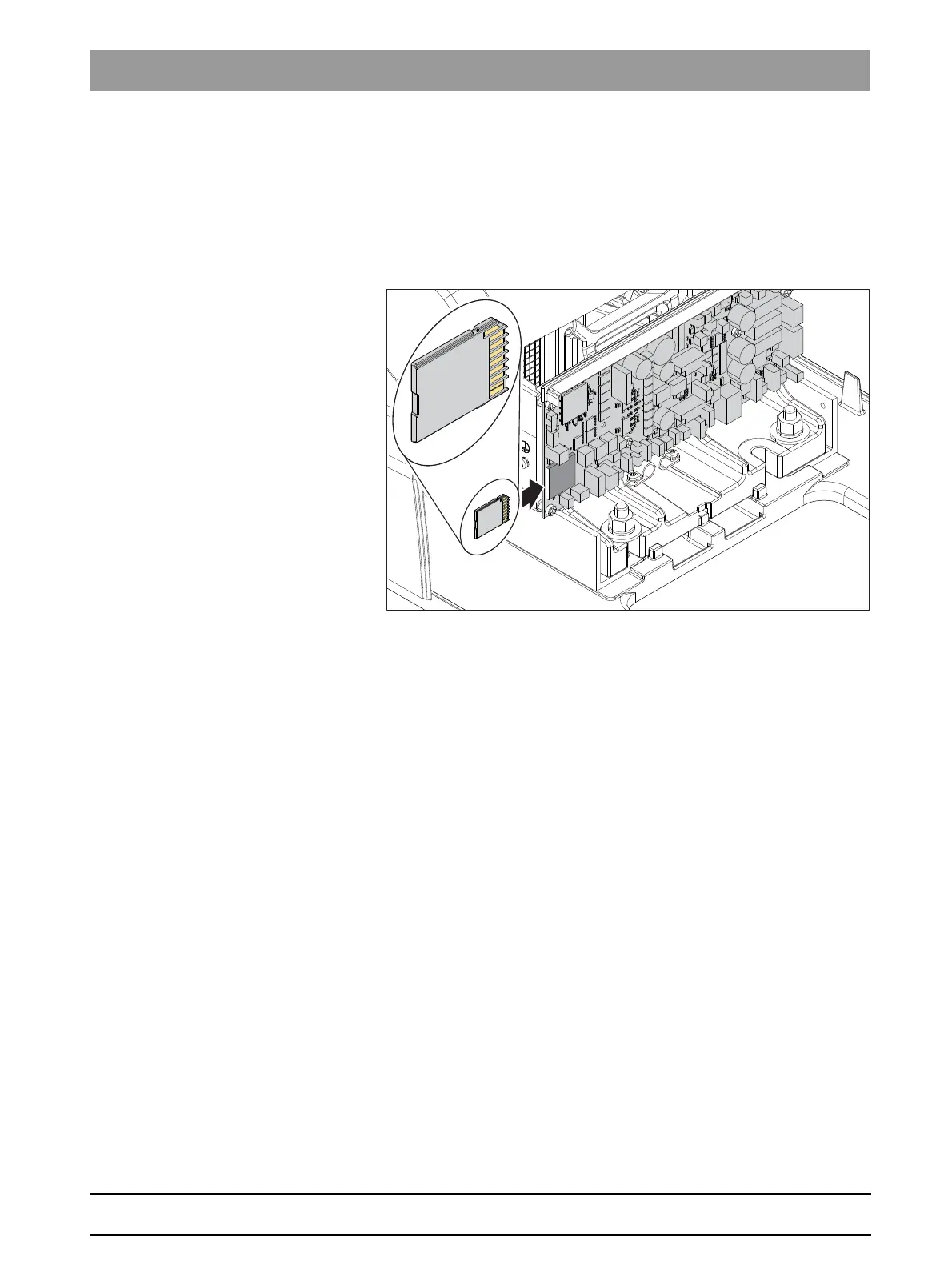
Saving the service codes onto an SD card
✔ The connection box cover on the patient chair has been removed
(see Removing the connection box cover [ → 97]).
✔ The treatment center is switched on.
✔ The SD card has been formatted using the FAT32 format.
1. Insert the SD card in the SD card slot on the DSA board.
After approx. 3 seconds, the service codes are written to the SD
card.
2. After the long beep, remove the SD card.
3. Reattach the connection box cover.
4. Insert the SD card in the SD card reader on the service PC.
For details of the rest of the service code display procedure, please refer
to the "Dental Unit Management Console Service Manual" (DUMC) with
order number 6194497.
10.5
Service support with the PC
The "Sirona Dental Unit Management Console" (Sirona DUMC)
application is available for service support.
This application offers the following services:
DARWIN
● Service management
(readout and storage of service information)
● Firmware installation
For more information about this program, please refer to the DUMC user
manual:
"6194497"
.
This program is available in the service area of the Sirona website.



 To Next Page