64 57 316 D3543
142 D3543.076.01.04.02 06.2015
10Service and configuration of the treatment center Sirona Dental Systems GmbH
10.2Service settings with the EasyPad user interface Service Manual INTEGO / INTEGO pro
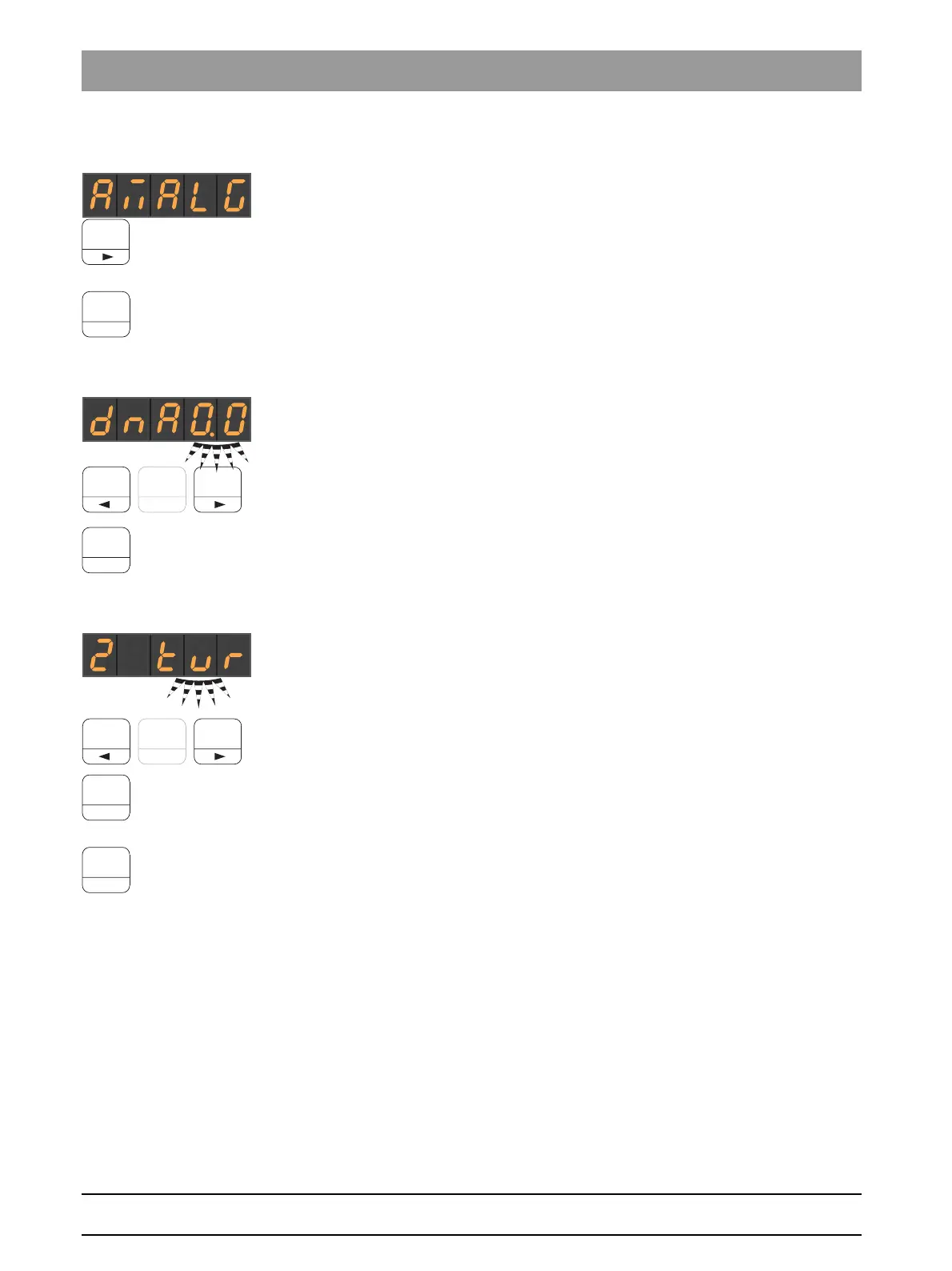
10.2.4 Amalgam test
➢ Press favorites button 3.
The message system is working if a signal is sounded when the
button is pressed. It sounds for as long as the button is pressed.
➢ Press favorites button
2/Setup
.
The next operating context is displayed.
10.2.5 Set the opening time of the cuspidor bowl valve
Set the opening time for the mouth rinse basin valve
Use favorite buttons 1 and 3 to make the necessary adjustments.
This can be set between 0 and 2 seconds in steps of 0.1 seconds.
➢ Press favorites button
2/Setup
.
The next operating context is displayed.
10.2.6 Assigning an instrument to holder 2
✔ The focus is on the assignment of the instrument type and the
instrument type flashes.
1. Press favorite buttons 1 and 3 to browse through the possible
instrument types.
2. Press favorite button
2/Setup
to confirm the instrument type assigned
to this holder.
The instrument type shown is assigned to holder 2.
3. Press favorites button
2/Setup
.
The next operating context is displayed.



 To Next Page