Engine
7-10
31211015 6036, 6042, 8042, 10042, 10054
4. Remove plugs and/or caps from the previously labeled
DEF tank coolant hoses (5) and connect to their
appropriate locations. Tighten clamps.
5. Connect electrical connection on top of DEF tank (3).
6. Fill DEF tank according to specifications. Refer to
Section 2.4, “Fluid and Lubricant Capacities”.
7. Close DEF tank filler access cover (1).
8. Verify all DEF system hose connections are tight and
secure from any sharp edges, moving parts and/or
excessive heat.
9. Install DEF tank access cover at the front of the hydraulic
oil/fuel reservoir (2).
10. Properly connect the battery(s). Refer to Section 9.8,
“Battery”, for procedure.
11. Close and latch engine doors.
7.6.5 Diesel Exhaust Fluid (DEF) Header – (if
equipped for ULS 85hp or 110hp (63kW
or 82kW)) (Prior to S/N 0160082087)
The DEF header is only required to be removed when system
maintenance is required or is exposed to contamination. The
header can be cleaned and reused when cleaning and/or
replacing the DEF Tank. Refer to Section 7.6.5, b. “DEF
Header Cleaning.”
a. DEF Header Removal
1. Refer to Section 7.6.4, “Diesel Exhaust Fluid (DEF) Tank -
(if equipped for ULS 85 hp or 110 hp (63 kW or 82 kW))
(Prior to S/N 0160082087)”, for DEF tank removal.
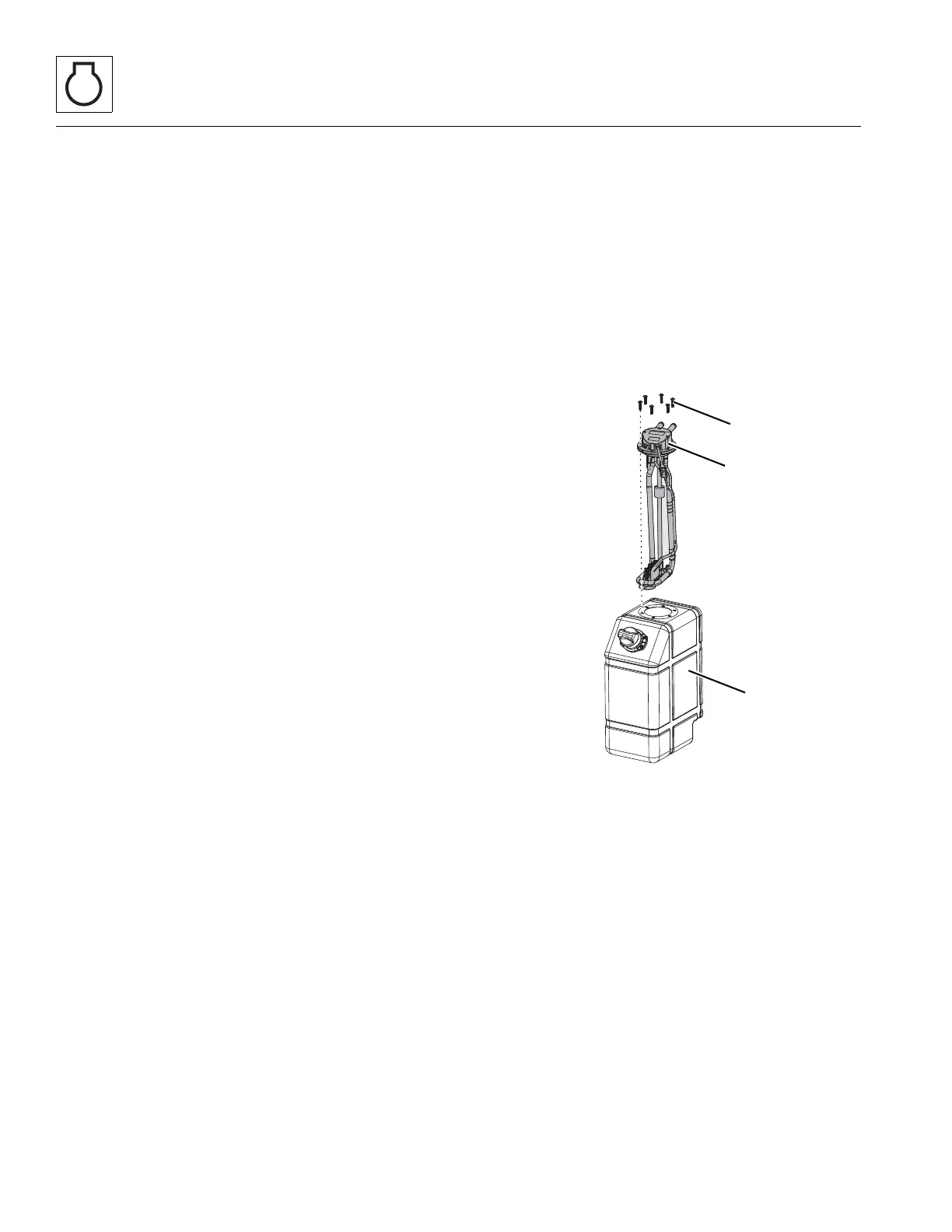
2. Loosen and remove the six screws (8) securing the
header (9) to the DEF tank (10).
3. Remove the header (9) from the DEF tank.
Note: Verify the orientation of the header for reassembly.
b. DEF Header Cleaning
1. Refer to Diesel Exhaust Fluid (DEF) System Cleaning – (if
equipped for ULS 85hp or 110hp (63kW or 82kW)) for
detailed DEF header cleaning.


 To Next Page