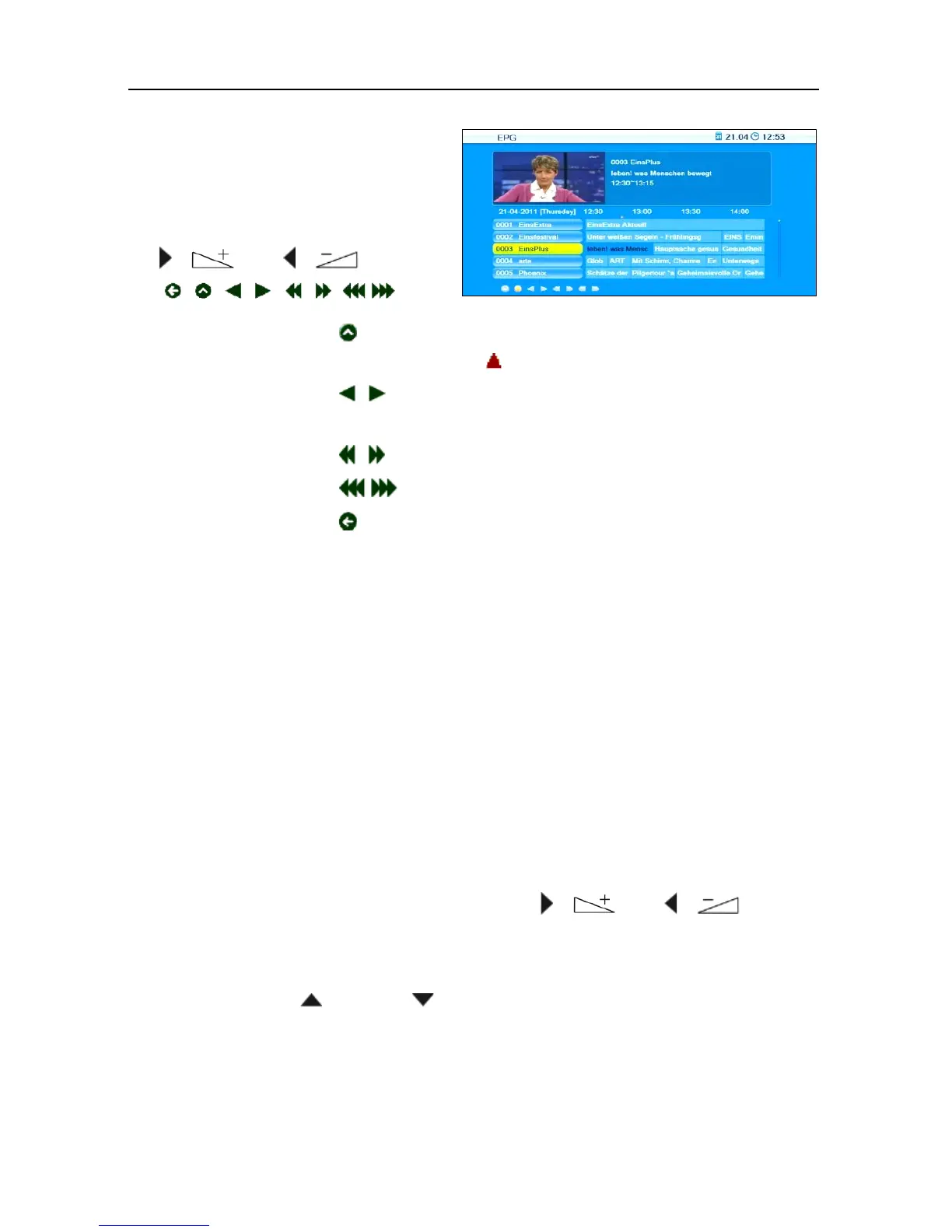
Press OK when is selected to go to the current program. The
current program is marked with .
Press OK when is selected to go one program forward or
back.
Press OK when is selected to go two hours forward or back.
Press OK when is selected to go one day forward or back.
Press OK when is selected or press EXIT to close the window
Time and to return to the EPG window.
Press the green function key to include channel, recording date,
switch-on time and duration of the marked program into a timer. The
Timer Mode is set to Once by default; Timer Service is set to Record.
You may change settings as described in section 7.3.2, page 62.
Press the blue function key to leave the
EPG window and return to the
window
Single EPG.
Press the EXIT key to leave the
EPG window and return to the TV pro-
gram.
5.9.6 Audio Settings
1. Press the key AUDIO.
2. Select the audio mode by using the keys / and / .
Depending on the selected channel and the current program, the fol-
lowing modes are available:
Left - Right - Stereo - Mono.
3. Press the keys / PR+ or / PR- to select another language or Dol-
by AC3 (Dolby Digital) as far as provided by the TV station.
4. After selecting the desired audio mode, leave the menu by pressing the
EXIT key.
or



 To Next Page