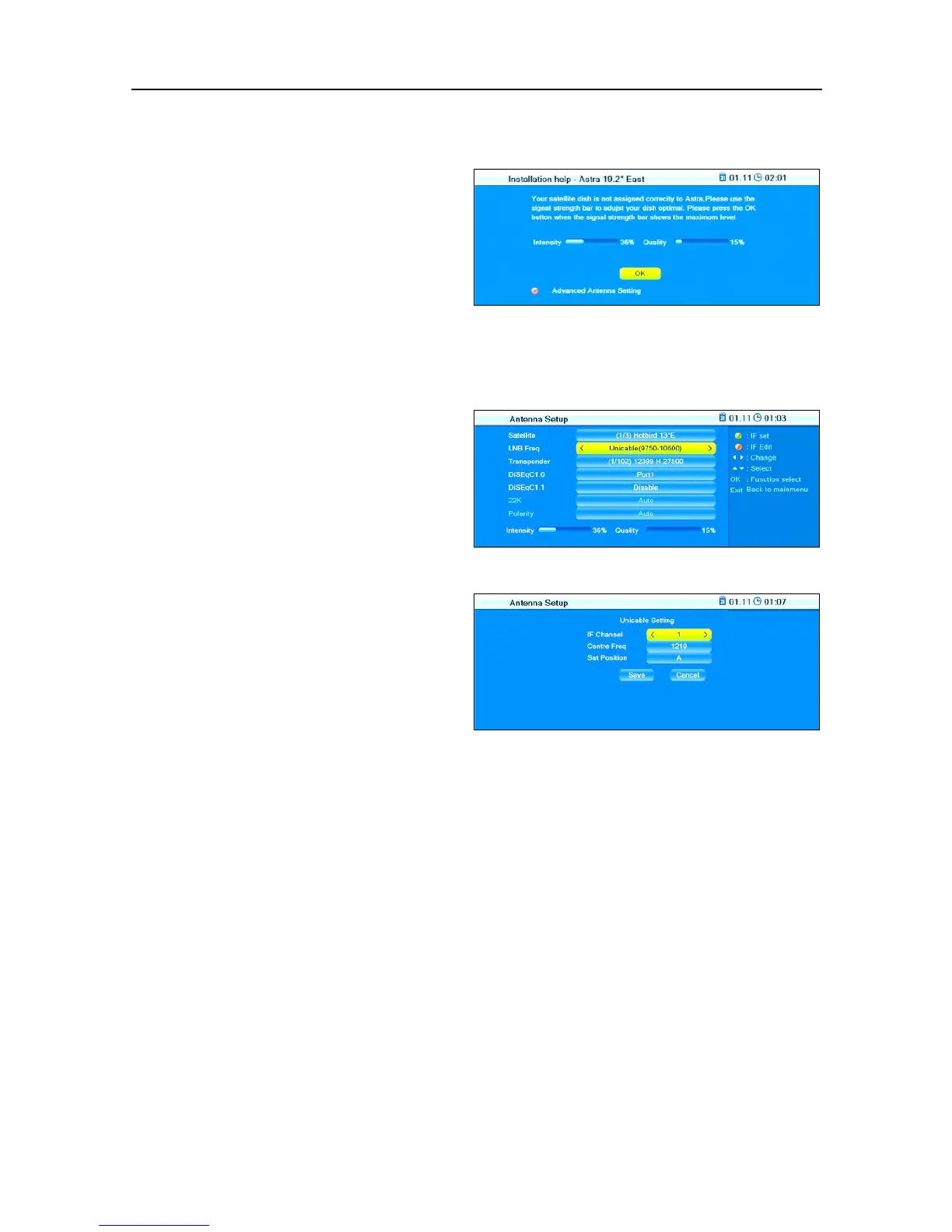
unicable system, then RAPS in-
stallation will automatically can-
cel. The window to the right will
open.
1. Press the red function key
(SHIFT) to open the submenu
Antenna Setup.
2. Select the menu item
and set the IF channels
(start with channel 1; respec-
tively allocate one of the IF
channels - in ascending order
- to the connected receivers).
5. Select the menu item
Center Freq to set the frequency corresponding
to the IF channel (see allocation table).
6. Select the menu item
Sat Position to set the respective satellite posi-
tion.
7. Mark the button Save and press OK to save your entries and to return
to the first window Antenna Setup
or
mark the button Cancel and press OK to discard any previous entries
in this window and to return to the first window Antenna Setup without
saving.



 To Next Page