Orientation of your antenna is optimal with maximum
signal strength.
When using a multi-feed antenna, select the port for the respectively
selected satellite at DiSEqC
13
1.0
14
.
If you want to receive signals from more than four satellites, select the
port for the respectively selected satellite at DiSEqC1.1
15
. This is set to
Disable
by default.
Select the menu item 22K to permanently switch on or off the 22 kHz
control voltage for high-low band switching (this is required e.g. for
certain antenna systems or to avoid disturbances). In most cases,
Auto
is to be selected (factory setting).
At Polarity, select the correct value for the selected channel. Possible
settings are
H
(horizontal),
V
(vertical) and
Auto
. Factory setting is
made to
Auto
.
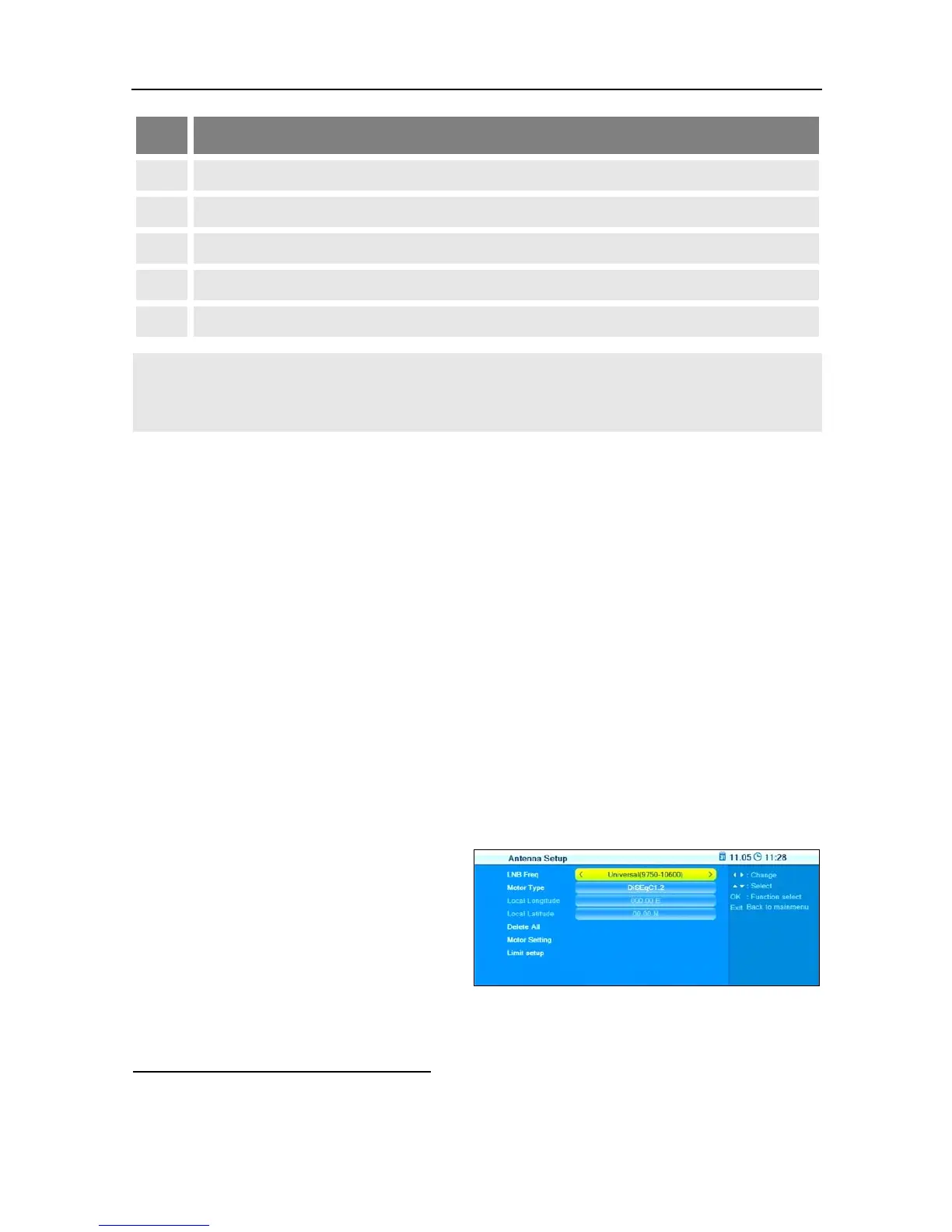
7.2.3.2 Motor Antenna
At LNB Freq, select the value
corresponding to the used
LNB. Default value is a univer-
sal LNB with 9750 - 10600
MHz.
At Motor Type, select the used control signal technology. Select be-
tween
DiSEqC 1.2
and
USALS
16
(depending on the used motor). The
13
DiSEqC = Digital Satellite Equipment Control, a digital control signal technology with satel-
lite receiving systems
14
DiSEqC1.0 supports four satellite positions
15
DiSEqC1.1 supports 16 satellite positions



 To Next Page