smart CX20 57
submenu item Motor Setting states different settings depending on
your previous selection.
7.2.3.2.1 DiSEqC 1.2
Select Delete All to delete all previously set satellite positions.
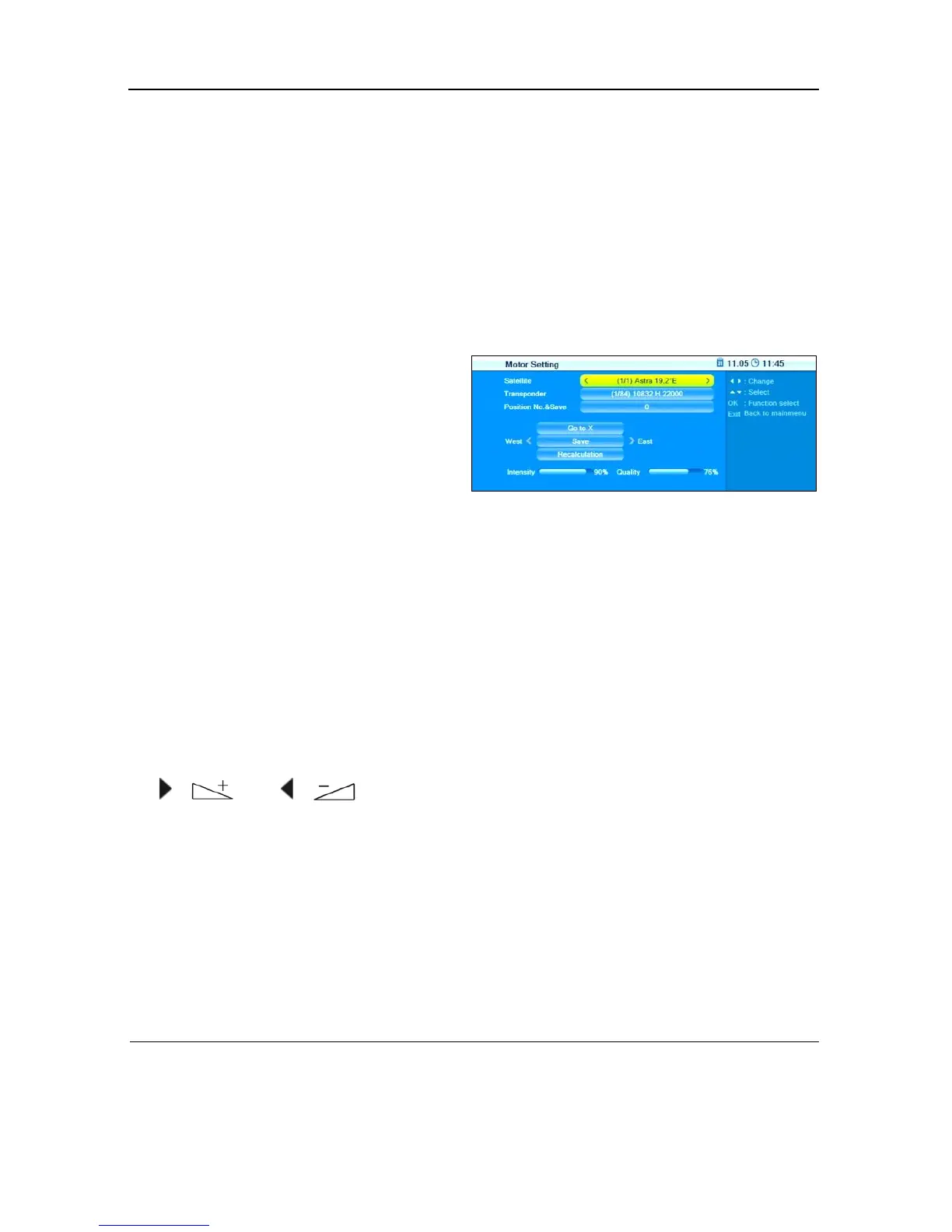
Select Motor Setting
and press OK to open the submenu Motor Set-
ting:
To set various antenna positions
:
1. Select Satellite
2. Select Transponder to select the transponder that should be decisive
for the antenna position (usually the transponder that is used to send
your preferred channel).
3. Select Pos No. & Save to determine a position number at which the
respective satellite (i.e. the respective antenna position) should be
saved.
4. Select Go to X to call a position from which you want to make the se-
lection (the value
Reference
is the zero position).
5. Select Save and turn the antenna to the west or east by using the keys
/ and / . Search for maximum values of signal strength
and signal quality (are displayed at the lower screen edge).
6. Then press OK to save the found position. A query will be displayed.
7. Confirm change of position by pressing Yes
or discard such change by
pressing No.
8. Repeat the steps 1 to 6 for any further satellites/transponders, if appli-
cable.
16
As compared to 1.0 and 1.1, DiSEqC1.2 offers the additional possibility of rotor control,
USALS = Universal Satellites Automatic Location System (particularly simple motor antenna
control)



 To Next Page