58 smart CX20
Select Recalculation and press OK to discard any previous settings
and to again determine antenna position.
Press EXIT to return to the submenu Antenna Setup.
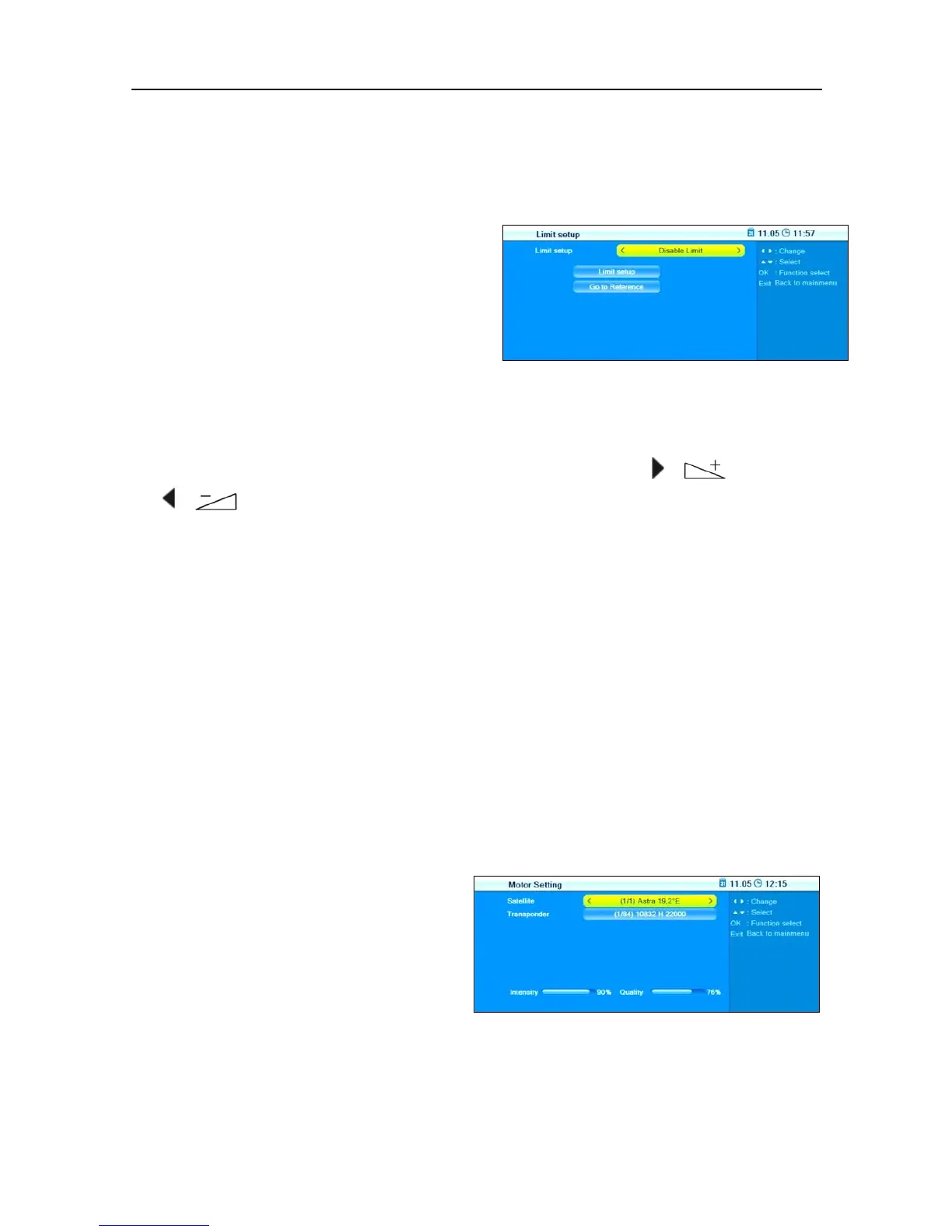
Select Limit setup and press OK
to open the window Limit setup.
1. Select Limit setup to switch between
Disable Limit
,
West Limit
and
East Limit
.
2. Mark the button Limit setup and move the limit - as defined in the
previous step - to the east or west by using the keys / and
/ .
3. Mark the button Go to Reference and then press OK to move the
motor antenna to its starting position.
4. Press EXIT to return to the submenu Antenna Setup.
7.2.3.2.2 USALS
A satellite position is defined as reference, and the data provided for lati-
tude and longitude are then used together with such basic values to cal-
culate the rotary movement for all remaining satellites.
Select Local Longitude to enter the longitude of the position of your
antenna by using the numeric keys of your remote control.
Select Local Latitude to enter the latitude of the position of your an-
tenna by using the numeric keys of your remote control.
Select Motor Setting
1. Select Satellite to select the satellite that should be used as reference
for USALS control of the antenna.



 To Next Page