66 smart CX20
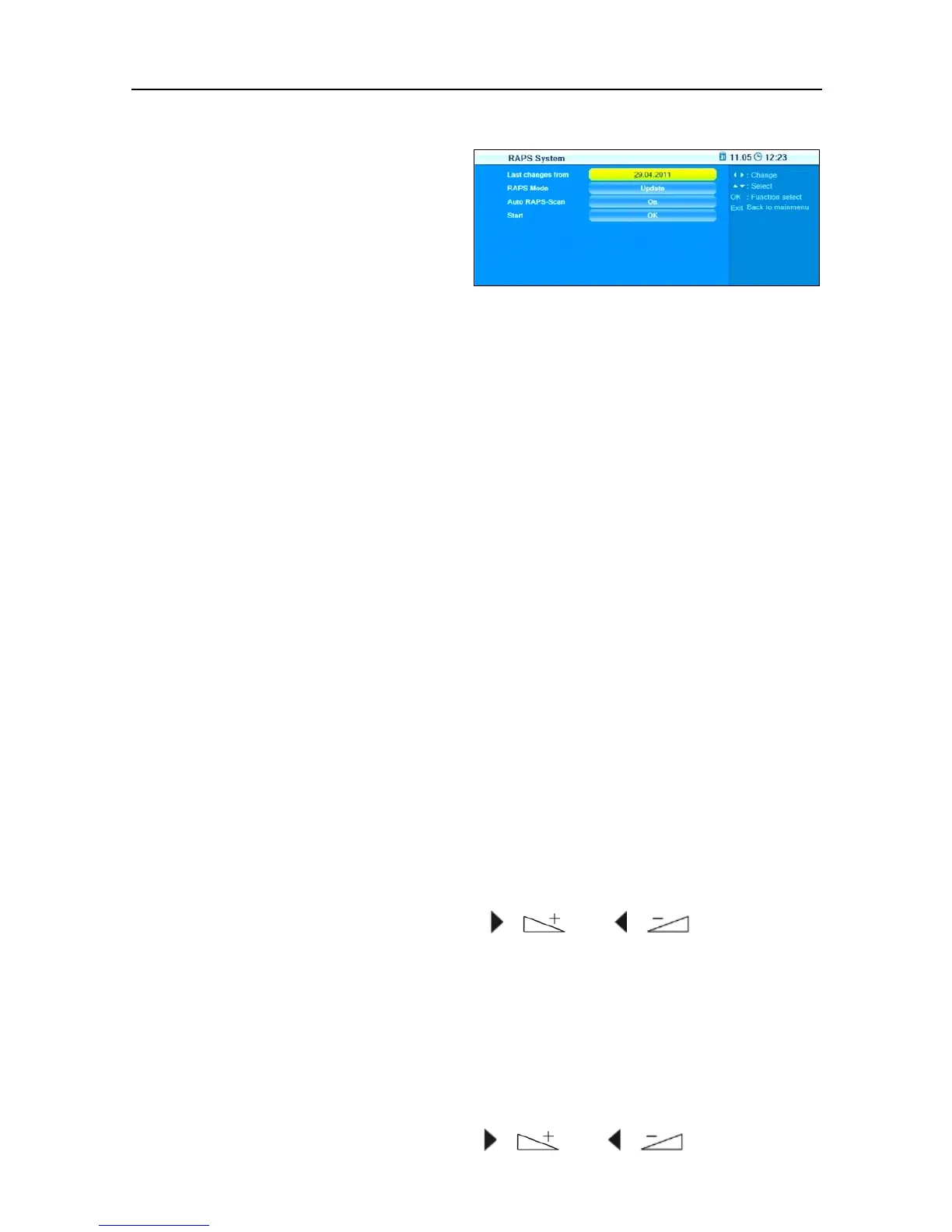
7.3.5 RAPS System
The window RAPS System dis-
plays at Last changes from the
date of the RAPS file on the re-
ceiver.
Select RAPS Mode to determine if the channel list should be com-
pletely recreated or only be updated after resetting to factory settings.
Select Auto RAPS Scan to determine if the automatic update function
should be activated.
Select Start to manually start new configuration or updating.
7.4 Menu Tools
7.4.1 Software Version
The sub-menu Information displays the current version number of the
smart CX20 software.
7.4.2 Factory Settings
If you erroneously saved wrong settings or if you want to pass on the re-
ceiver without your settings, then you can reset the receiver to the factory
settings (reset):
To reset the receiver:
1. In the menu Tools, select the sub-menu Factory Settings.
2. Press OK.
You will be asked if you want to reset the receiver and delete individual
settings.
3. Select
Yes or No by using the keys / and / , and then
press
OK.
After resetting your receiver, the language selection menu will be dis-
played.
7.4.3 Display Setting
This sub-menu can be used to edit various display settings:
Select Brightness to change the brightness value from 0 to 100 (de-
fault value is 50) by using the keys / and / .



 To Next Page