EasyManua.ls Logo

Smart Electronic CX20 - RAPS Parameters

Default Icon
84 pages
Print Icon
To Next Page IconTo Next Page
To Previous Page IconTo Previous Page
Loading...
Basic Operation
26 smart CX20
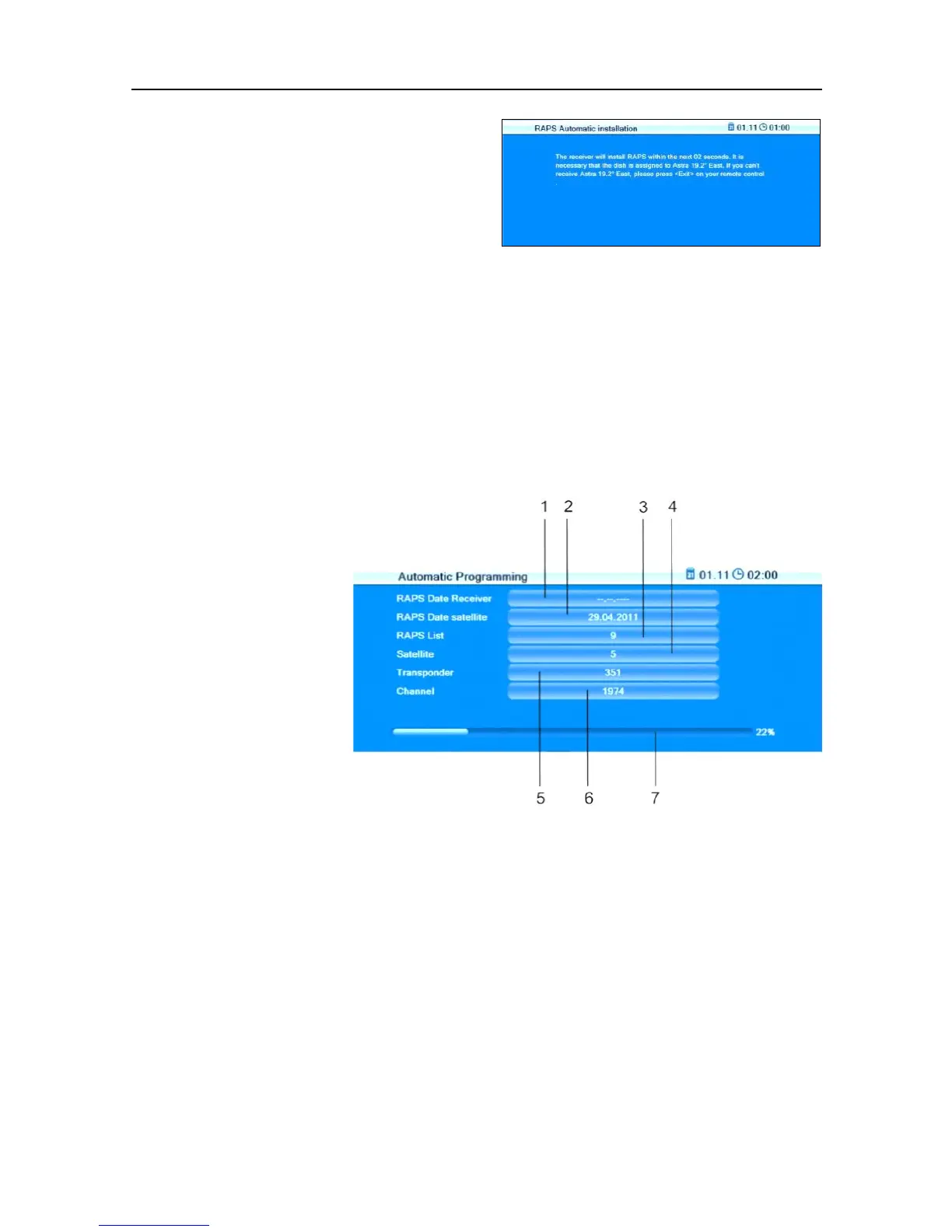
You can cancel RAPS installation by
pressing the key EXIT
whilst the
countdown of RAPS installation is
running (and also at a later point in
time during installation).
The then displayed channel list is a preprogrammed factory list. However,
such list is not updated via satellite due to cancelled RAPS installation!
The respective up-to-date RAPS lists are available via the satellite Astra
19.2°. Correspondingly, RAPS can only be used within the footprint of the
satellite Astra 19.2°; furthermore, your system should be suitable for digi-
tal Astra receiving.
5.3.3 RAPS Parameters

During installation,
the third installation
window Automatic
Programming dis-
plays various param-
eters:

Table of Contents

Related product manuals