101
D717 User Manual Customizing the Phone Settings
Setting on the web interface
1. Open the Preferences page > General tab > Contact search section.
2. To change the specified minimum number of characters required, type the new number into the
text field of QuickLookup Start Length.
3. To disable the function, click the radio button o of QuickLookup.
4. Click on Apply and Save.
Speed dial
You can use the numbers 0 to 30 and the special characters # and * to speed dial frequently dialed
and/or long numbers without having to enter the complete phone number. The numbers must be set
on the phone or on the phone's web interface first.
Note: You can also map a phone number onto each one of the SmartLabel keys P1–P3 and the
context-sensitive keys F1–F4. For the programming instructions, see "Example 3, Speed dialing"
on page 82 and "Context-sensitive keys" on page 72, respectively.
Type each phone number exactly how it needs to be dialed by the phone, i.e., with any required
prefixes (area code, country code, operator/auto attendant, etc.) and without spaces or
punctuation between the digits.
Setting on the phone
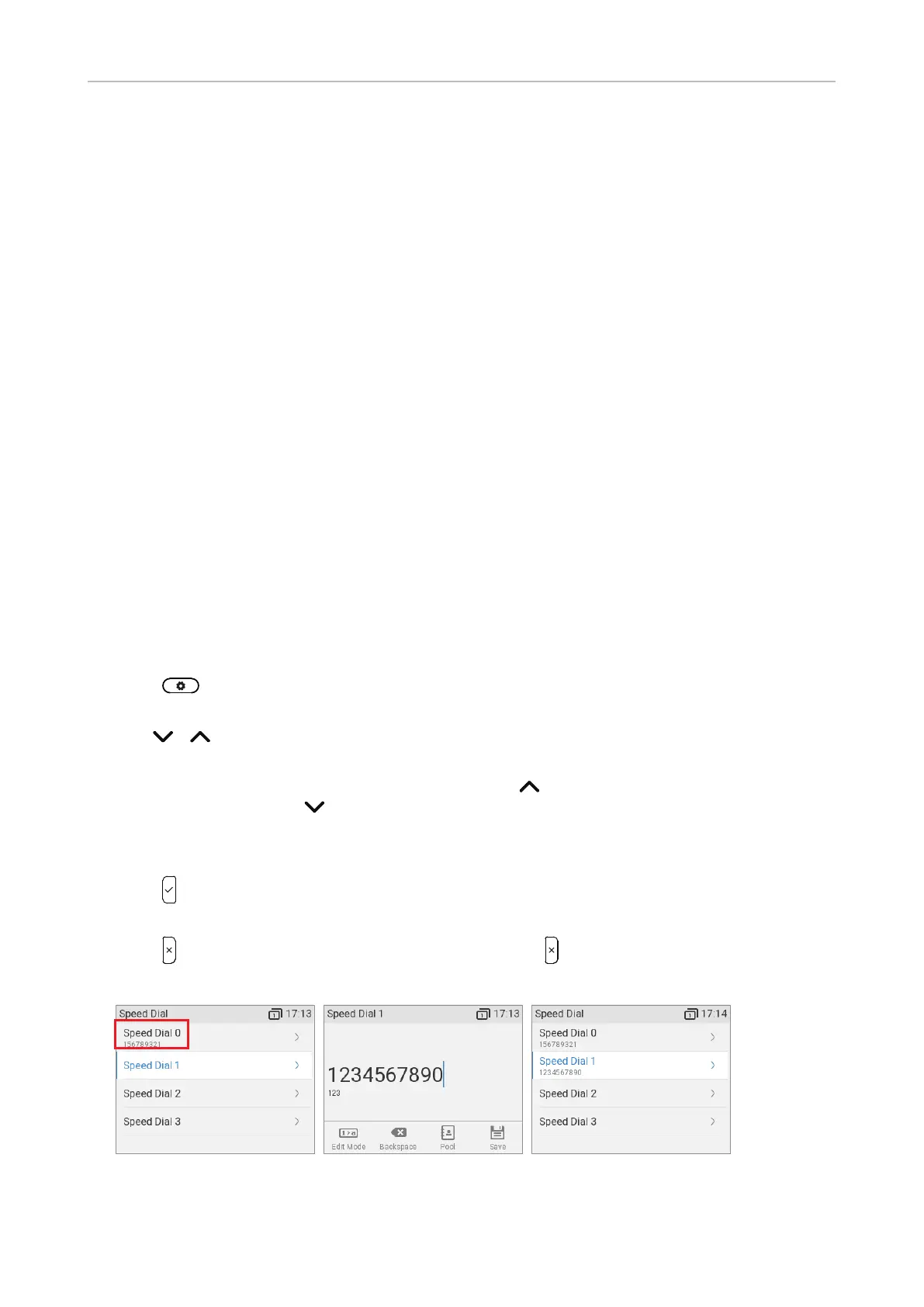
1. Press and select Call Features > Speed dial. Phone numbers currently assigned to any
speed dial numbers are indicated in the line underneath the respective speed dial number (Fig. 1).
2. Use / to scroll down or up one number at a time (Fig. 1). The speed dial keys # and * are
listed between speed dial keys 9 and 10.
Shortcuts: When the selected number is "0", press to go to "30"; when the selected
number is "30", press to go to "0".
3. Type the phone number into the text field without spaces or punctuation between the digits
(Fig. 2).
4. Press to save and to return to the Speed dial menu where the phone number has been added to
the speed dial number (Fig. 3) .
5. Press briefly to return to the Call Features menu, press for two seconds to return to the idle
screen.
Fig. 1 Fig. 2 Fig. 3



 To Next Page