54
D717 User Manual Using the Phone
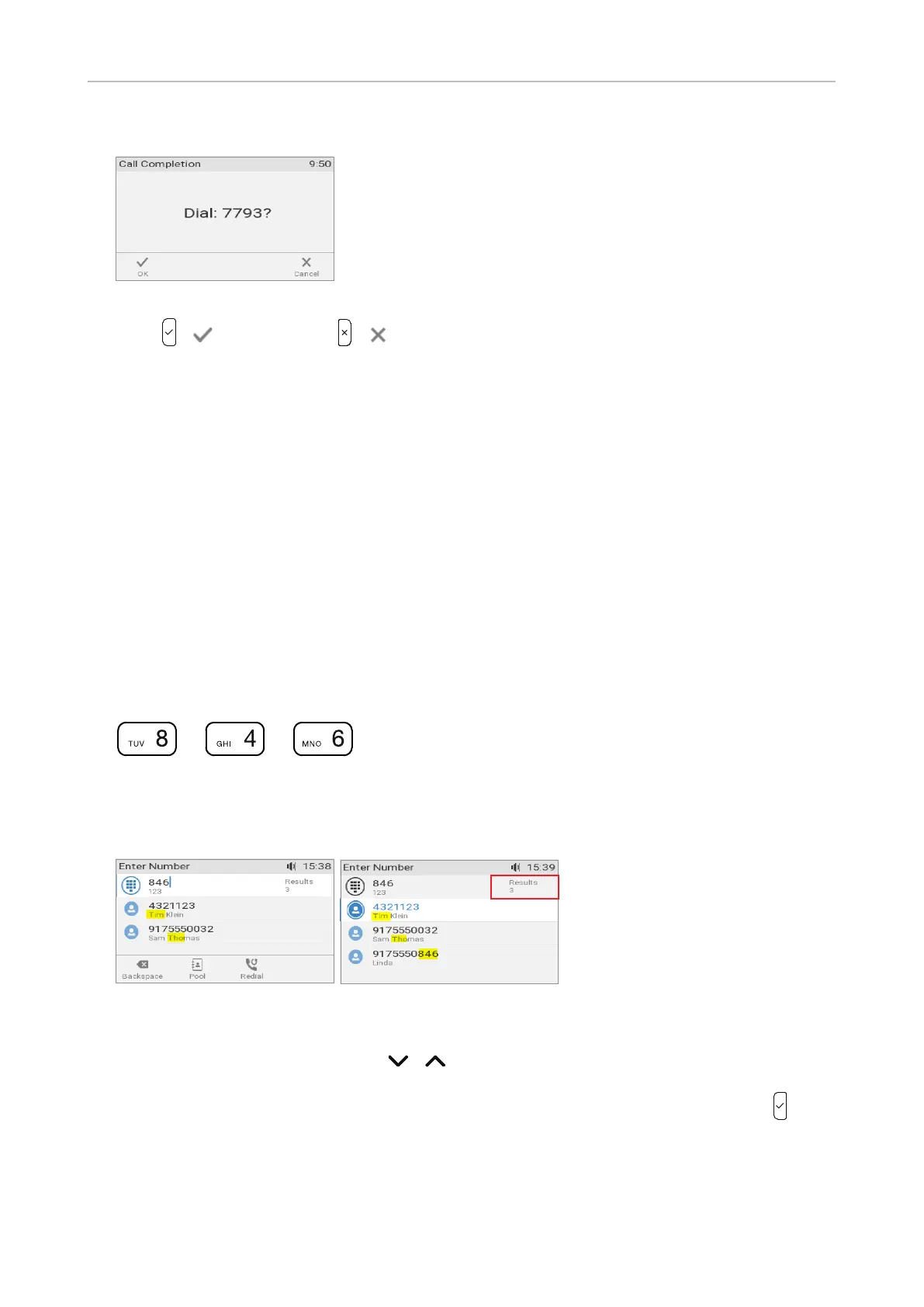
3. When the number becomes available, you will see it announced on the display (Fig. 4).
Fig. 4
4. Press / to dial; or press / to turn o call completion for this call.
QuickLookup (number guessing/auto completion)
When QuickLookup is enabled, the phone will search its directory and call lists - and send an LDAP
query if LDAP is configured - for names and numbers containing the sequence typed on the phone's
keypad. The search is triggered 500 ms (0.005 seconds) after the last digit of the required number
of digits has been entered. The default minimum number of characters that must be entered before
number guessing will start is 3.
The QuickLookup function can be disabled on the phone and on the phone's web interface. See
"QuickLookup (number guessing/auto completion)" on page 100 for the information on changing the
required number of digits and on disabling and enabling the function.
Using QuickLookup:
1. Start entering the name of the person or the phone number or any part of the phone number you
want to call. In our example, we are looking up the name "Tim" by pressing the number keys 8, 4,
and 6 on the phone's keypad.
+ +
Fig. 1
2. The matching results are names containing the letter sequences T, I, M, and T, H, O (Fig. 1) and a
number containing the digit sequence 8, 4, and 6 (Fig. 3).
Fig. 2 Fig. 3
3. If the number of matches, as indicated on the right side of the edit line, exceeds the number that
can be shown on the display, use the / arrows on the navigation key to scroll through the
list (Fig. 3).
4. Select the number you want to dial, in our example Tim Klein's number (Fig. 3), and press to
dial.



 To Next Page