52
D717 User Manual Using the Phone
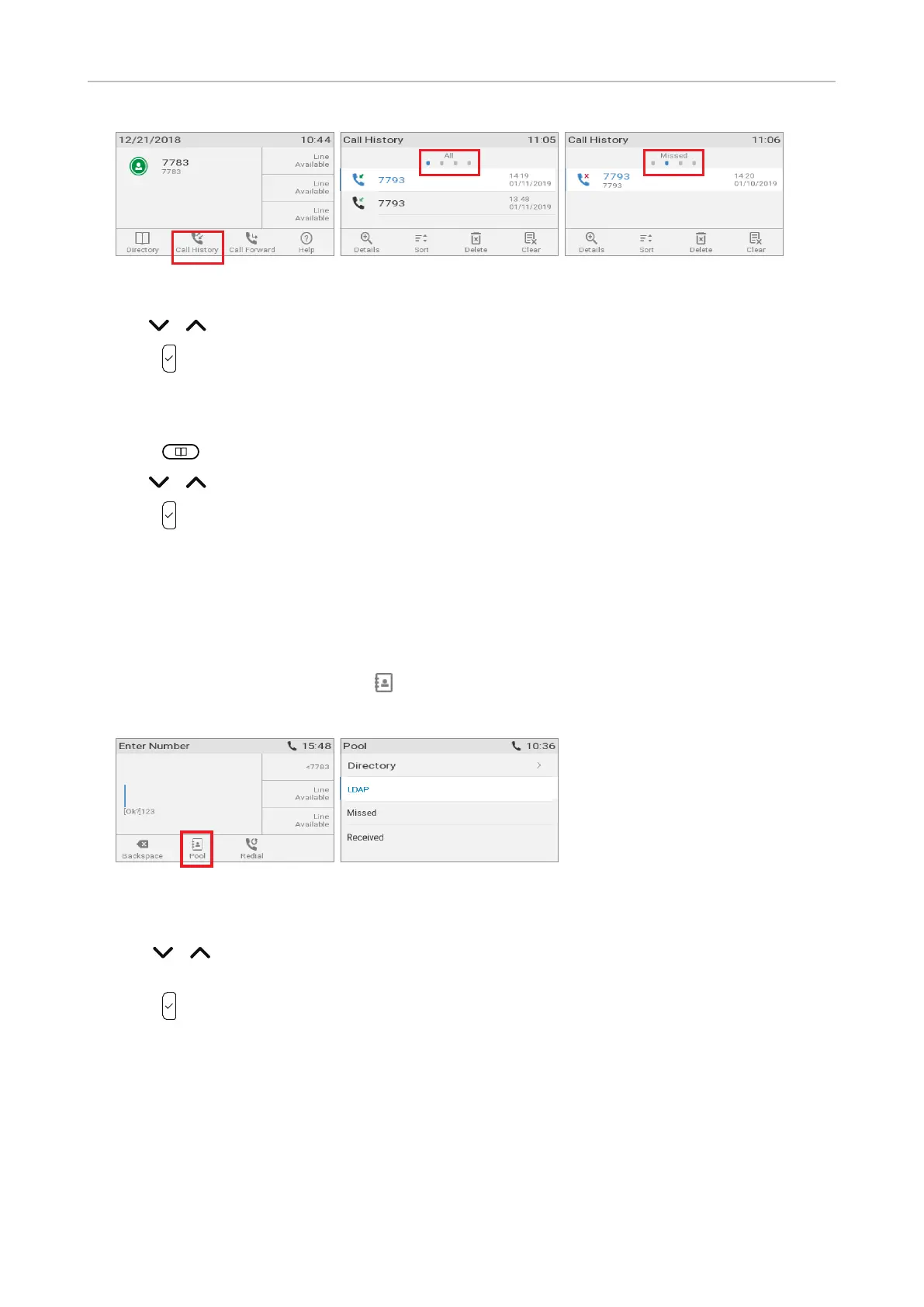
Fig. 1 Fig. 2 Fig. 3
2. Use / on the navigation key to select a call from the call list.
3. Press to dial the selected number.
Calling number from phone directory
1. Press to open the phone's directory.
2. Use / to select a name or enter the first letter(s) of the name on the alphanumeric keypad.
3. Press to dial the number.
Calling number from external directory
If an external directory (LDAP, for example) is available, you can access it from the dial screen.
1. Lift the handset o the cradle or press the speakerphone key to open the dial screen (Fig. 1).
2. Press the function key underneath to show the list of available directories and call lists
(Fig. 2).
Fig. 1 Fig. 2
3. Select the external directory from the list.
4. Use / to select a name or, if LDAP for example, enter the first letter(s) of the name on the
alphanumeric keypad.
5. Press to dial the number.



 To Next Page