16
D717 User Manual Setting up the Phone
Note: See "Entering numerals, letters, special characters, and symbols" on page 24
on how to enter numbers and letters.
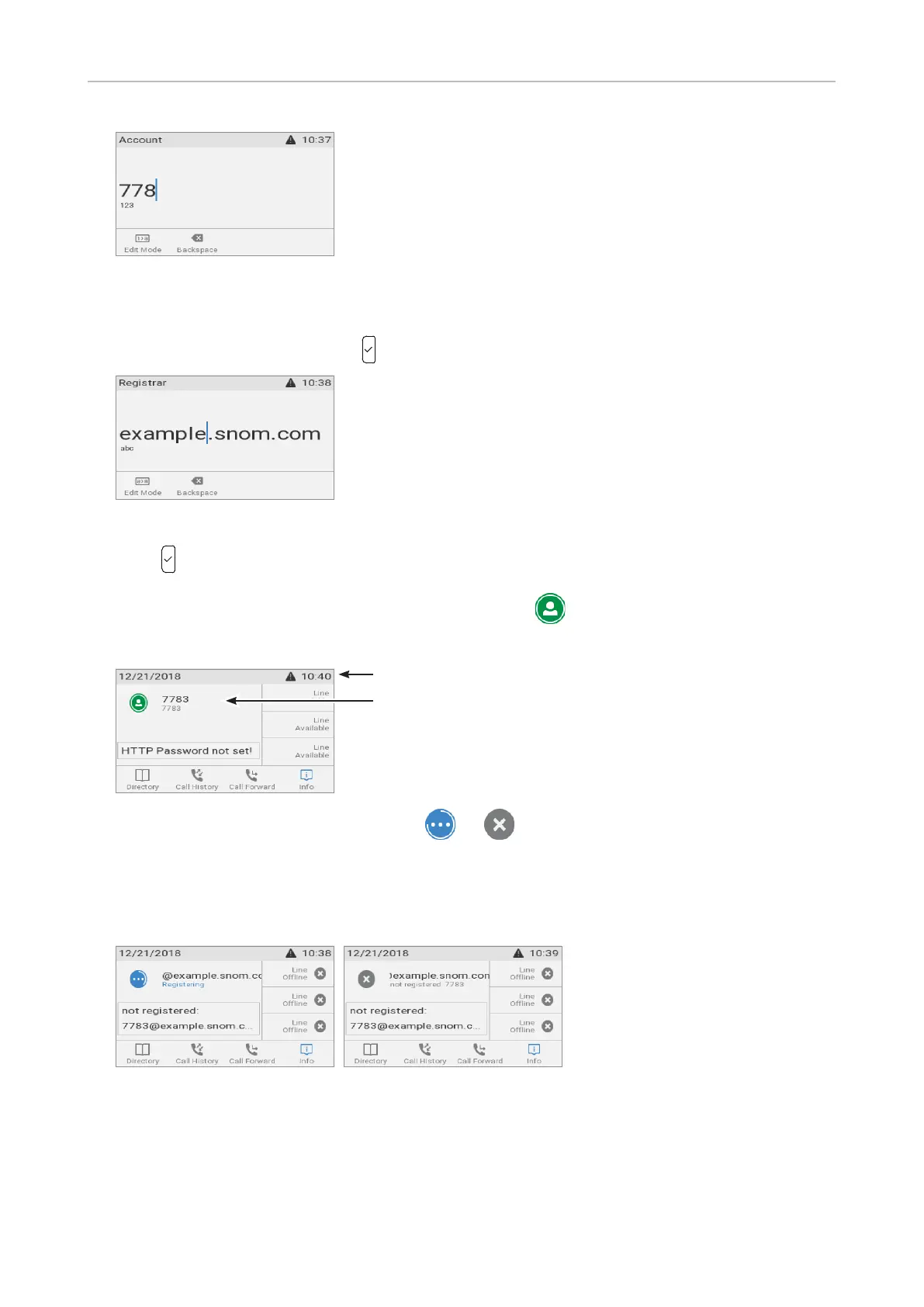
6. Enter the registrar and save with .
7. If required, enter the password received from your Internet service provider or administrator and
press .
After successful registration you will see the identity symbol and the registered account (identity)
on the display:
Note: If the account is preceded by or and the phone is not working, the
server may be down, either for servicing or due to a malfunction. The registration and
initialization should be completed as soon as the server is up and running again. You
may want to check with your administrator or your provider if nothing happens within a
reasonable amount of time.
What to do if initialization and registration are unsuccessful
Your network or your VoIP provider may require more login data than requested by the Snom phone
during the initialization and registration process. This data is entered on the web interface of the
phone. Contact your network system administrator or your VoIP provider for more information.
Infobar with date& time
Identity



 To Next Page